
How do I change background or graphics on this motion title/
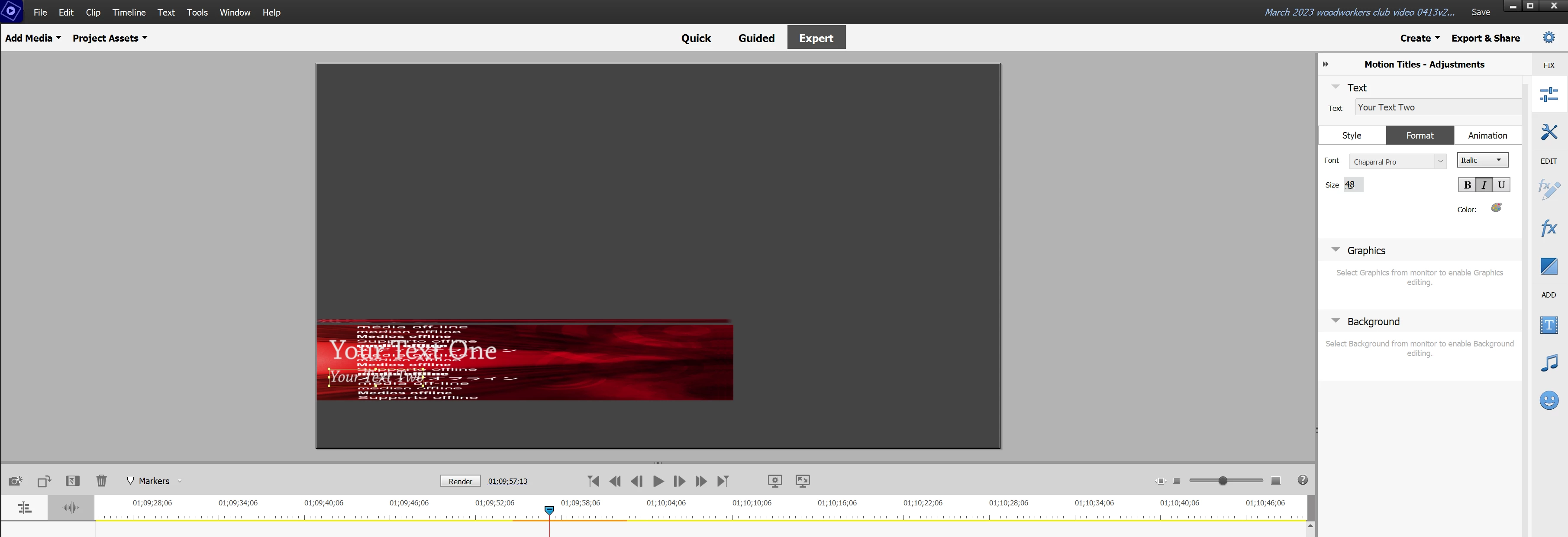
I dragged the "motion title" shown below to my timeline, but I can't figure out how to modify the background. (and I'm not even sure what the difference is between "background" and "graphics" in this.) Both "background" and "graphics" adjustments say to "select background from monitor to enable background editing", or similar for the graphics. I can't figure out anything I can select that lets me do anything. Clicking around, I can select at least 4 or 5 different things in the title area, but none of them make anything show up in the adjustments panel other than the "select background from monitor..." message I mentioned above. What in the world do I select in order to change what appears behind my text for this title? All I really want to do is change it so the title text appears on a solid colored background of my choice. Why is this SO HARD to do?


 AdChoices