


teekv23999356
Participant
June 10, 2018
Question

How do you link audio and video back together?

  • June 10, 2018
  • 3 replies
  • 904 views

I had to tweak the speed of some audio by unlinking it from the video and speeding it up a hair. How do I re-link it back to the video?

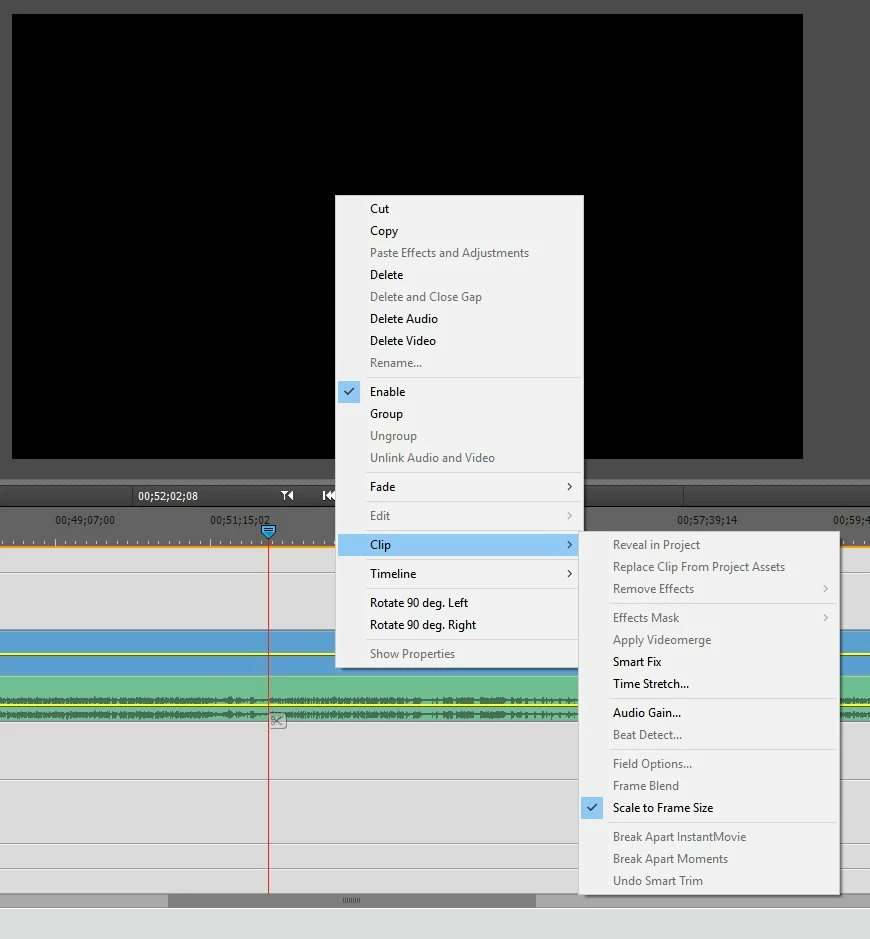
The instructions say that the option should be in the "clip" sub-menu but as you can see that is not the case. How do I do this?
    This topic has been closed for replies.

    3 replies

    williebegoode
    Participating Frequently
    June 11, 2018

    I put together a 5-step sequence that may further illustrate the process:

    Legend
    June 11, 2018

    Great find, Bill and Willie!

    Ann Bens
    Community Expert
    Community Expert
    June 11, 2018

    Lasso,

    right click,

    Link video and audio,

    done.

    Legend
    June 11, 2018

    I don't know that that is possible in Premiere Elements.

    teekv23999356
    Participant
    June 11, 2018

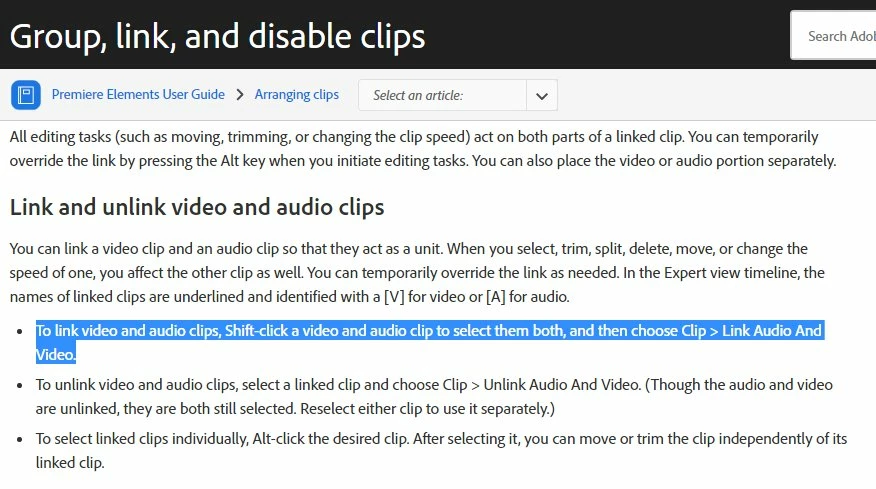
    Sure seems to be possible. Otherwise why would Adobe have it in their user guide?

    How to group, link, and disable clips in Premiere Elements

    Community Expert
    June 11, 2018

    I carefully followed the instructions and found that it works fine.

    First I unlinked, then moved the audio and finally followed the instructions as you posted. 

    It works.  I don't know why yours does not.

    Thank you for teaching me a feature I didn't know existed.

    Legend
    June 10, 2018

    Hold down the Shift key so that you can select both the video and audio, then right-click and select Group.

    Community Expert
    June 10, 2018

    I had better buy a fresh copy of your book!  I didn't know you could do that.