
justinw86398615
Inspiring
June 27, 2022
Answered

How edit text?
  • June 27, 2022
  • 1 reply
  • 411 views

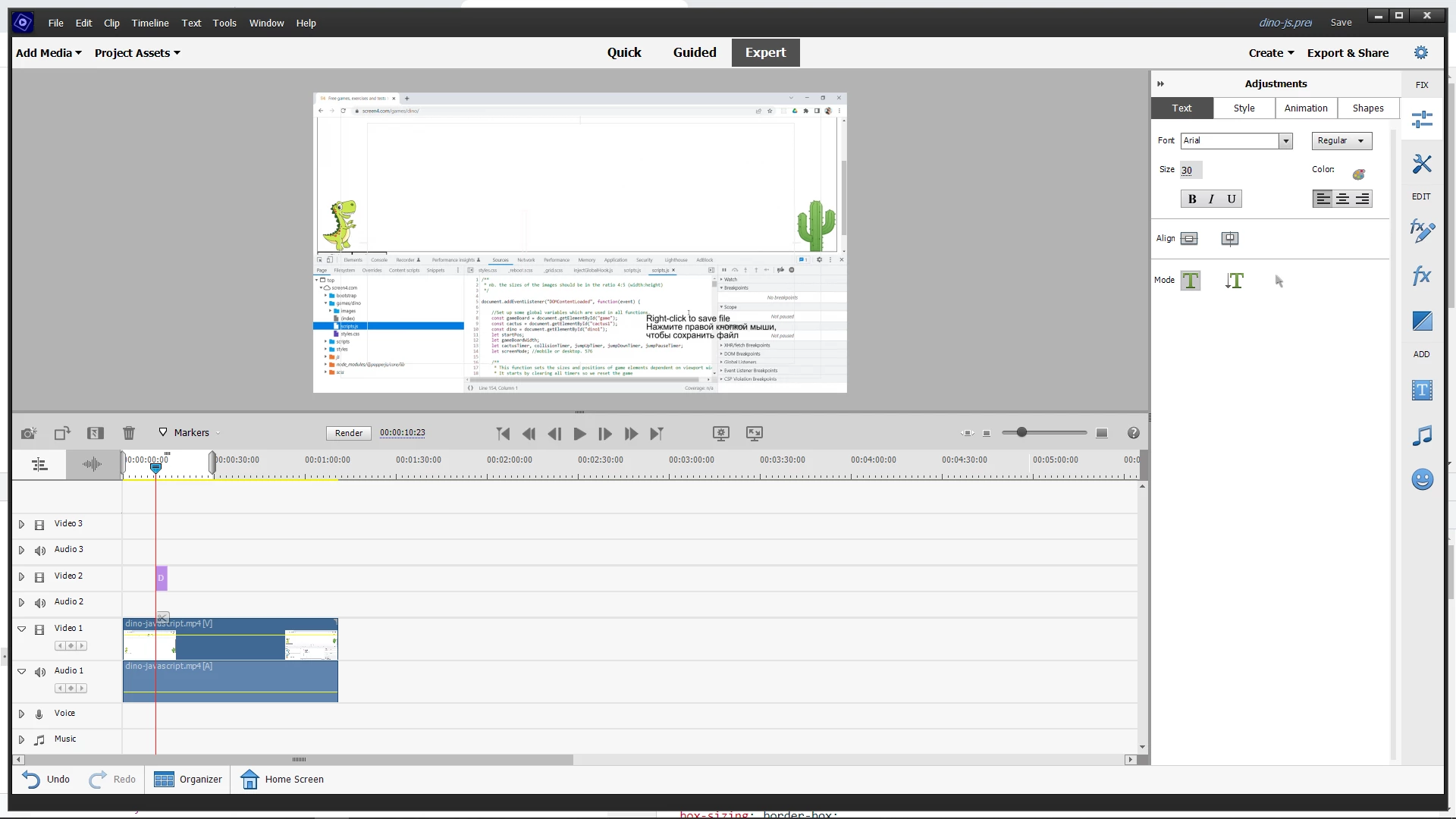
How do i edit the text? I think it is the pink bit. At least there are only two elements in this project so it must be it. If I double-click it the screen momentarily flashes if it were trying to display it but then nothing. I don't seem to be able to do anything from the Project Assets bin either.


It seems pretty simple but it is eluding me. 

This topic has been closed for replies.
Correct answer Steve Grisetti

You're in the title adjustments workspace, so you're in the right place to edit that title.


You just have to click to select the text box on the preview monitor window. If you don't click on existing text, wherever you click will start a new text box. You can  have several text boxes in the same title.


It's all a little hard to see because you're working with white text over a white background right now. But temporarily delete the white video on the Video 1 track and you'll better be able to see what you're doing.

1 reply

Steve GrisettiCorrect answer
Legend
June 27, 2022

You're in the title adjustments workspace, so you're in the right place to edit that title.


You just have to click to select the text box on the preview monitor window. If you don't click on existing text, wherever you click will start a new text box. You can  have several text boxes in the same title.


It's all a little hard to see because you're working with white text over a white background right now. But temporarily delete the white video on the Video 1 track and you'll better be able to see what you're doing.

justinw86398615
Inspiring
June 29, 2022

Thanks Steve.  I think in a previous version you edited the text in a little pop-up window?  I was expecting that - so I missed that you simply do it in situ. Thanks

Legend
June 30, 2022

You will see a pop-up window when you edit Movie Menu titles. Also Motion Titles edit text differently.


But this is the way regular titles have always been edited in Premiere Elements.