


Participant
April 18, 2021
Question

How to change the Project Ratio to 9:16 (1080x1920)

  • April 18, 2021
  • 3 replies
  • 1264 views

Hi Guys, 


I use Photoshops Elements the first Time (Testversion). I want to use it for editing some Clips for TikTok (mostly Videos Filmed in 4k). 

I tried to set the Settings to 6:19 and then importing the source material. Sadly I am not able to change the prefield settings, Screenshot:
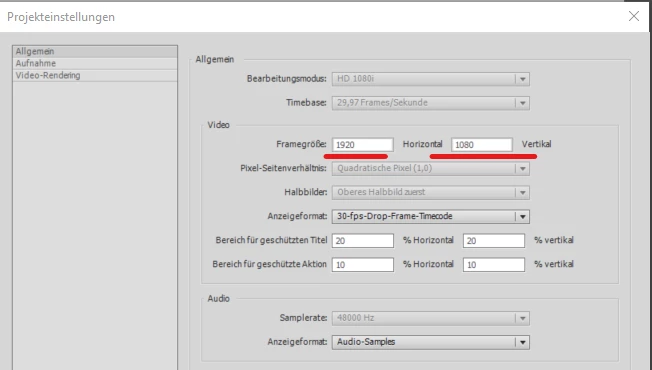

Ist this maybe related to my Testversion? Or ist der any other reason for not beeing able to change it? 

Thank you 🙂 

This topic has been closed for replies.

3 replies

hongw41574789
Participant
November 21, 2021

I created a youtube video showed you step-by-step how to day this. I used 2018 Premier Elements.

https://youtu.be/LRWcSisLqkg

How you find this helpful.  Cheers!

Ann Bens
Community Expert
Community Expert
April 18, 2021
Legend
April 18, 2021

I assume you're editing you're video in Premiere Elements. (Photoshop Elements doesn't edit video.)


If so, the option to create video taller than it is wide is not available in this program.