3GV
Participant
November 4, 2020
Answered

How to go to the Video Editor direct.

  • November 4, 2020
  • 2 replies
  • 495 views

Each time I open Adobe Premier Elements 2021, I get a screen with options to select Organizer, Photo Editor or Video Editor.  Is there a way to bypass this screen and simply open the Video Editor ??

This topic has been closed for replies.
Correct answer Bill Sprague

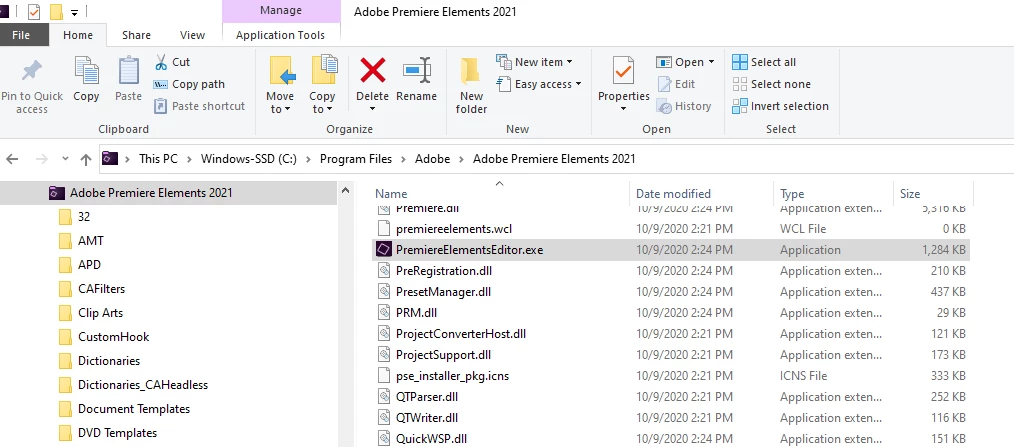
Use the search to find "PremiereElementsEditor.exe".  No spaces.  I gave you the wrong file path.  Apologies.  Try this:  "C:\Program Files\Adobe\Adobe Premiere Elements 2021"

2 replies

Bill SpragueCommunity ExpertCorrect answer
Community Expert
November 4, 2020

Use the search to find "PremiereElementsEditor.exe".  No spaces.  I gave you the wrong file path.  Apologies.  Try this:  "C:\Program Files\Adobe\Adobe Premiere Elements 2021"

3GV
3GVAuthor
Participant
November 4, 2020

Thank you very much - that worked !!  No apologies needed. Now if I can only spell Editor in the Subject Line !!!

Peru Bob
Community Expert
Community Expert
November 5, 2020

Now if I can only spell Editor in the Subject Line !!!

I fixed it for you.

Community Expert
November 4, 2020

Yes there is.  You find the .exe file for Premiere Elements and create a shortcut.  On my computer it is at:  "C:\Program Files\Adobe\Adobe Premiere Elements 2021\Elements Home\Adobe Premiere Elements 2021.exe"

3GV
3GVAuthor
Participant
November 4, 2020

Thanks for the quick response - got the same results - still getting the first screen with the 3 options - Organizer, Photo Editor or Video Editor.