


Answered
How to make scrolling credits in Premiere Elements 2026
I am making a video project in the latest version of Premiere Elements: Adobe Premiere Elements 2026. I am wanting to add credits to the end of my video. I have been using Premiere Elements for many years and have always found different credits options in the titles menu. It appears to me that these credits templates are no longer available in the 2026 version. This is extremely frustrating to me as something I've relied on for many years has now disappeared. I'm starting to regret updating to this version of Premiere Elements.
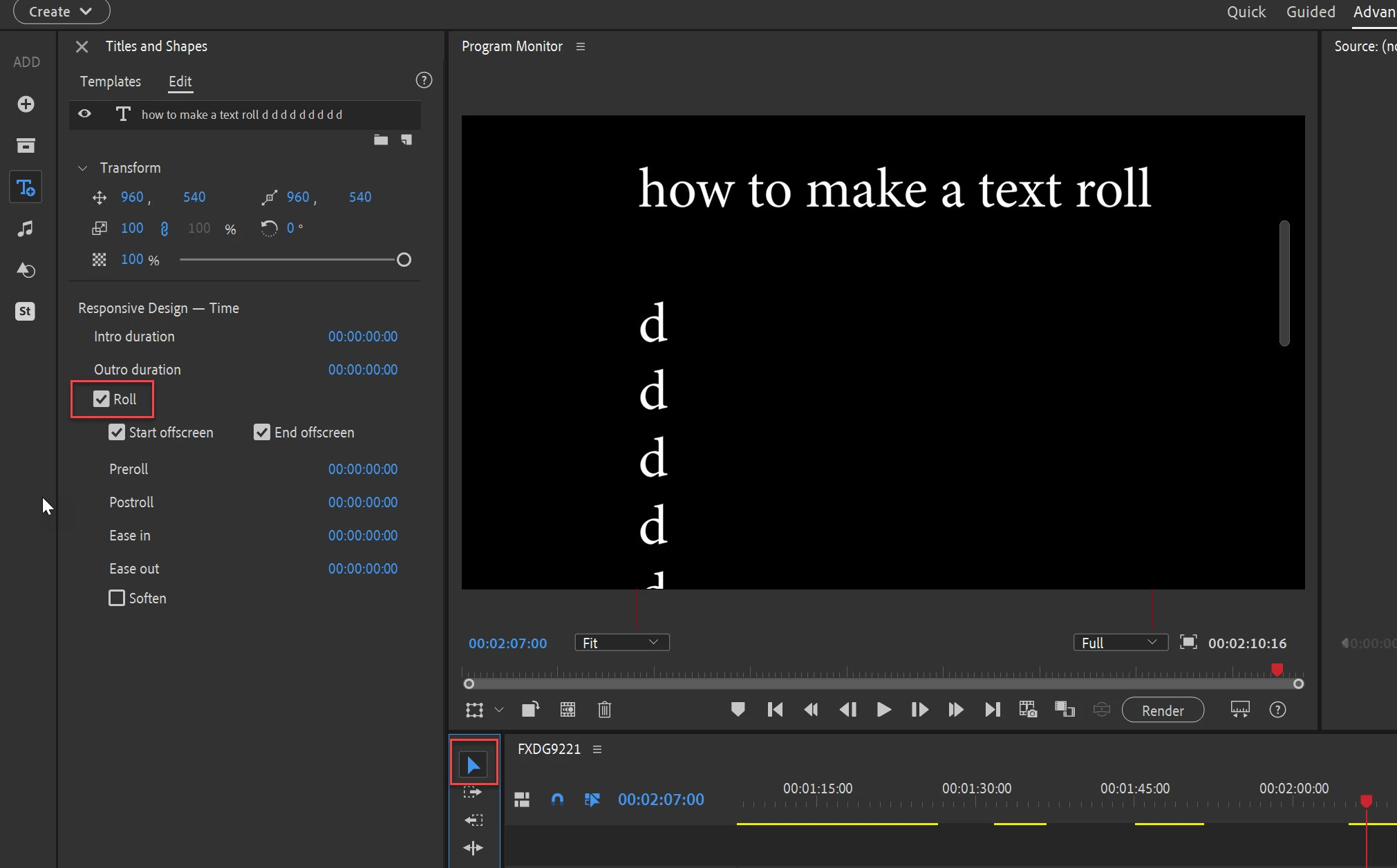
Please let me know if there's another way to make scrolling credits in the project. The "roll" checkbox does not appear in the text editing window since I'm not using the Pro version.

 AdChoices