


How to Select 4k Editing in Premier Elements 15?
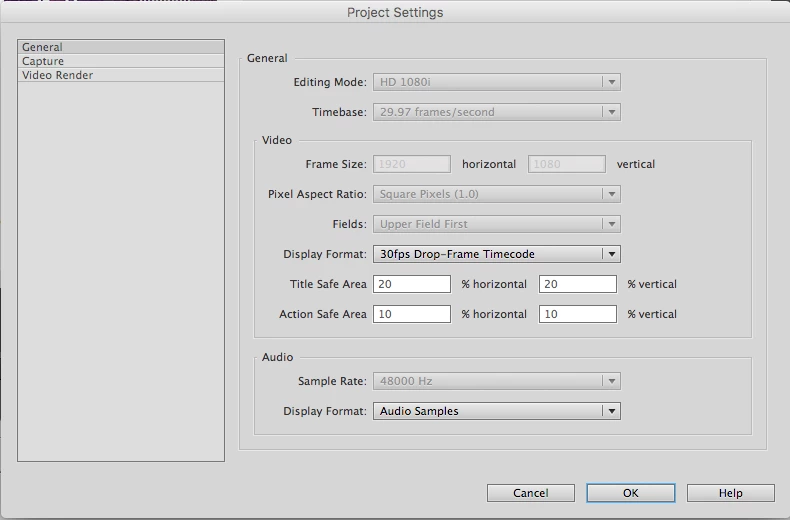
In the Adobe Premiere Elements product I just purchased won't allow me to select UHD 4k for my project in the Edit/Project Settings/General window. It defaults to HD 1080i. See screenshot of that window below with the HD 1080i default that I am unable to change. How can I select 4k as the setting for my project?
Adobe clearly says Premiere Elements has 4k editing capability: Compare products & buying guide | Adobe Premiere Elements 15 vs. 14, 13
I've been on hold with Adobe support on the phone and on chat for several hours with no response, so I very much appreciate any help on this (seemingly simple) topic. I very simply want to insert a 4k background still image and then add high-res videos on top of that, all at the standard 60 frames per second of 4k devices. I have a late 2013 MacPro that very easily plays 4k video in Quicktime (it doesn't display the full 4k resolution, nor does it display all the 60 frames in each second, but it does play 4k video reasonably well). Other programs have no problem outputting 4k on this computer, so I'm quite mystified at Premiere Elements' unwillingness to allow me to select 4k.
 AdChoices