


Participant
February 17, 2019
Answered

I can't edit a Title

  • February 17, 2019
  • 3 replies
  • 672 views

I created a Title as an overlay to the video. Rendered and exported an .mp4 file.  When viewing that I noticed an "Add Text" item was left in the Title.  Trying to edit it but Edit is grayed out. So is Duplicate.  I hate to delete it and recreate it, so are they any options?
    This topic has been closed for replies.
    Correct answer Bill Sprague

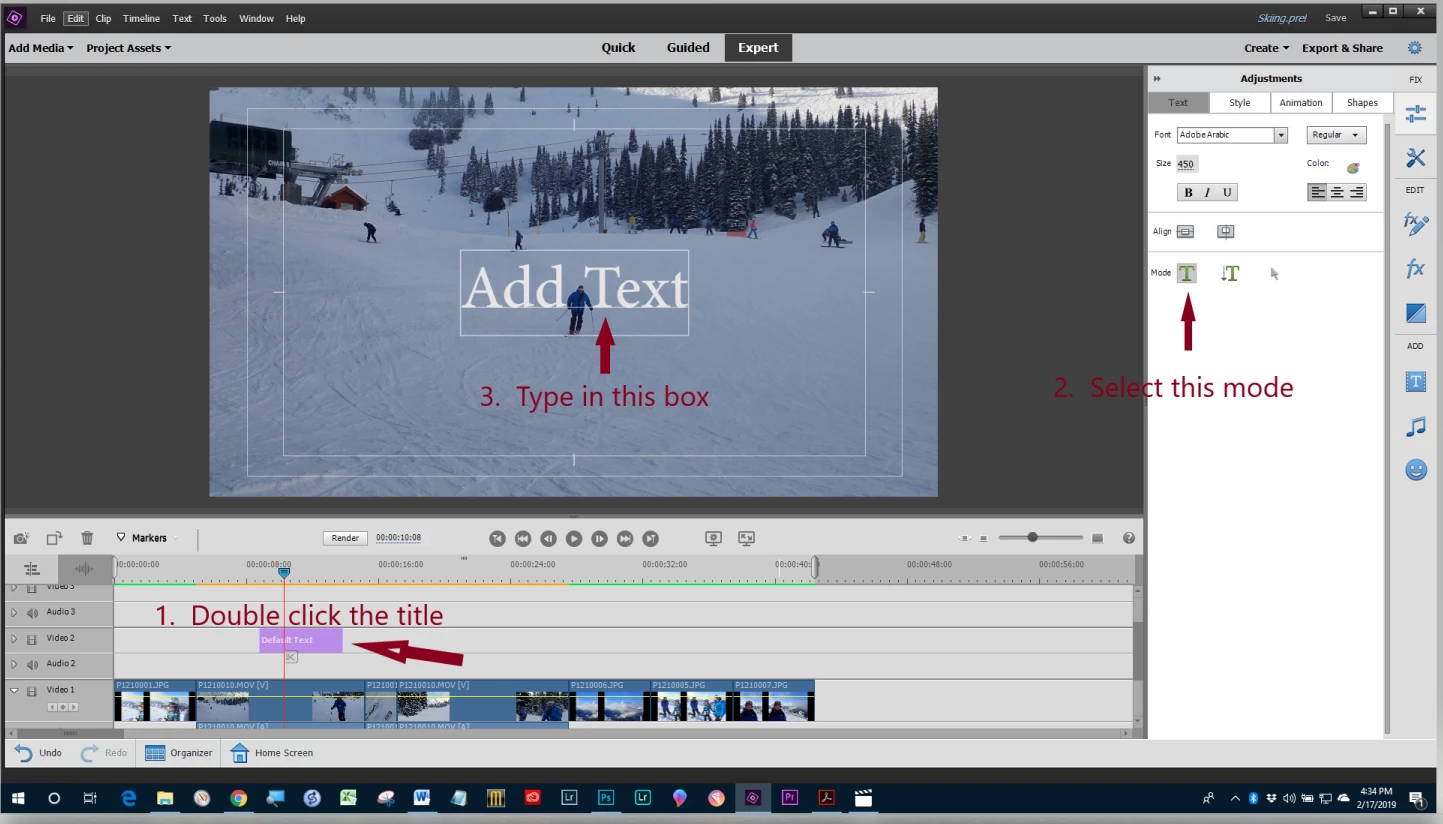
    Try this:

    3 replies

    P1965
    Inspiring
    February 20, 2019

    Maybe there is second title lingering on another video track, scroll up the tracks or even check the project assets

    Legend
    February 18, 2019

    Can you describe the steps you're taking to edit the title? You may be doing it wrong. I'm not sure I've ever seen an "Edit" option, grayed out or not.

    Also, which version of Premiere Elements are you using on what operating system?

    Bill SpragueCommunity ExpertCorrect answer
    Community Expert
    February 18, 2019

    Try this:

    dsttexas1Author
    Participant
    February 20, 2019

    I can't believe I was that stupid! I get so right click oriented that I forgot the double click process.  Don't know why it was grayed out however on the right click, but problem solved.  Thank you!

    This is what happens sometimes when I only do video editing every 6-12 months or so.

    Community Expert
    February 20, 2019

    dsttexas1  wrote

    ....Thank you!

    This is what happens sometimes when I only do video editing every 6-12 months or so.

    You are welcome.  You should do videos more often.  They are fun!