


Question
Import from iMovie '09 for MacOS to Premiere Elements 2021
Hello,
I have an old MacBook with iMove '09 on MacOs El Capitan (10.11.6). I have created some iMovie projets. I have seen that it is possible to import some iMovie projects in Premiere : https://classroom.synonym.com/export-premiere-elements-8863.html
So I have bought Adobe Premiere Elements 2021 running on Windows 11. But when I select the iMovie project folder and I click on Import, I get the message below which means "This file type is not regognized or the required codec is not installed."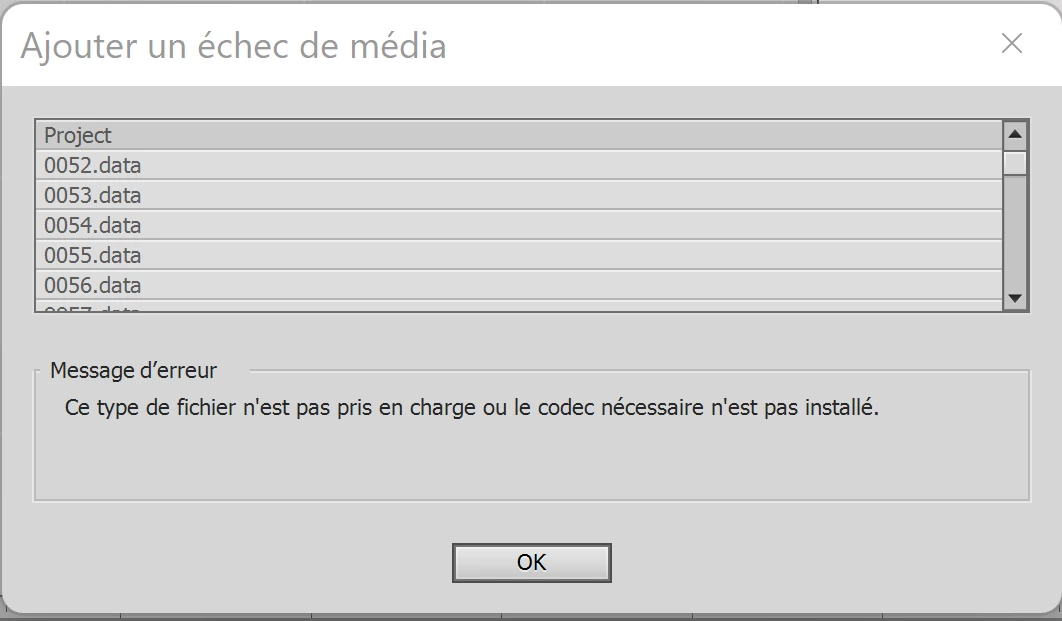
How can I install the project ? I notice that the rushs are not in Macintosh HD. They are in an external disc. How can I install the required codec on my Windows 11?
Best regards,
Xavier


 AdChoices