


Dsky3
Participating Frequently
July 19, 2018
Question

Import in bulk - any way to undo?

  • July 19, 2018
  • 1 reply
  • 355 views

Hi all - I had the Organizer in Premiere Elements 2018 pull in only my photos and video, and everything was working well. Now, I've imported in bulk, and it ended up pulling every single file on my computer, including thousands of folders (each only containing one photo) from my most recent iphone backup! See the attached image for a sense of what I'm talking about. Now instead of just a few dozen folders, I have thousands, making this impossible to manage. Is there anyone that has a suggestion on how to remedy?
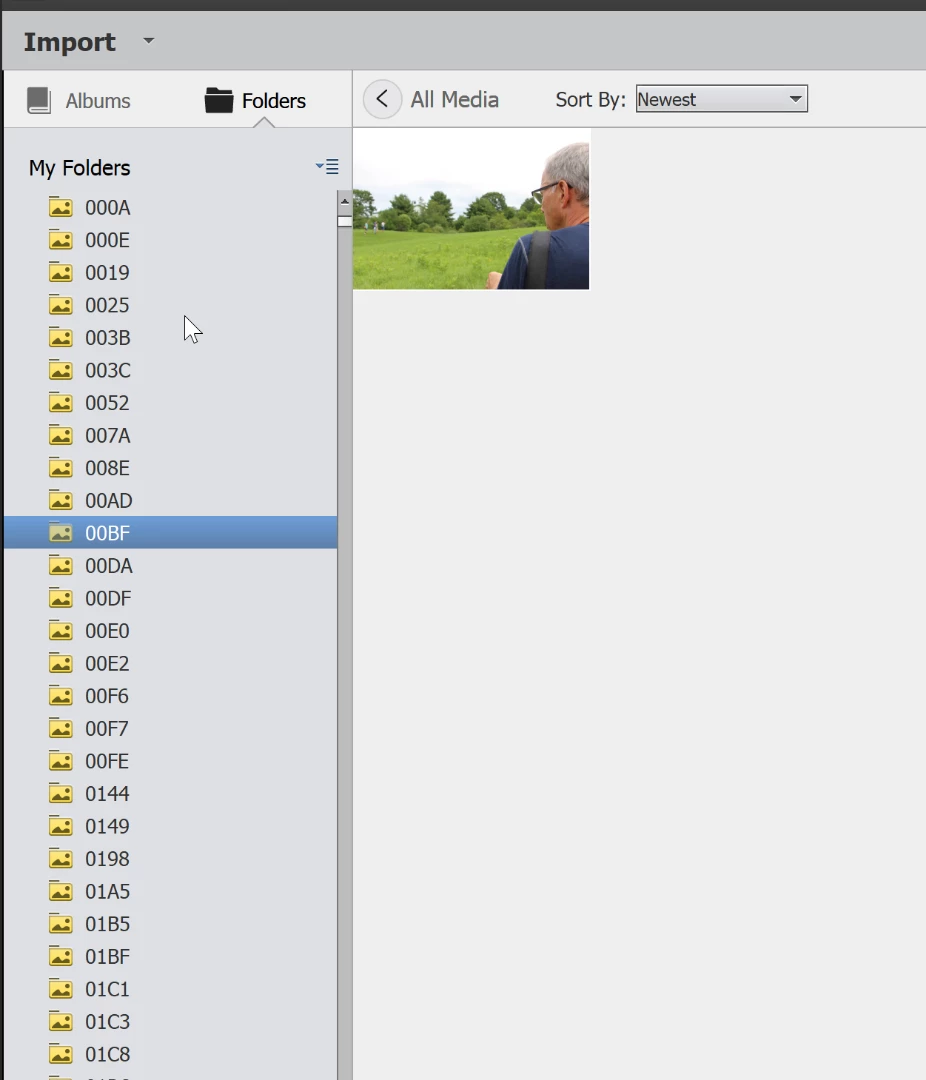
This topic has been closed for replies.

1 reply

Peru Bob
Community Expert
Community Expert
July 19, 2018

Just a guess:

Control Z?

Legend
July 20, 2018

You can also right-click on the folders under My Folders and select the option to make them Unmanaged Folders. I don't know if you can do that with several folders selected or if you'll need to do it one folder at a time.

You could also select all of the media you don't want to include in the Organizer's Media Browser, right-click and delete them from the catalog. (They won't be deleted from your hard drive unless you select that option.)

There are a couple of ways to "trick" the program into disconnecting all of those folders -- but I'd have to know more about your directory structure to even begin to suggest it.

Or you can just start a new catalog from scratch.

But why not include all of that media? That's the whole point of the Organizer, after all. To help you manage and locate all of the media on your hard drive. There's no disadvantage to having all that media in your catalog.

Dsky3
Dsky3Author
Participating Frequently
July 20, 2018

Thanks for the suggestions Steve. Here's why - I only want to catalog photos in my pictures file in Windows, as well as videos found there. If I catalog the entire hard drive, it literally gives me thousands of folders, each with only one photo in it. I realize it's actually coming from Lightroom's smart preview folders, buried in my Adobe directory. So it makes the whole point of easy management, totally unmanageable.

Do you happen to know how to re-start the cataloging from scratch so I can get these out of here? I think that's my only option. There is no multiple selection option (shift or ctrl keys), so I would have to delete thousands of items one by one, which would take until next winter.