



David_F
Inspiring
April 20, 2019
Answered

Import or transfer a title from one project to another

  • April 20, 2019
  • 3 replies
  • 2651 views

I am using Premiere Elements 2018 on Windows 10 Home

How can I import a title I created in one project for us in a different project?

Google search says it can be done as:

  1. In the Expert view, click Project Assets to open the Project Assets panel.
  2. Select the title you want to export as a separate file.
  3. Choose File > Export > Title.

However, I do not have the "Export" option under file. I only have an "Export & Share" option which does not allow me to export a title, only video.

How can I reuse titles I create in one project in other projects while still maintaining full functionality (i.e. ability to edit title in the new project).

Thanks

Dave
This topic has been closed for replies.
Correct answer Bill Sprague

Dave,

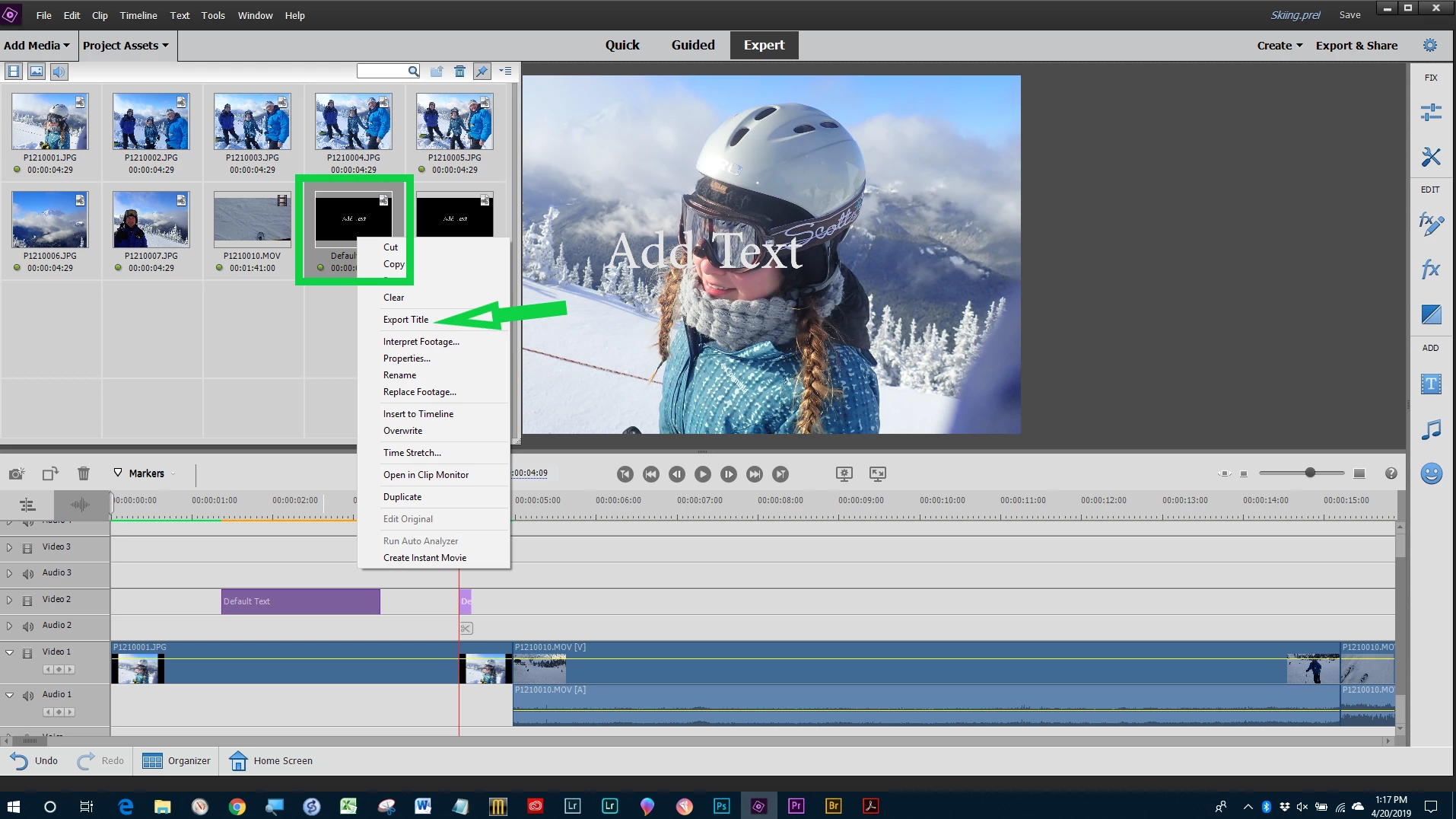
Right click on the title in the Assets panel and then choose from the drop down menu. 

3 replies

Community Expert
November 21, 2019

".....and right click I do not have the export option."


On my Windows computer the option to export titles only shows up on the Classic Titles, not the more complex Motion Titles.   


Bill


[Use the reply button under the FIRST POST to ensure replies sort properly and are visible.]


scottt81901807
Participant
November 21, 2019

High any chance you can help me with this one. I am using the exact same combination but when I enter the project assets, chose the clip i want and right click I do not have the export option.

Thanks

Scott

Bill SpragueCommunity ExpertCorrect answer
Community Expert
April 20, 2019

Dave,

Right click on the title in the Assets panel and then choose from the drop down menu. 

David_F
David_FAuthor
Inspiring
April 20, 2019

thank you!