



SwissFall
Participating Frequently
January 11, 2026
Answered

Imported project empty

  • January 11, 2026
  • 2 replies
  • 162 views

I just got Premiere Elements 2026 and am opening projects done with Version 2023 to finalise them in the new version. A few open fine (they have no titles) ... but others are just empty. I get two messages during opening of the project:
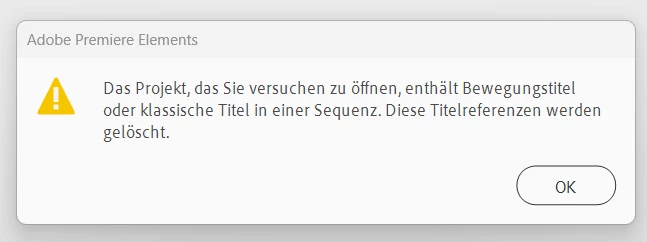
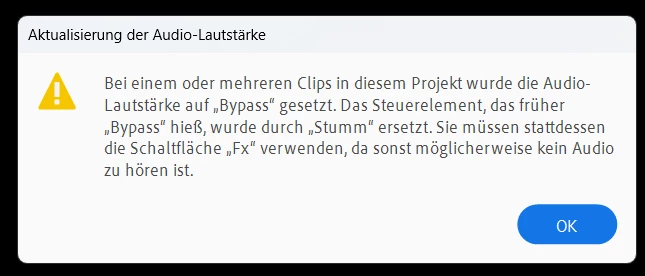
SwissFall_2-1768160069382.pngSwissFall_3-1768160085857.png


Then it opens, all files as project elements are in the library. However, the timeline ist empty:
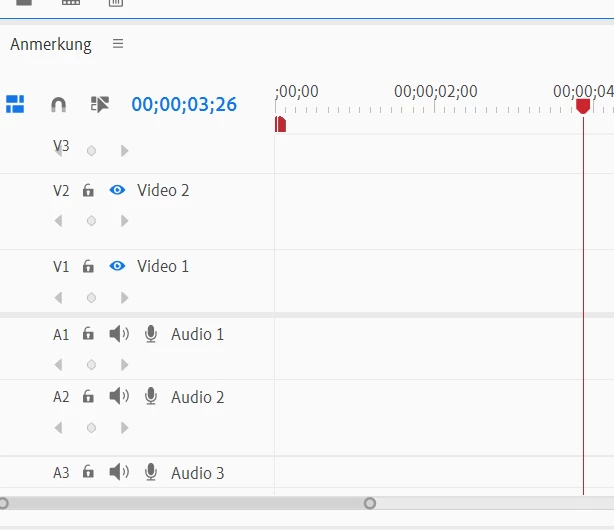
SwissFall_4-1768160137255.png


BUT: the project elements, that are used in the video are indicated as beeing used: 
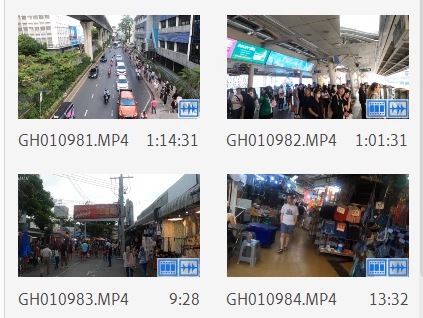
SwissFall_1-1768159992666.png


I have tried:

- deleting all caches

- rebooting

- removing titles from video and media library

- deleting all clips but one last


I assume, that 1. PE 2023 stores something somewhere, that corrupts the import and 2. it has something to do with user defined titles (that are not compatible with PE 2026)


Any ideas or suggestions?

Correct answer SwissFall

2026 is quite different from 2023.

The titler has been completely overhauled in 2026 so yes it's quite understandable the tiles will corrupt the entire project.

General advice has always been: finish project in the old version, start fresh in the new version.


After some interactions with technical support we found the solution ... it's basically surprisingly simple:

  1. open the old project in Premiere Elements 2023
  2. select all items in the timeline (clips, sound, music, ...), just not the titles
  3. copy to clipboard
  4. create a new project in Premiere Elements 2026
  5. insert from clipboard into timeline

et voilà, that works 🙂
(perhaps even with older versions than PE 2023)

2 replies

John T Smith
Community Expert
Community Expert
January 11, 2026

>A few open fine (they have no titles) ... but others are just empty


Were you creating a DVD with the older version?

If yes, v2026 lacks that function so trying to open an old project may not work


If you still have v2023 you should complete those projects in that version

SwissFall
SwissFallAuthor
Participating Frequently
January 12, 2026

Thanks. However, I expect from a Software company as Adobe to ensure a minimal upwards compatability, especially since this is no free software! It would be ok, if animated titles that can not be imported are deleted during an import. It is  definitely not ok, that a whole video project can not be  imported, just because of some animated titles.

Ann Bens
Community Expert
Community Expert
January 12, 2026

2026 is quite different from 2023.

The titler has been completely overhauled in 2026 so yes it's quite understandable the tiles will corrupt the entire project.

General advice has always been: finish project in the old version, start fresh in the new version.

SwissFall
SwissFallAuthor
Participating Frequently
January 11, 2026

Follow-up:

- I created a new project in PE 2023 without animated titles; import into PE 2026 works fine

- I then add an animated title in PE 2023 ... import into PE 2026 results in empty project as shown above

- I then delete the animated title in PE 2023 ... import into PE 2026 still results in the same error messages