


Participating Frequently
June 14, 2020
Question

Imported .psd files pixelate when rendered?

  • June 14, 2020
  • 1 reply
  • 477 views

Hi Everybody,

I'm hoping someone can help me with an odd pixelization issue I'm having when bringing a .psd file into Adobe Premiere Elements.

I've designed an image in Photoshop Elements, which looks exactly as I'd expect it to.
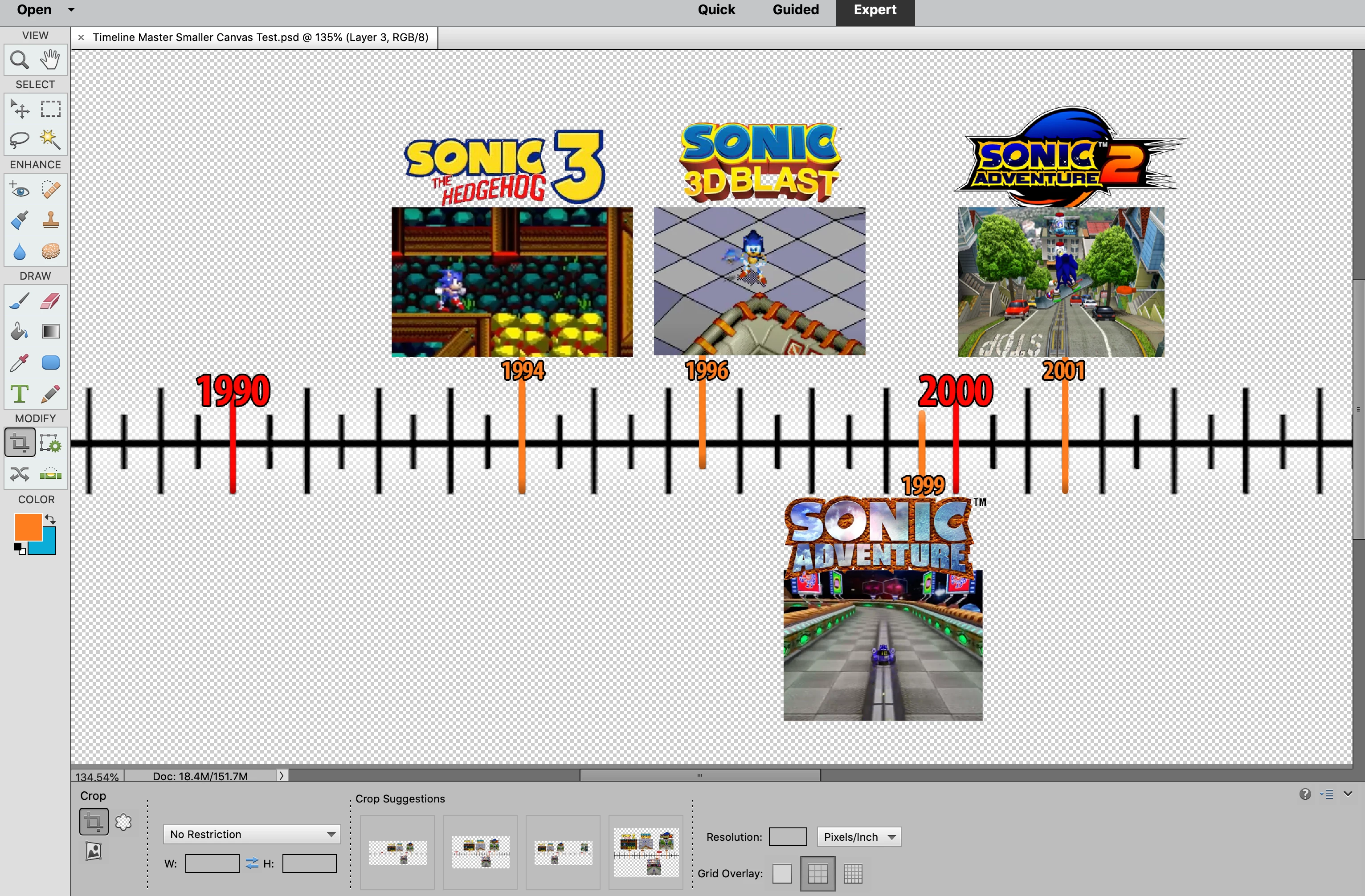
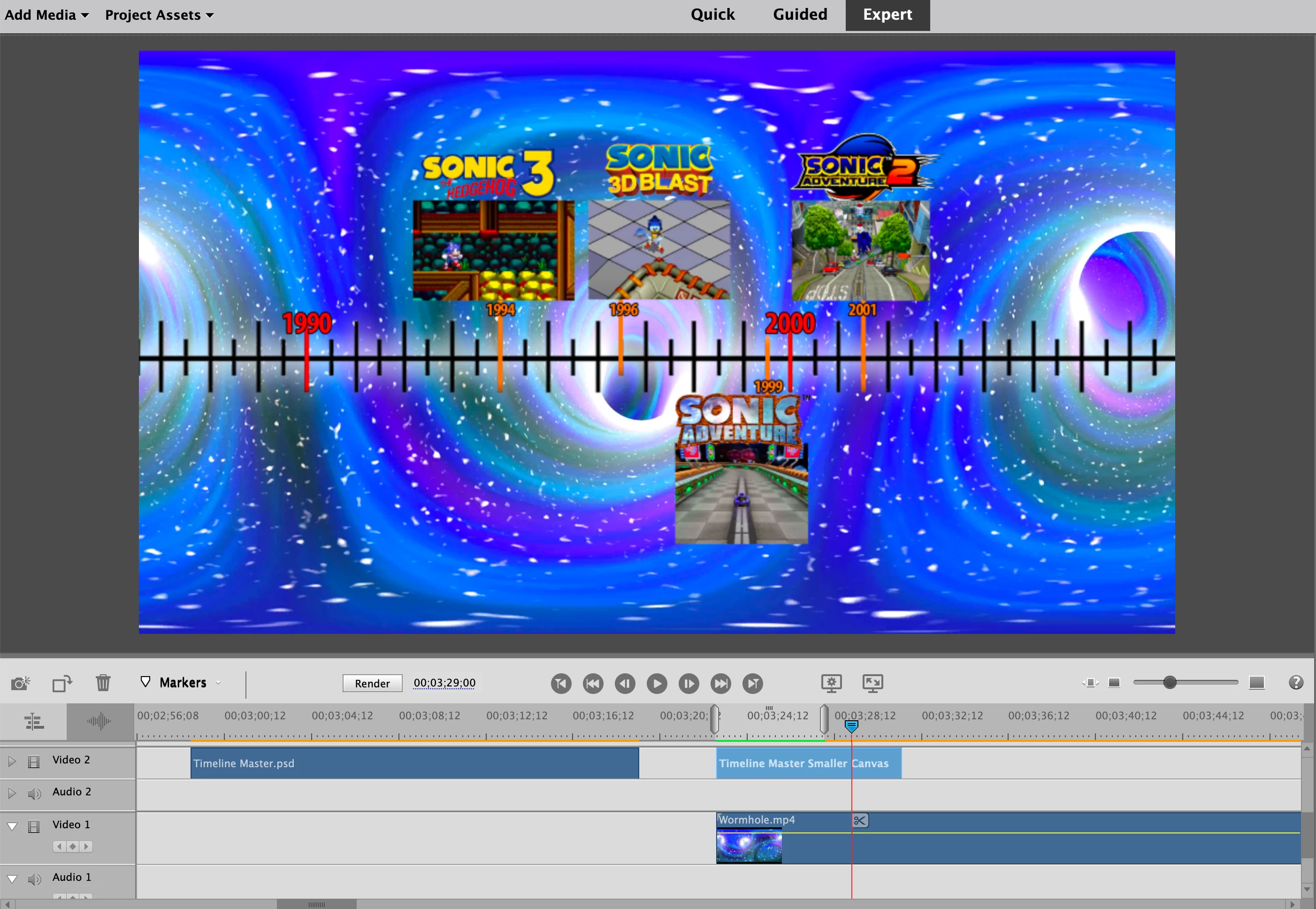
Then I bring the .psd file into Premiere Elements, and when initially inserting it into the video, it looks as I expected it to.
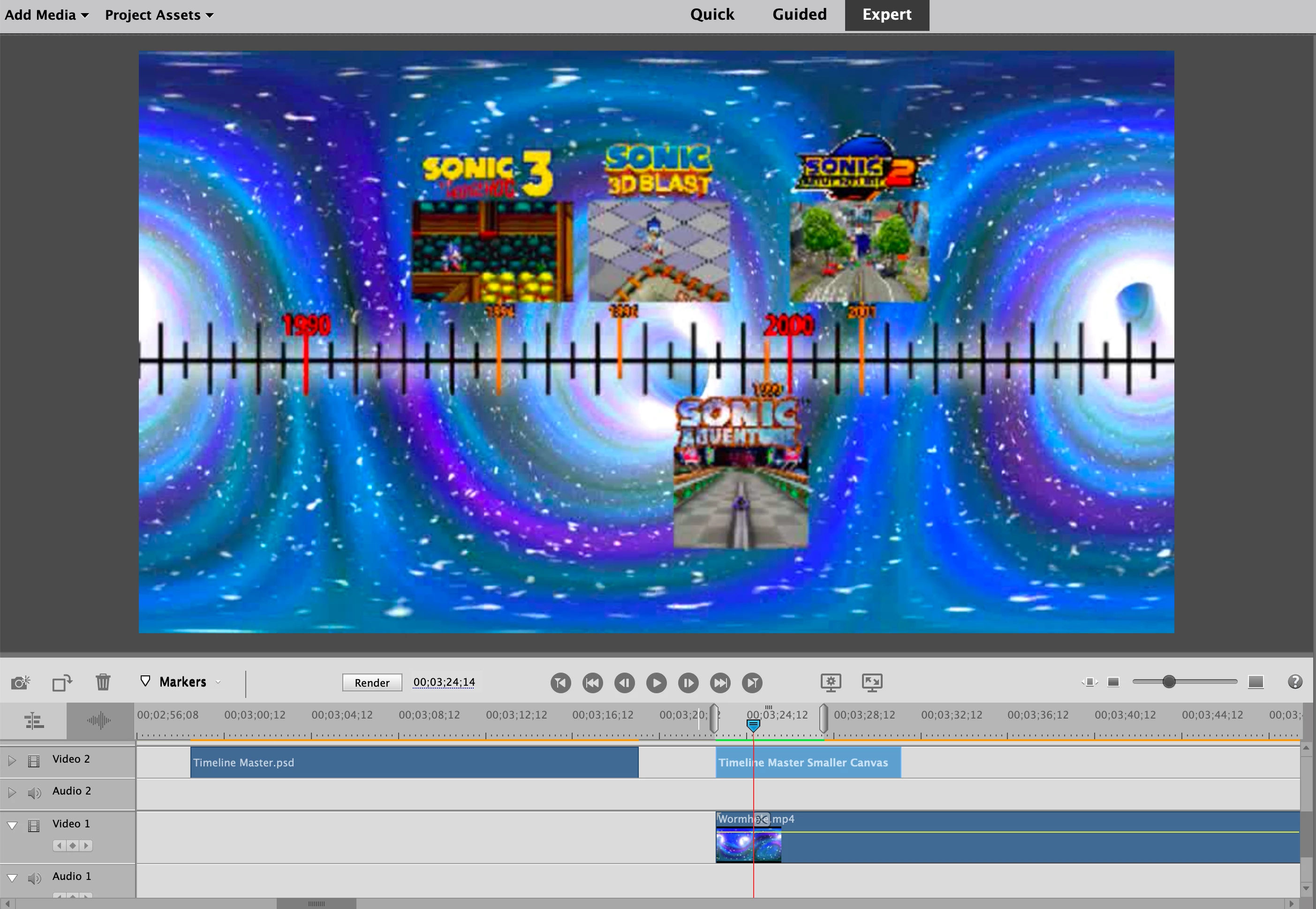
But then, when I render the footage, it appears considerably lower quality/pixelated, like this:
Any ideas as to how to fix? It would be super appreciated!

Thank you!

This topic has been closed for replies.

1 reply

Legend
June 15, 2020

Timeline renders are just previews. They have nothing to do with how your final output will look.


If you want your renders to look cleaner, there are things you can do. Right-click on the Monitor panel and set it to the highest quality. Go to the preferences and set the renders to the highest quality/slowest render. 


Though ultimately none of that will have any affect on your final output. Try outputting a test of your timeline and I'm sure the results will loook great.

ZeavoAuthor
Participating Frequently
June 15, 2020

Thanks so much for responding!  The weird thing was, I did export the video and the finished product looked just as bad as the render preview, which was baffling to say the least.


I just tried the "highest quality/slowest render," and the render preview did look better. Then I exported it, and the exported product matched the render preview, which is to say that it looked better. Which is totally baffling, since, as you mentioned, the render is just a preview and shouldn't have any bearing on the final exported product, yet in this instance it clearly does.


Still, even the "highest quality/slowest render" adjustment still doesn't have it looking as good as the way it does in Adobe Photoshop, and doesn't look as good as when I initially add it onto the timeline in Adobe Premiere Elements (prior to render).  Is it possible there's some other setting responsible for this?

Legend
June 15, 2020

No. I can't imagine a reason why a PSD would not look great in a Premiere Elements project.


What are the length and width of this PSD, measured in pixels?


Also, under Premiere Elements' Edit menu, what is listed as the height and width of your project, listed on the General page of Project Settings?


As an experiment, try outputting the graphic as a transparent PNG and see if your results are any different.