


Participant
November 9, 2019
Question

Importing and playing .mov

  • November 9, 2019
  • 2 replies
  • 253 views

I keep getting error messages when trying to import .mov files from my phone. Just tried a new lot again today. Some worked (about half) but the others did not import. This issue has been ongoing, I am only persisting with Elements because I paid for it.
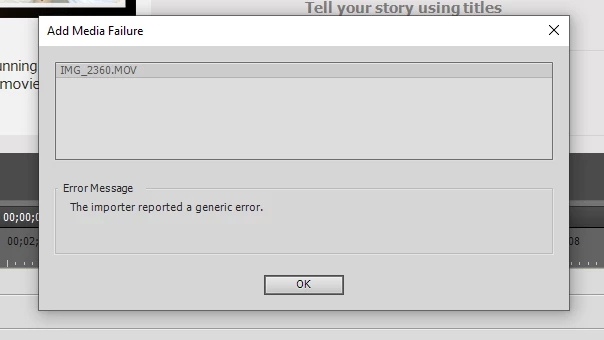
It says the version is up to date and my laptop is only about 1 year old. Any help would be appreciated.

This topic has been closed for replies.

2 replies

andreasw5942258
Inspiring
November 12, 2019

If you use PE 2019 or older and you try to import a *.mov file from an iPhone using the HEVC Codec, then PSE will not import these files. (Check on your iPhone in "Settings" / Camera / format" if "High Efficiency" is marked - change to "max. compatibility" knowing that you will have a slightly reduced photo and video quality).
Try the test version from Adbobe for Premiere Elements 2020 (30 day trial with a watermark in the middle of the picture) if the import works for the movies with the "High Efficiency" settings.


Legend
November 9, 2019

What operating system are you working on and which version of Premiere Elements are you using?

If version 2020 on Windows 10, have you installed the Windows update?

https://helpx.adobe.com/premiere-elements/using/hevc-decoding-on-windows.html