

Answered
Incompatible Display Driver
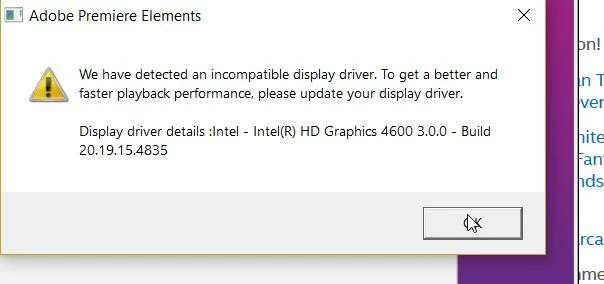
This is what I see whenever I open the program.
I've had Premiere Elements 10 for quite a while.
This is a recent development.
Is there a fix for this?
Laptop says the display drivers are up to date

This is what I see whenever I open the program.
I've had Premiere Elements 10 for quite a while.
This is a recent development.
Is there a fix for this?
Laptop says the display drivers are up to date
Already have an account? Login
Enter your E-mail address. We'll send you an e-mail with instructions to reset your password.
 AdChoices