
azadrumana
Inspiring
Sep 14, 2022 8:51 PM UTC
Answered

Increase time of Fade in and Fade Out

Hello Community,

As you know when I appy fade in/out on a video or audio track. It happens fast like in 1 sec.
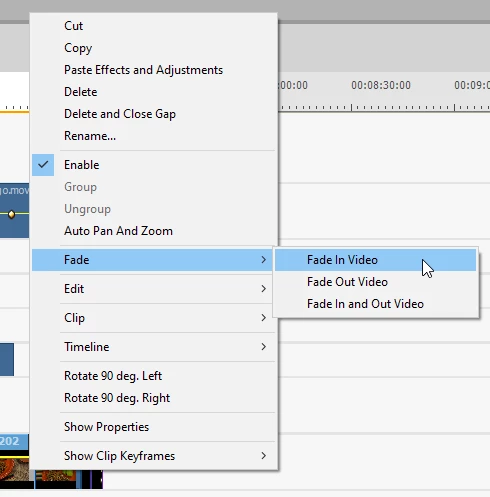
 

Is there any way I can customise that and increase the time to 2 sec.?


Thanks.

This topic is closed to new replies. Start a new post to keep the conversation going.
Ann Bens
Ann BensCorrect answer
Community Expert
Sep 15, 2022 12:46 PM UTC

Default time for transitions is set in the Preferences/General.

3 replies

Legend
Sep 15, 2022 12:02 AM UTC

Of course!

After you apply a Fade In/Out, you'll see the keyframes for the fade right on your clip on the timeline. To make a longer Fade In or Out, just space the keyframes wider apart.

Translate
azadrumana
Inspiring
Sep 15, 2022 10:52 AM UTC

🙂 Thanks for telling me that. But that is not what I was looking for. I have 20-25 Fade In/Out on my project, I definitely would not like to modify them all manually. 


I want a way to change the default time so that when I apply it applies longer time by default. 

Translate
Ann Bens
Community Expert
Ann BensCommunity ExpertCorrect answer
Community Expert
Sep 15, 2022 12:46 PM UTC

Default time for transitions is set in the Preferences/General.

Translate
