


Participating Frequently
February 15, 2021
Question

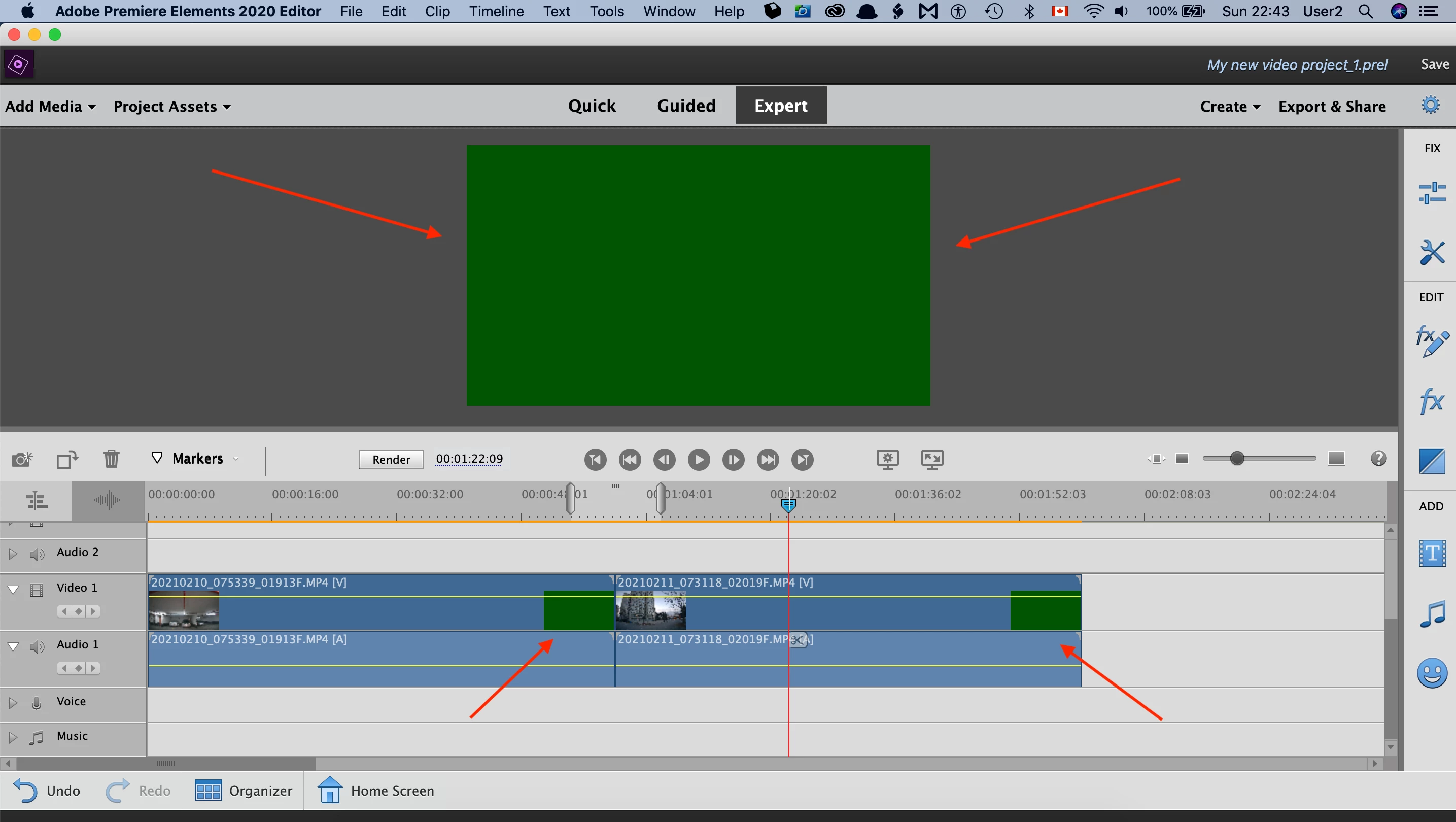
Inexplicable flickering green frames during playback and in exported MP4 files.

  • February 15, 2021
  • 2 replies
  • 180 views

I have Premiere Elements (v 18.0).

When I add 4K video files to the timeline, I see Inexplicable flickering green frames on the timeline (see attached screenshot) and during playback.

Those flickering green frames are also saved in an exported MP4 file (NOTE: I tried to attach the MP4 file, but the Adobe Support Community system rejected it).

What is the problem?

How to get rid of those green flickering frames?
 

This topic has been closed for replies.

2 replies

Participating Frequently
February 15, 2021

Hi Ann,

Thanks for your comment.

I forgot to mention that I have Macbook Pro (Retina, 15 inch, Mid-2015).

So, all GPU updates come from Apple, and my Macbook is up-to-date for macOS Catalina 10.15.7.


Also, after publishing the post, I noticed that 4K, 30fps, H.264 videos taken by GoPro Hero 8 Black can be edited without a problem.

So, maybe the issue is inside VIOFO dashcam files which I am trying to edit?

I wrote to VIOFO an email asking to investigate the issue. 

Let's see what happens next.


Your additional input will be greatly appreciated

Ann Bens
Community Expert
Community Expert
February 15, 2021

Green means you have an issue with your gpu.

Update driver.


If you want to upload a file use dropbox or OneDrive.