


JPEGS imported into Premiere lose quality
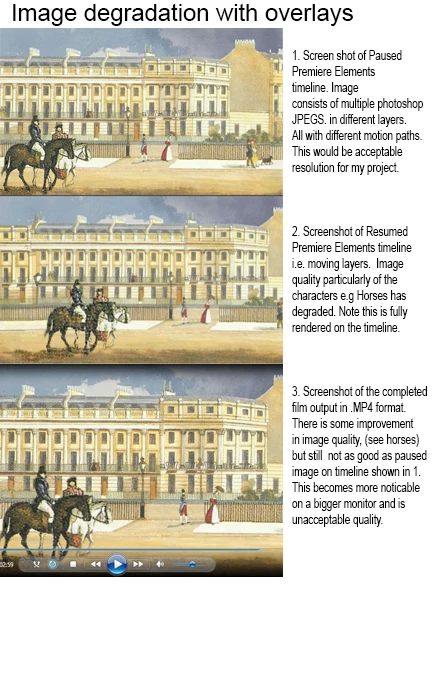
See 3 x pics below. JPEG (still) images imported from Photoshop Elements into Premiere Elements* lose quality as soon as you press play on the timeline.
However, they show fine if the timeline is paused see fig 1 so they seem to get into Premiere ok. So I'm therefore wondering if there is an interleafing problem or similar.
Note, To try and narrow this problem down further I've also just tried this with the just the 'horses' image on its own on a blank background;
in a new Premiere Project without any motion paths and still the same degradation occurs to the JPEG image once I press play on the timeline (i.e. this is not now relating to overlays or motion paths, but a generic problem with JPEGS).
*I'm guessing that this would apply to Premiere Pro as well as Elements and MAYBE i'll get more responses from that forum?!
[Here is the list of all Adobe forums... https://forums.adobe.com/welcome]
[Moved to the correct forum... PE is not the same as PPro… Mod]
 AdChoices