
davidm6207557
Inspiring
August 27, 2022
Answered

Keyboard Customization Grayed Out

  • August 27, 2022
  • 1 reply
  • 446 views

This topic was asked in 2018 but there didn't appear to be an answer.


I'm a longtime user with a number of Keyboard Customizations that have worked great for years. I just got a new laptop, went into Customization, clicked the Command, clicked a key... and nothing happened. Then I went back to my old laptop, did the same thing, and nothing happened! In the old laptop, I then cleared the command for one key and attempted to assign the same command and again, nothing.


Please help...
This topic has been closed for replies.
Correct answer Bill Sprague

What?! That last reply was an addendum to one that evidently wasn't sent! So here it is again, for the first time...


I discovered this when I was installing Premiere onto a new laptop but then discovered it's happening with the old one too, so it's for Windows 10 and 11, Premiere 15 (20160905.daily.1036636).


But I've been using 15 since it came out and never had this problem (though I haven't changed any keyboard customizations in many years).


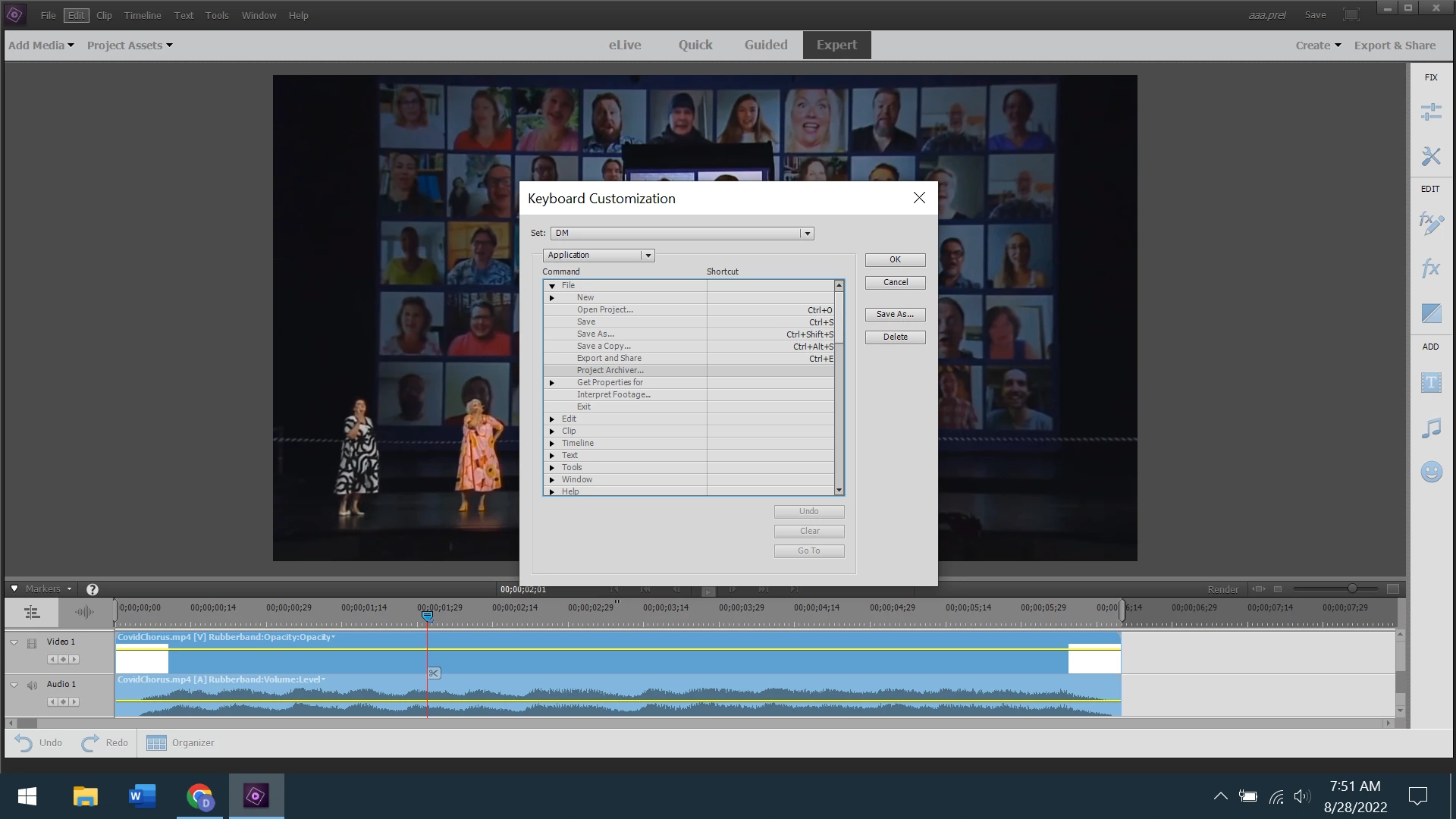
I go to Edit/Keyboard Customization, then highlight a command and enter a key or keyboard combination... and nothing happens.


I've tried clearing a command I already have then entering the same command and, again, nothing.


Here's a screenshot of a command highlighted, and to see what happens after I click a key, just look at the same screenshot – nothing happens.


Based on your screen shot, I duplicated the issue.  If I select the command in the left column, it is not responsive and the buttons are greyed out.  Oddly, if I select the same command in the right column (with my mouse), it works fine. 

1 reply

Community Expert
August 27, 2022

It is working on my 2022 version under Windows 10.   So, it is not a universal bug.  What version and what operating system?

davidm6207557
Inspiring
August 28, 2022

Sorry, I didn't see you'd answered, for some reason I didn't get notified even though "Email me" is checked.


I have Windows 10 and 11, Premiere Elements 15.0 (2016095.daily.1036636) and Customization's worked fine for me for many years, though I haven't tried to change anything recently.


Until last week, when I got a new laptop with Windows 11 and installed Elements. Everything works fine except Customizations, and when I went back to my old Windows 10 machine and checked, it's not working there either. (Again, because I haven't changed anything in Customizations for years, I have no idea when it stopped working.)


The screenshot below shows the Customizations window; you highlight an option then click a key or combination and it appears in the "Shortcut" field. Only now it doesn't – I click a key and nothing at all happens, in either machine (one using Windows 10 and the other Windows 11).


I've tried clearing a field then clicking a key, still nothing, so I'm utterly baffled, and it makes using the Premiere on my new laptop much more cumbersome. Any ideas?


davidm6207557
Inspiring
August 28, 2022

Oops, should have pointed out – yes, I'm using Premiere 15 rather than 2022. But it doesn't make sense that a function which was working, doesn't anymore, especially when everything else is working fine.