


Answered
Layout changed after reinstall?
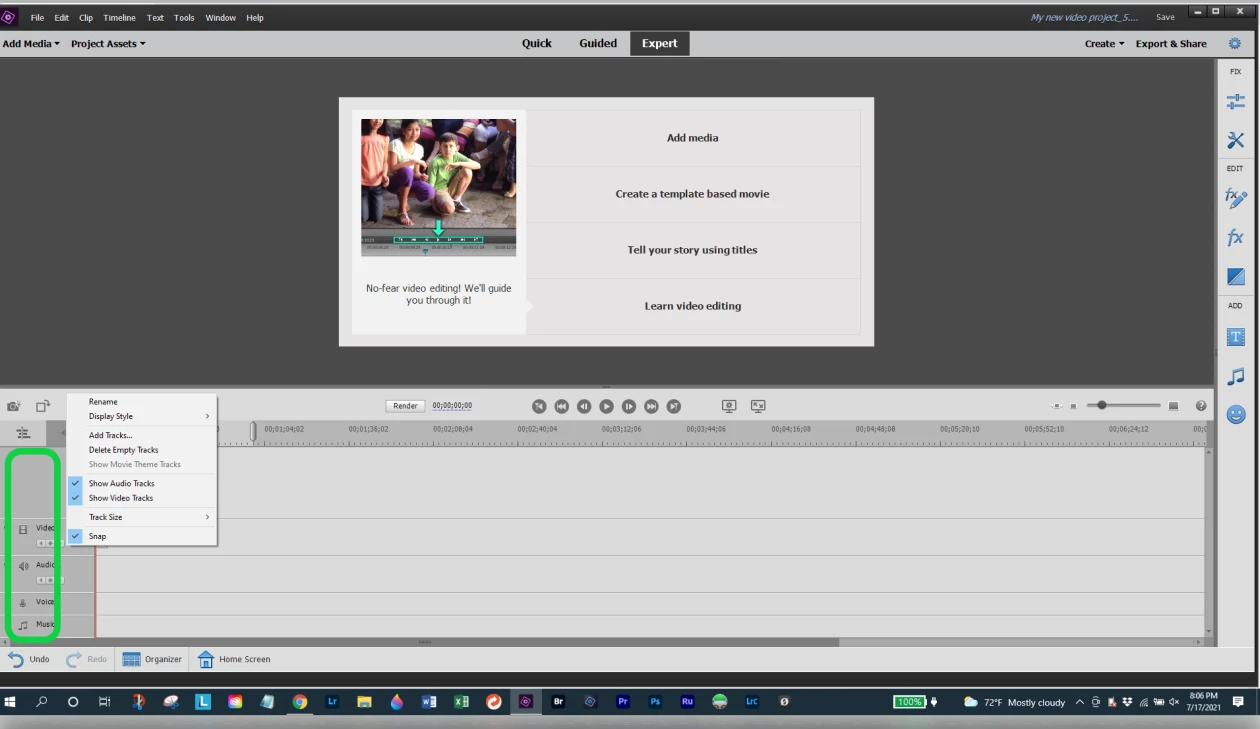
I moved my copy of Premiere Elements 15 to a different computer by uninstalling it from one and installing it on the other. The layout has now changed and I'd like my old layout back but I can't figure out how to get it. On the old computer the workscreen for editing videos had three or four available tracks so I could load up multiple video and audio files without having to place them end to end. This helped me fade from one scene to another. Now I only have a place to put one track. How can I get the other tracks back?


 AdChoices