Participating Frequently
December 28, 2017
Question

*.mp4 will not preview

  • December 28, 2017
  • 4 replies
  • 2177 views

Adobe Premiere Experts,

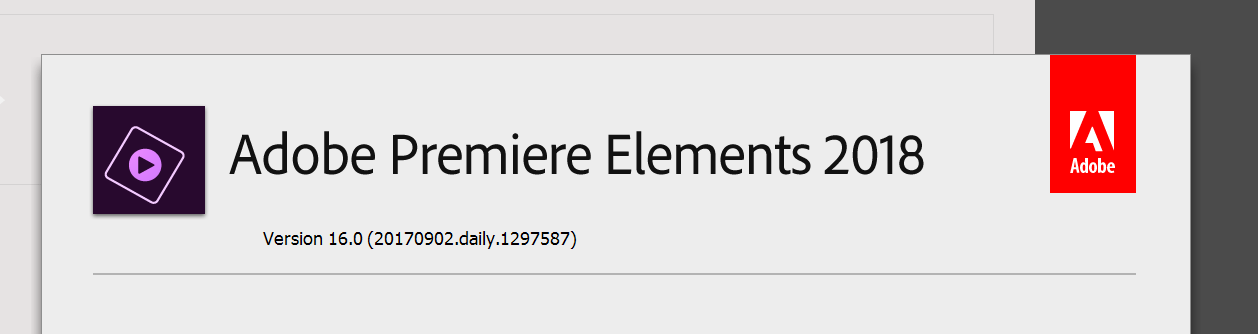
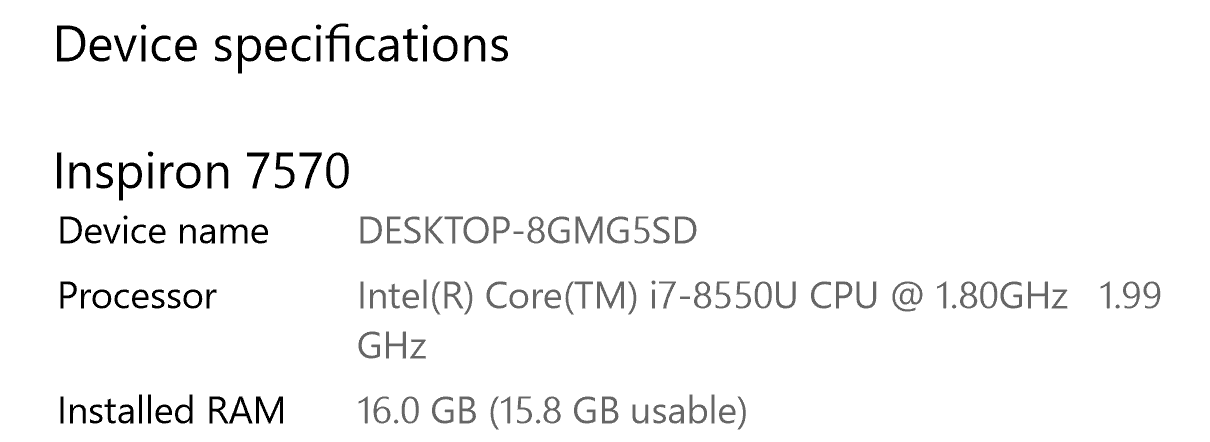
I will admit I am new to the video editing business and there may be a very simple solution to my problem.  Operator error is certainly within the differential.  Below I have included, my PC specifications, video card info, Adobe Pr version, and a freeze frame of the problem.   I can add *.mp4 video to my timeline, and play, but only the sound is previewed at this time.   When I first installed Pr elements, the videos very briefly displayed in preview, but this stopped functioning after adding several videos, and now will not work even on new projects.  I have tried clearing the cache, looking for updates, un-installing Adobe PS and Pr elements and re-patching, updating the Nvidia driver and deleting all video files and re-importing.  Nothing seems to allow these to videos to preview.  Clearly I am fumbling in the dark, someone please light the way. 
 

    This topic has been closed for replies.

    4 replies

    Mohammad Tahseen
    Adobe Employee
    Adobe Employee
    February 9, 2018

    Hey, can you try following

    1. Launch Premiere Elements.

    2. Go to Edit > Preferences > General

    3. Uncheck "Use Hardware Acceleration ..."

    4. Relaunch Premiere Elements

    5. Import video and try playback

    We have seen this issue arising from dual graphics cards. Disabling non-Intel graphics card also solves the issue. We are trying to fix this issue in the next version, but for now, disabling Intel acceleration should solve the problem.

    Community Expert
    February 9, 2018

    Thanks Mohammad!  Next time someone writes "I can't get my cell phone or GoPro video to play." I will offer this suggestion. 

    Bill

    Legend
    December 30, 2017

    Sorry. Based on what you've told me, this should not be happening.

    Participating Frequently
    December 30, 2017

    Steve,

    I thank you for trying.

    Since I am now findings others with similar hardware and parallel problems, I feel like there is an incompatibility lurking in the OS, video drivers, or software.  Hopefully a patch will make this product functional in the not distant future.

    Best,

    -c

    Legend
    December 29, 2017

    My video shows you how to use Handbrake to fix this issue.

    https://www.youtube.com/watch?v=sSVarfrhr1M

    Participating Frequently
    December 29, 2017

    Steve,

    Very helpful and likely necessary information as I move forward.  However, after deleting the old variable frame rate videos and loading the new constant frame rate videos, I still cannot see a preview when play them, only sound comes through.  Can the preview window be accidentally disabled?  Is there anything else to try?  Remember you are dealing with a neophyte.  I ran the post Handbrake videos through MediaInfo just in case there might be anything else useful there.  I am learning a good deal, stumbling onto success may be inevitable.

    General

    Complete name                            : C:\Users\namen\Desktop\Standard Framerate\Sledride2-std.m4v

    Format                                          : MPEG-4

    Format profile                               : Base Media / Version 2

    Codec ID                                      : mp42 (isom/iso2/avc1/mp41)

    File size                                        : 5.59 MiB

    Duration                                        : 1 min 11 s

    Overall bit rate mode                    : Variable

    Overall bit rate                              : 656 kb/s

    Encoded date                               : UTC 2017-12-29 14:50:51

    Tagged date                                 : UTC 2017-12-29 14:50:51

    Writing application                        : HandBrake 1.0.7 2017040900

    Video

    ID                                                  : 1

    Format                                          : AVC

    Format/Info                                   : Advanced Video Codec

    Format profile                               : Main@L4

    Format settings                             : CABAC / 4 Ref Frames

    Format settings, CABAC               : Yes

    Format settings, RefFrames          : 4 frames

    Codec ID                                        : avc1

    Codec ID/Info                                 : Advanced Video Coding

    Duration                                          : 1 min 11 s

    Bit rate                                            : 484 kb/s

    Width                                              : 1 920 pixels

    Height                                             : 1 080 pixels

    Display aspect ratio                        : 16:9

    Frame rate mode                            : Constant

    Frame rate                                      : 30.000 FPS

    Color space                                    : YUV

    Chroma subsampling                     : 4:2:0

    Bit depth                                         : 8 bits

    Scan type                                       : Progressive

    Bits/(Pixel*Frame)                          : 0.008

    Stream size                                    : 4.13 MiB (74%)

    Writing library                                 : x264 core 148 r2708 86b7198

    Encoding settings                        : cabac=1 / ref=2 / deblock=1:0:0 / analyse=0x1:0x111 / me=hex / subme=6 / psy=1 / psy_rd=1.00:0.00 / mixed_ref=1 / me_range=16 / chroma_me=1 / trellis=1 / 8x8dct=0 / cqm=0 / deadzone=21,11 / fast_pskip=1 / chroma_qp_offset=-2 / threads=12 / lookahead_threads=2 / sliced_threads=0 / nr=0 / decimate=1 / interlaced=0 / bluray_compat=0 / constrained_intra=0 / bframes=3 / b_pyramid=2 / b_adapt=1 / b_bias=0 / direct=1 / weightb=1 / open_gop=0 / weightp=1 / keyint=300 / keyint_min=30 / scenecut=40 / intra_refresh=0 / rc_lookahead=30 / rc=crf / mbtree=1 / crf=42.0 / qcomp=0.60 / qpmin=0 / qpmax=69 / qpstep=4 / vbv_maxrate=20000 / vbv_bufsize=25000 / crf_max=0.0 / nal_hrd=none / filler=0 / ip_ratio=1.40 / aq=1:1.00

    Encoded date                                 : UTC 2017-12-29 14:50:51

    Tagged date                                    : UTC 2017-12-29 14:50:51

    Color range                                     : Limited

    Color primaries                                : BT.601 PAL

    Transfer characteristics                   : BT.709

    Matrix coefficients                            : BT.601

    Audio

    ID                                                     : 2

    Format                                              : AAC

    Format/Info                                       : Advanced Audio Codec

    Format profile                                   : LC

    Codec ID                                          : mp4a-40-2

    Duration                                            : 1 min 11 s

    Bit rate mode                                    : Variable

    Bit rate                                              : 164 kb/s

    Channel(s)                                       : 2 channels

    Channel(s)_Original                         : 1 channel

    Channel positions                             : Front: C

    Sampling rate                                    : 48.0 kHz

    Frame rate                                         : 46.875 FPS (1024 SPF)

    Compression mode                            : Lossy

    Stream size                                        : 1.40 MiB (25%)

    Title                                                    : Mono / Mono

    Language                                           : English

    Default                                                : Yes

    Alternate group                                   : 1

    Encoded date                                      : UTC 2017-12-29 14:50:51

    Tagged date                                         : UTC 2017-12-29 14:50:51

    Thank you for the puzzle work!

    -c

    Legend
    December 28, 2017

    What model of camcorder are these Mp4s coming from?

    Open one of these MP4s in the free download MediaInfo. In MediaInfo, set View to Text, and copy and paste the report it generates to this forum.

    Participating Frequently
    December 28, 2017

    Steve,

    I have video from several devices, but have only been working with the video from one of these to this point.  Below is Mediainfo for one of these files.   Thank you for taking a look.

    These clips are from a Nexus 6p, I also have clips from a flip video recorder, and Nikon p510.

    Community Expert
    December 28, 2017

    Need the page under View>Text.  It looks like this: