


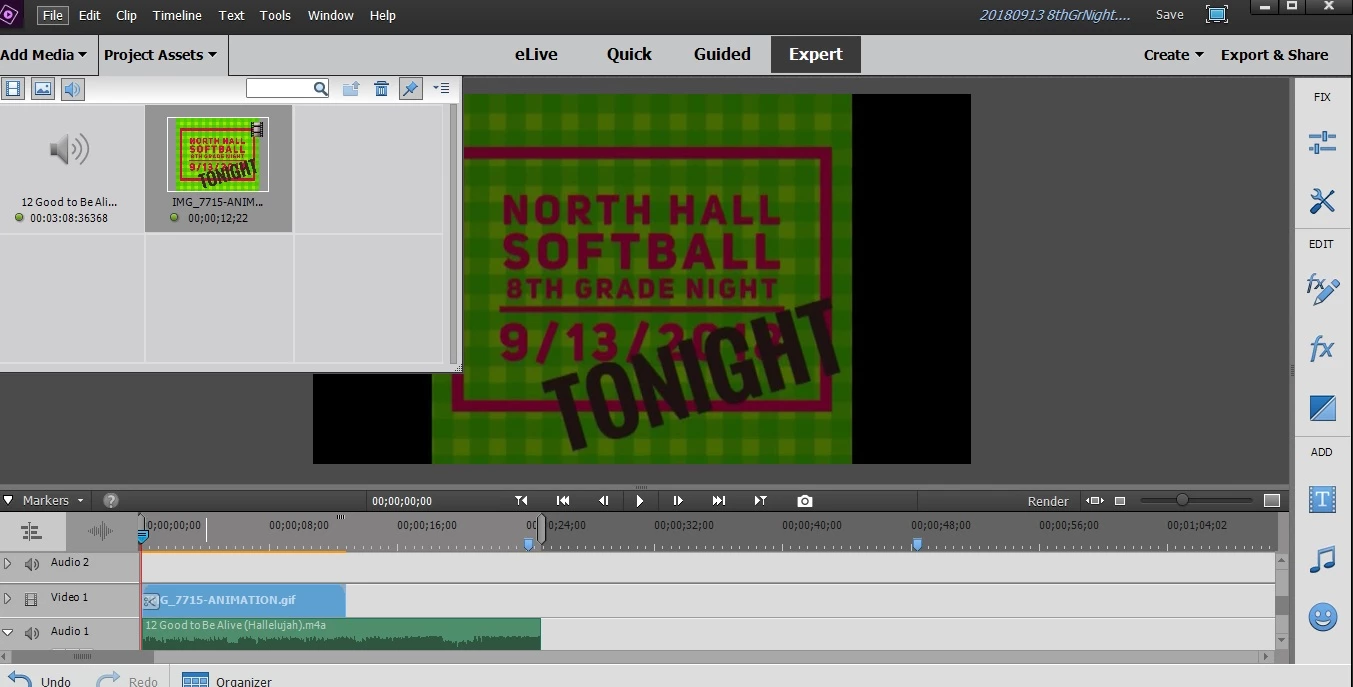
My video footage has a dark shadow on it
Hello,
I am fairly new to using Adobe Premiere 2018 and I have a recurring problem that started a few weeks ago. I have searched online and cannot find an answer. Thanks in advance for your help.
I frequently use footage that I've recorded with my GoPro Hero 5 or my iPhone 7 and have the same problem with both. About 25% of the time while I am editing, my footage will appear dark. It looks like I have clicked on something to "select" the video screen and do not know how to undo it. Deleting the footage and reloading does not help, I literally have to close out of the program and start all over again.
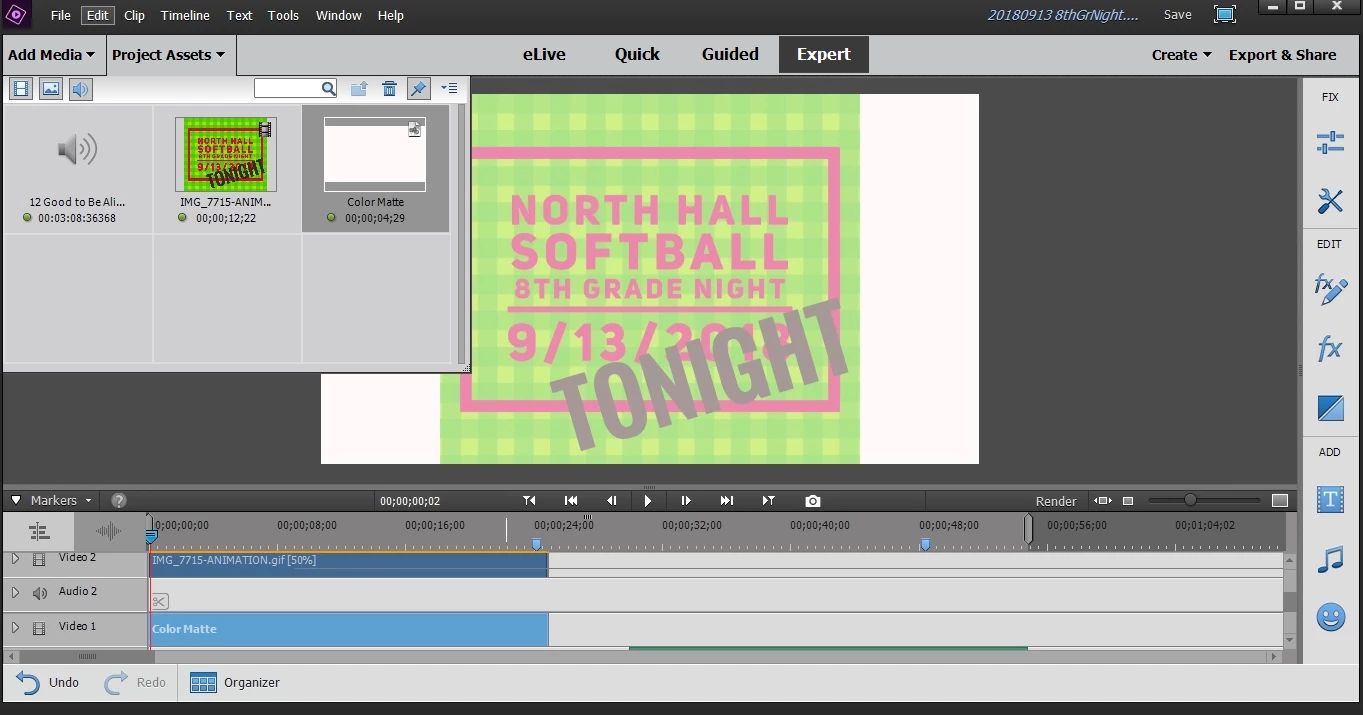
Could someone please tell me what I am doing to cause this? I am attaching a picture to show you what I'm talking about. You can see how bright and colorful my image originally appears (in the "Project Assets" screen) when I upload it but look how dark it appears when I'm trying to edit it.
Thanks again,
Julie

 AdChoices