


No audio in timeline and export
Hi guys,
I've been using Adobe Premiere Elements 14 a lot and never had serious problems editing my AVCHD / .mts-files from a panasonic HD camcorder. Usually I use a microfone and the audio-settings would be: 256 kBit/s, 2 stereo channels, 48.000kHz
THIS TIME I didnt use a microfone and the audio-setting turns out to be: 384 kBit/s, 6 channels stereo, 48.000kHz
I can import the video and it would playback WITH audio in the bin.
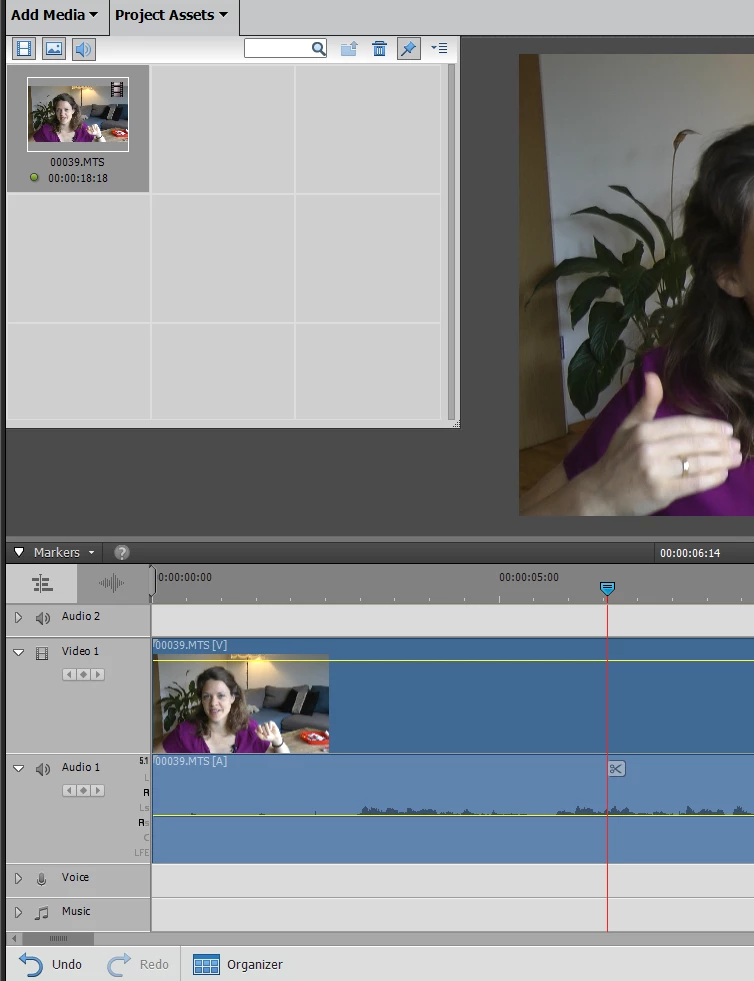
As soon as I move the videoclip to the timeline, there is no audio anymore. The track is displayed, but no waves are shown and nothing can be listend to.
When I try other clips in the same project (those recorded with the same camcorder but external microphone), there will be audio in this same project, both in the bin and in the timeline.
.jpg)
It took me long enough to figure out what is the difference between the two clips, and the fact of being recorded with or without external microfone is the only difference I found.
I converted the video into audio, to synchronise it and put it back into the system, but premiere doesnt accept the converted audio files.
I changed the project settings for the project, but nothing is helping. it s always the same: audio in the bin, no audio in the timeline.
I would appreciate your help!
Thank you!
PD: It s not only one project, which I could re-record with external video... it s all the "homevideos" of my children which are to be edited and I need a proper solution.

 AdChoices