


Participant
December 14, 2021
Question

Not able to download and install Premiere Elements 2021 update (version 2021.4)

  • December 14, 2021
  • 3 replies
  • 584 views

When I open the Premiere Elements 2021, a window pops up with a suggestion to update. I can't go any further and choose anything. The window is constantly displayed on the screen and cannot be closed or skipped.
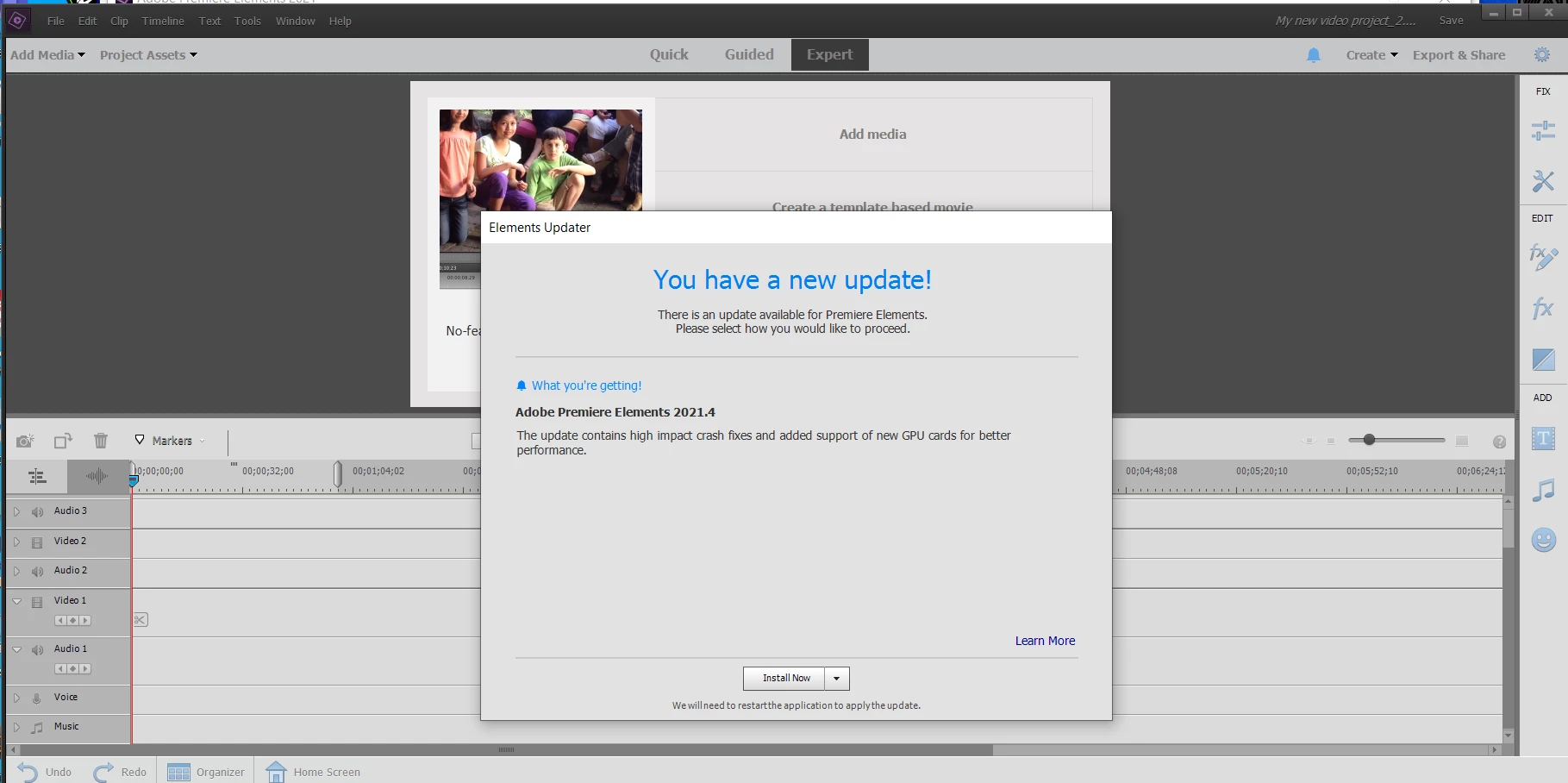
The options below don't work for me.


Apply the update in one of the following ways:

  • Click Install Now or Install On Exit in the update message displayed in Premiere Elements.
  • Choose Help > Updates (when the update message is not displayed).
This topic has been closed for replies.

3 replies

John T Smith
Community Expert
Community Expert
December 14, 2021

Added... what is on the download page is not very large, so I **think** it is only a downloader to actually install the program


John T Smith
Community Expert
Community Expert
December 14, 2021

Download link... be sure to SAVE the download... copy to a USB flash drive or external hard drive


https://helpx.adobe.com/download-install/kb/premiere-elements-downloads.html?promoid=D4P81Y6G&mv=other

John T Smith
Community Expert
Community Expert
December 14, 2021

What a few other people have had to do is...

1 - deactivate to release the serial number

2 - uninstall

3 - download v2021 which has the update

4 - reactivate with serial number


Do #3 beore 1 and 2