
NVENC Encoding Missing/Unavailable in Premiere Elements 2022
Hello! Everything I can find online says that NVENC support was added to Premiere in 2020, but it's very possible I missed something and it actually isn't supported by Premiere Elements. Please let me know if this is the case.
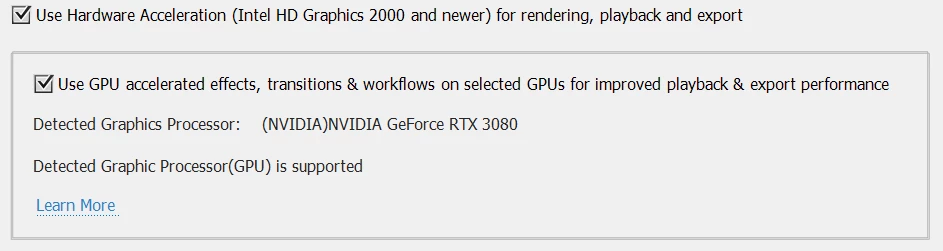
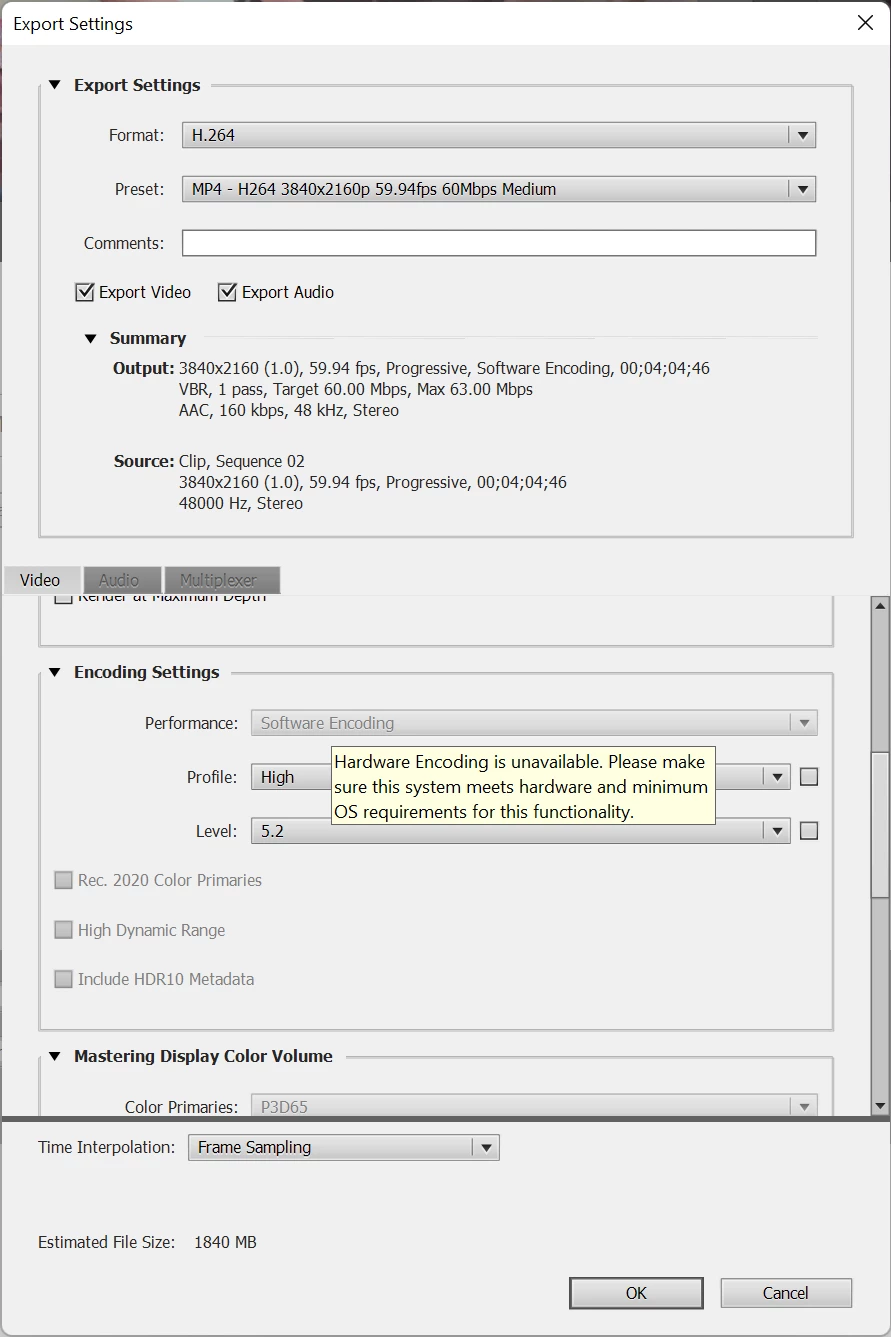
I have an i7-9700k and an RTX 3080, on Windows 11, but hardware encoding is not an option when I go to export (File -> Export & Share -> Devices -> Custom -> Advanced Settings -> H.264). My GPU is specifically listed in the supported GPU lists by Adobe, my NVIDIA drivers are up to date, and this is a fresh install of Elements 2022, so I don't see any reason why the software/hardware encoding dropdown would be greyed out. Any help with this would be greatly appreciated, as I would like to not have to wait 20 minutes for a 4 minute video to encode lol. Thanks!


 AdChoices