

[Oct 2019] Premiere Elements 2020 is now available!
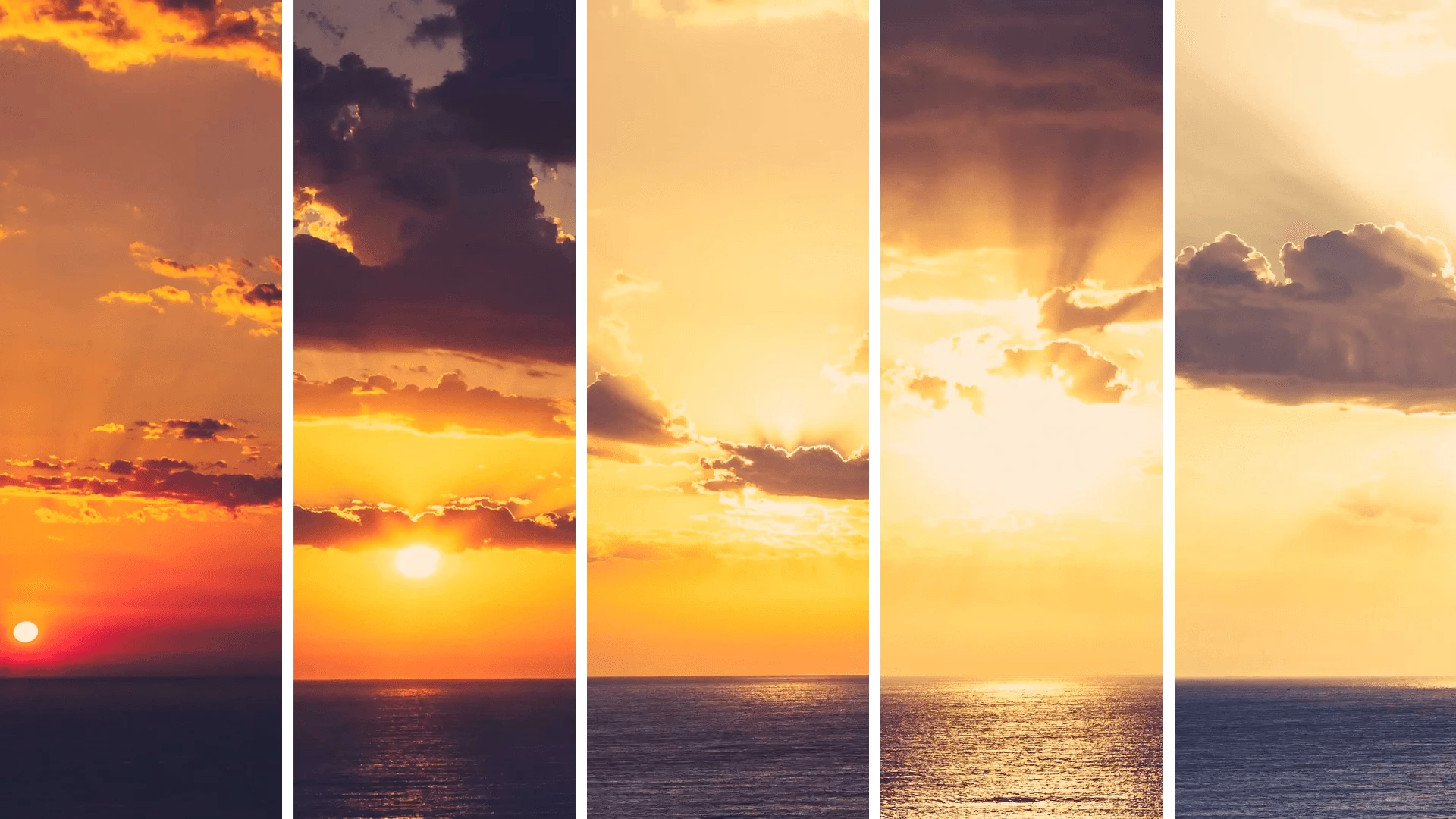
Welcome to the future! The Elements team is proud to announce the release of Photoshop & Premiere Elements 2020. You can update to the latest version by going here.
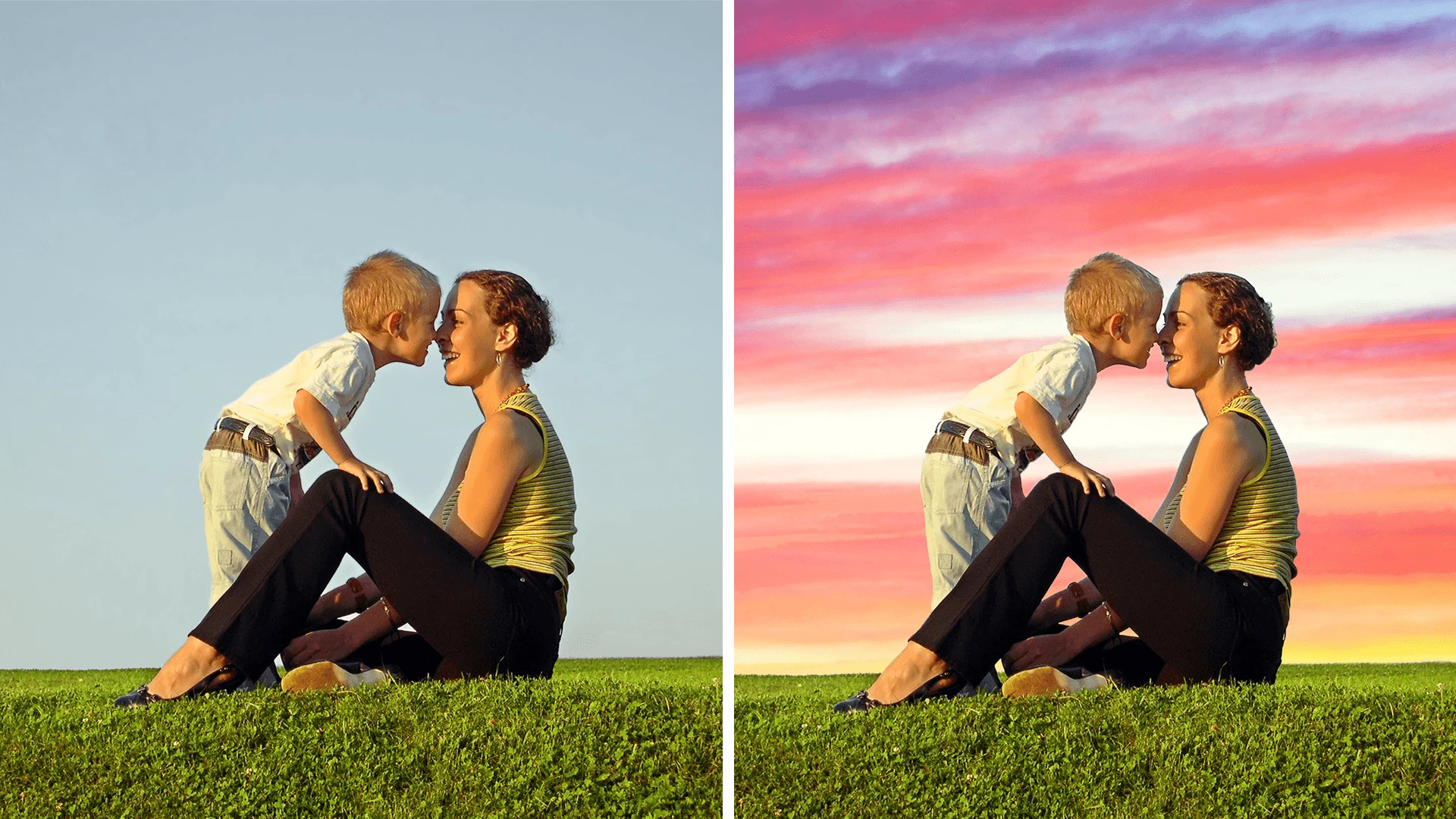
Premiere Elements 2020 introduces new Guided Edits to help you create stunning, unique effects on your videos. One teaches you how to create a dynamic timelapse for your edit, which you can see above, another will help you animate static skies into eye-catching landscapes. See some examples below!
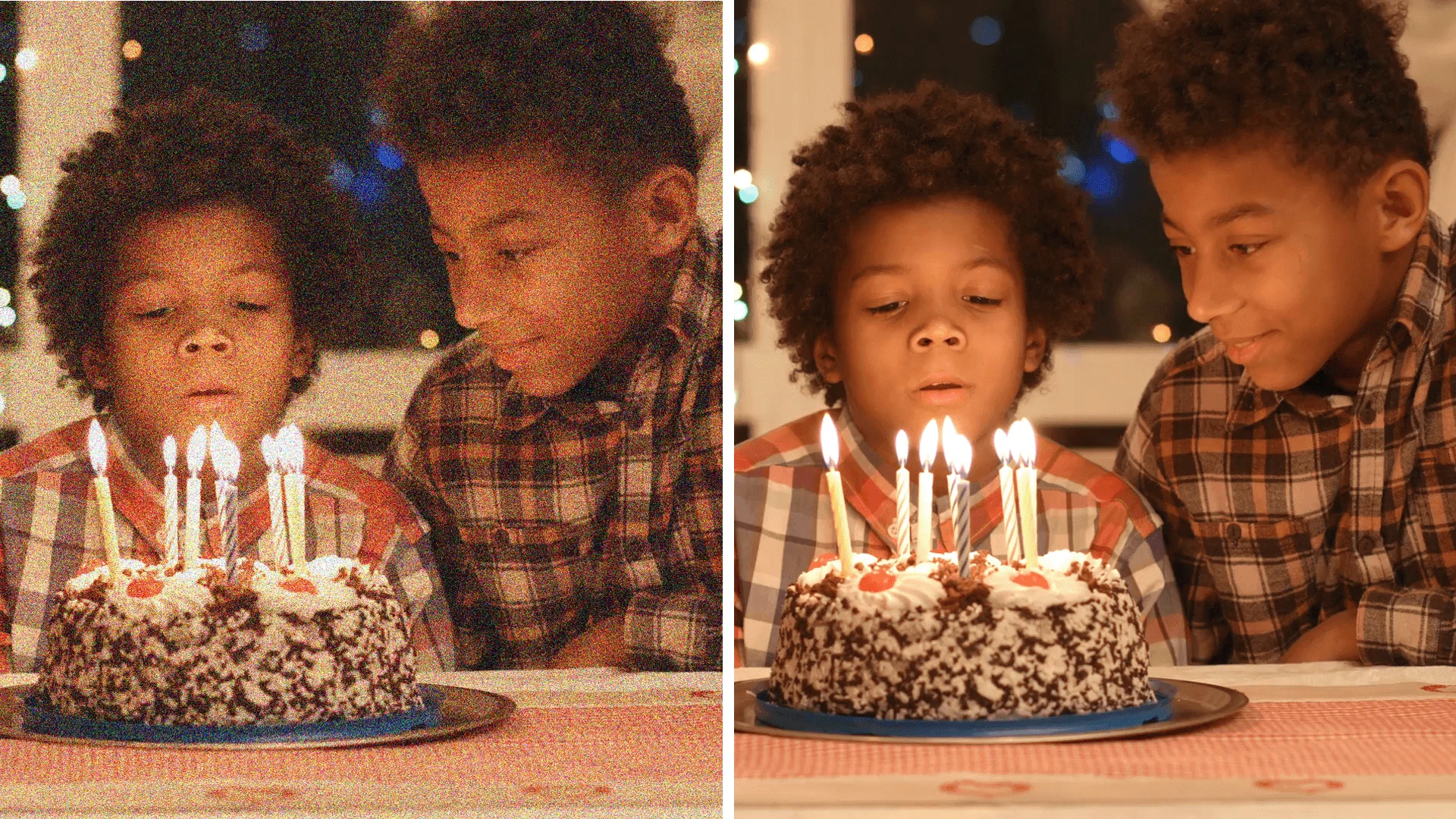
There are also some new additions that will improve the quality of your finished product. Noise reduction will make your videos more crisp and get rid of any grain that you see on an image when it's taken in a low-light setting. Raise video quality by adding the "Reduce Noise" effect to your videos.
To get rid of the black background on either side of your vertical video, we implemented a Guided Edit that will help you fill the frame to create a dreamy, cinematic effect! It's never been easier to create professional-looking keepsakes of all your treasured moments.

There are a few more features available in Premiere Elements 2020 to help improve file organization, workflow, visual effects, and more! Dare you to go find them!
For more information on new features, go here!
To see if your computer meets the requirements needed to use Premiere Elements 2020, go here!
If you really want to know the app from front to back, check out our User Guide!


 AdChoices