


Participant
October 6, 2018
Answered

PE 16 Guide Menu

  • October 6, 2018
  • 1 reply
  • 364 views

Probably an easy question but after years of use this is the first time I've opened PE16 and seen the guide menu in the middle of my work space. Can't figure out how to turn it off.
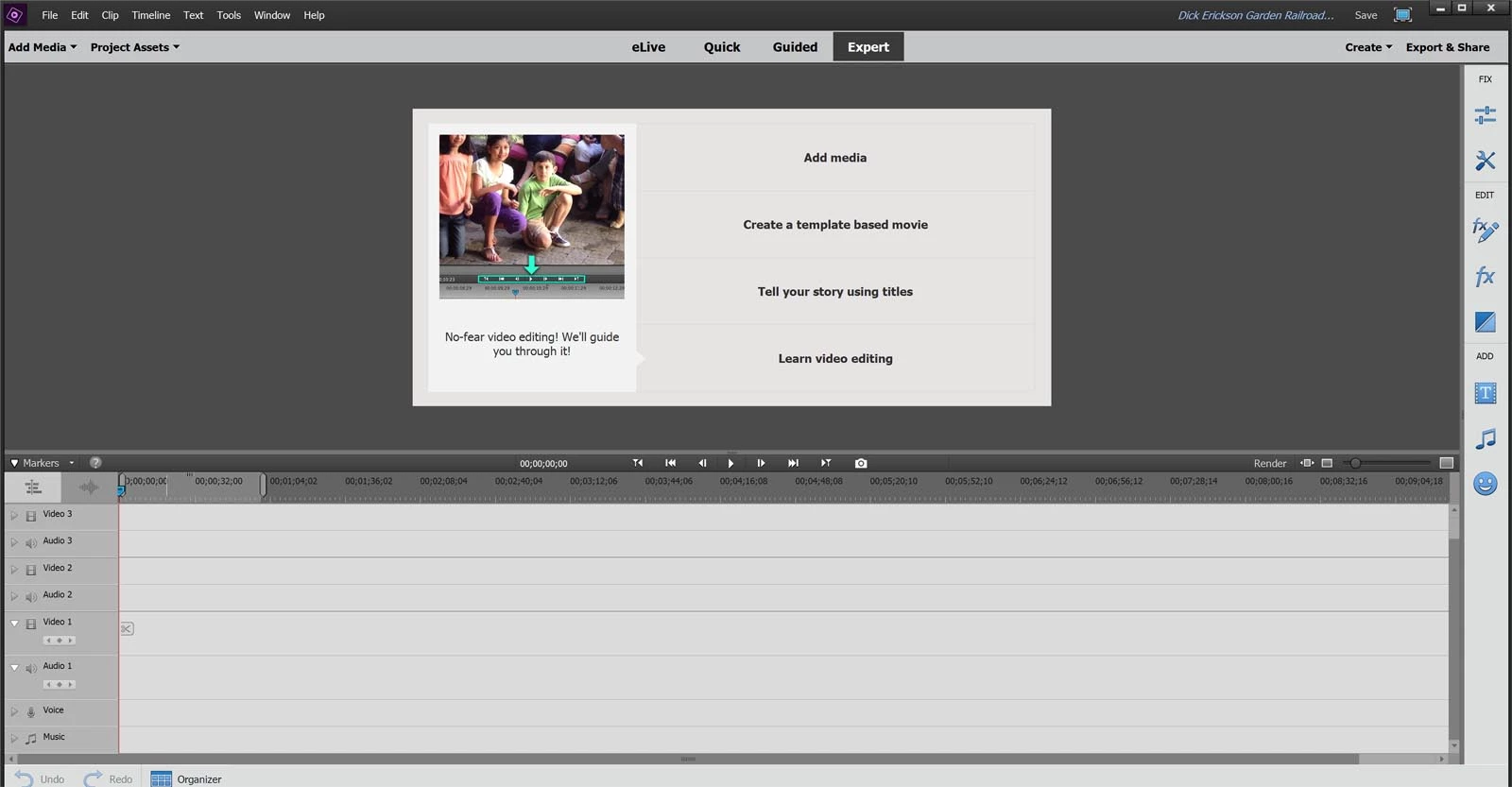
How do I permanently turn the menu off?

Thanks in advance!

    This topic has been closed for replies.
    Correct answer Steve Grisetti

    The monitor panel will replace this menu as soon as you add media to your timeline.

    1 reply

    Community Expert
    October 6, 2018

    Start a project. That screen goes away.

    ShowDirAuthor
    Participant
    October 6, 2018

    If I open PE and start a new project or open an existing project the menu still appears. Any other thoughts?

    Steve GrisettiCorrect answer
    Legend
    October 6, 2018

    The monitor panel will replace this menu as soon as you add media to your timeline.