

Participant
January 26, 2019
Answered

PE 2019 installing problem

  • January 26, 2019
  • 1 reply
  • 402 views

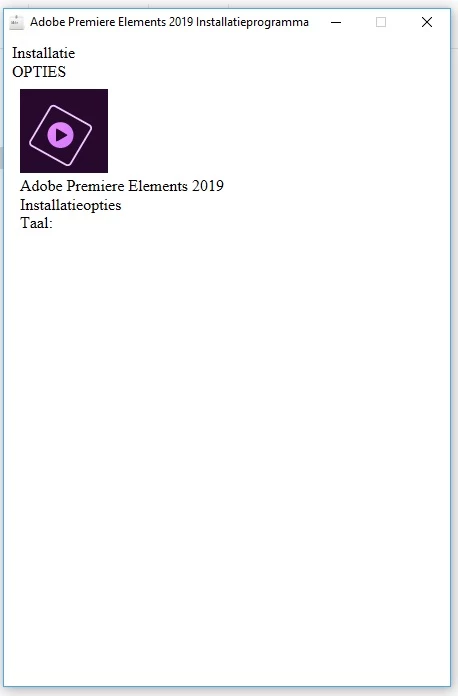
Premiere Elements 2019 refuses to install.

This screen opens and that's all.

Is there a solution for this problem?

I have tried all the troubleshooting items from Adobe, but still doesn't work.
    This topic has been closed for replies.
    Correct answer Bill Sprague

    There is little that can be done in a user to user forum.  For installation issues, please consider initiating an online "chat" session with Adobe's customer support.

    Contact Customer Care

    1 reply

    Participant
    January 26, 2019

    This is the log

    01/26/19 13:41:52:919 | [INFO] |  | ASU | OPM | OPM |  |  | 5104 | Build Version - 10.0.0.99

    01/26/19 13:41:52:919 | [INFO] |  | ASU | OPM | OPM |  | | 5104 | Logging Level verbosity Set to 4

    01/26/19 13:41:52:920 | [INFO] |  | ASU | OPM | OPM |  | | 5104 | Schema version and schema compatibility version are same or greater than current

    01/26/19 13:41:53:536 | [INFO] |  | ASU | OPM | OPM |  | | 5104 | _opm_handle_OPDReturnedStatus called with opdStatus as:0

    01/26/19 13:41:53:536 | [INFO] |  | ASU | OPM | OPM |  | | 5104 | No Record found for the input fields in opm_getValueForKey

    Bill SpragueCommunity ExpertCorrect answer
    Community Expert
    January 26, 2019

    There is little that can be done in a user to user forum.  For installation issues, please consider initiating an online "chat" session with Adobe's customer support.

    Contact Customer Care

    Participant
    January 27, 2019

    I will do that. Thanks.
