
Participant
November 2, 2022
Question

Pink and green preview in 2023

  • November 2, 2022
  • 3 replies
  • 502 views

I just installed Elements 2023 and this is an upgrade from 2019. Look at the attached picture and why am I getting the preview being so distoredted ?  This happens with all the imported MP4 and .mov files. never had an issues like this with 2019.  Good thing I did not unintall that, right now this is unusable. Thinking a waste of Money if I cannot use it. This was also this way on a new file, an existing file, dleted video clips and added them back, it does not matter, every video, this problem, the imported .jpg preview okay. 


So what is the fix to this problem?  Again Elements 2019 was and still is working just fine.  
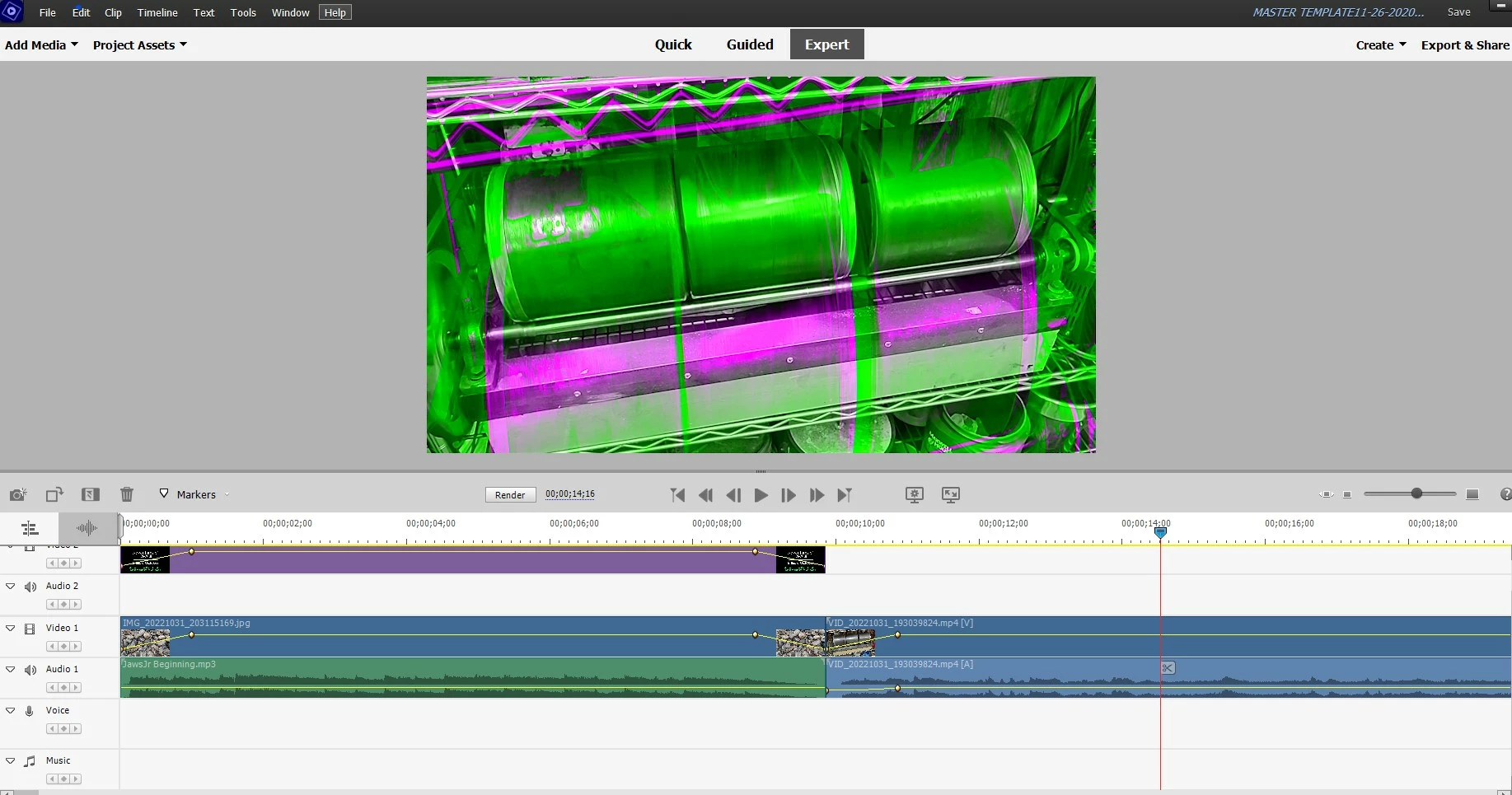
This topic has been closed for replies.

3 replies

Participant
November 6, 2022

Adobe! how much time do we have to deal with this probleme? There are no such situations on other programs. I know it's probably Intel's fault, but for example I can't browse through different versions and test. Do something about it finally. I am willing to quit your program and recommend such a move to others.

Community Expert
November 6, 2022

Although this forum is provided by Adobe, it is for users to help other users.  Your suggestion telling Adobe to change the program code, you are having needs to be comunicated by other means. 


If it were me, I would be starting an online session with Adobe employed techs here:  Contact Customer Care - Auto Open


If you are unhappy, be sure and get a refund before 30 days from purchase has elapsed.  The same link should help you do that. 

Greg_S.
Community Expert
Community Expert
November 2, 2022

It looks to me like you have a graphics card issue.  Update your graphics card driver and see if the problem goes away. You can also try going to Edit>Preferences>General and change the checkbox for GPU acceleration that I have marked in the following screenshot:


Since you have posted in the Photoshop Elements forum, I am going to move this post to the Premiere Elements forum where you are likely to get more help.

Ann Bens
Community Expert
Community Expert
November 2, 2022

Update your graphics card driver.

Intel, Nvidia or AMD.

Do not let windows install, but download directly from manufacturer.

Participant
November 2, 2022


This is an example of how I expect it to look like and this is the dame file from Elements 2019.  


So what is the fix to the problem?