


Poor Video Quality After Rendering
I am new to Adobe Premeire Elements and having difficulty with the video quality. Basically, as soon as I Render the preview, the video quality is very bad (Grainy, pixelated, etc...)
I've had several videos all with this same result, but I am including details as an example. I'm hoping someone can let me know what I am doing wrong.
Original Video: MP4, 1920x1080 at 29.97fps. I'm not sure how to get codec information, but it was shot with a DJI Spark drone. The clip has no audio.
As far as I know, all of the preferences and settings in PE are default, including "Default Scale to frame size" is not checked.
My Steps:
- In the "Expert" tab, I expand project assets and browse to my video clip
- Drag the clip from "Project Assets" to "Video 1" in the timeline
- At this point, there is no green or orange line in the timeline, and the video plays back with good quality
- For this clip, I want it to play in reverse.
- Right-click the clip, choose Clip - Time Stretch... and check the "Reverse" box
- Now, there is an orange line in the timeline. When I play it back, the image quality is good, but playback is "choppy" (Playback hesitates, skips...)
- I click the "Render" button. The orange line turns green.
- Now the playback is smooth, but the image quality is noticeably worse. (Grainy, pixelated, etc...)
I've included a screenshot of the clip before the "Time Stretch" and "Render", as well as after. If you zoom the screenshot to 100%, you can clearly see the difference. (Top is Post-render, bottom is Pre-Render).
Without doing any scaling or applying affects, etc... shouldn't the quality be as good? Is there a setting or step that I am missing that would be affecting this?
Thanks in advanced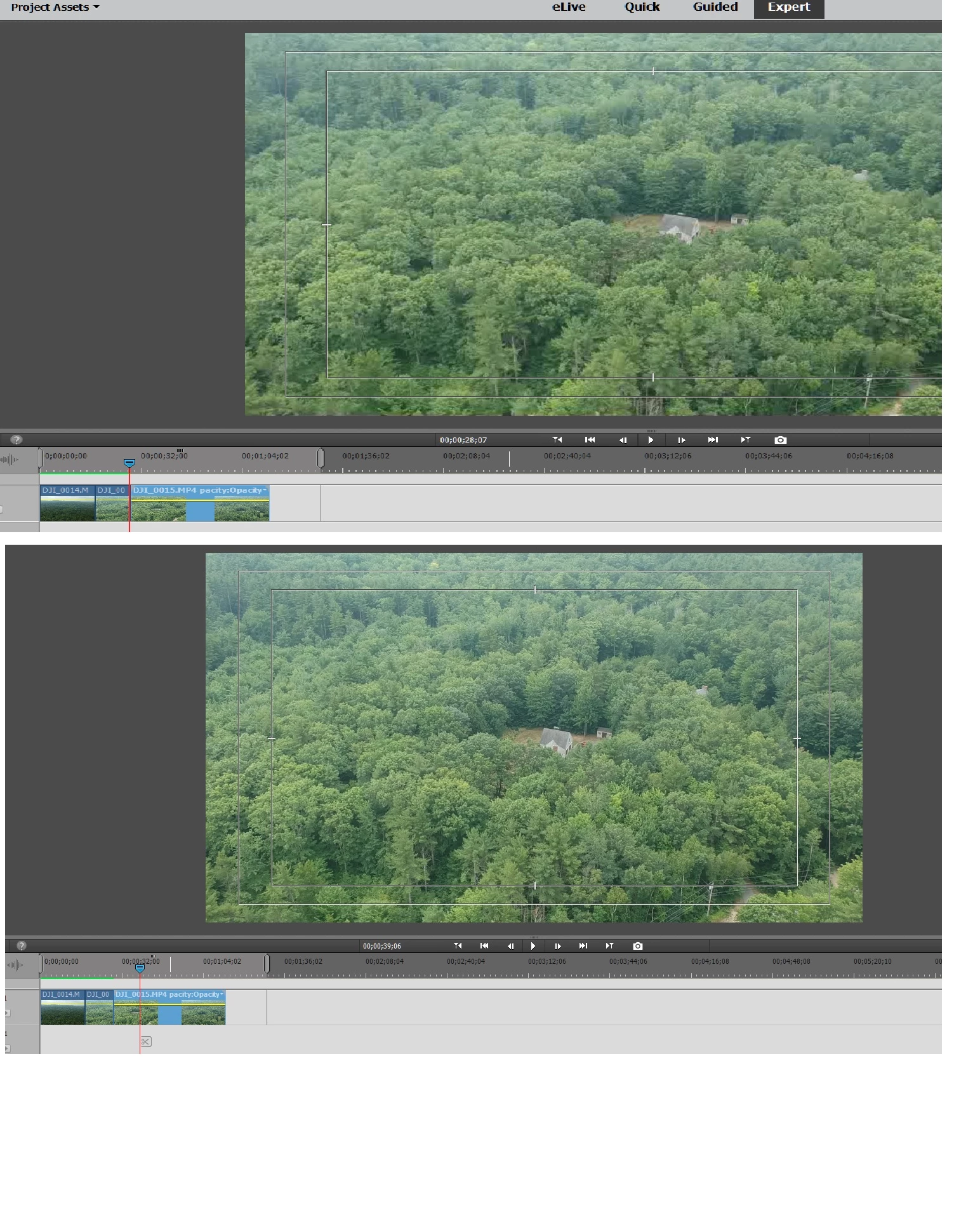
 AdChoices