


Participating Frequently
June 19, 2020
Question

.prel file will not open in premiere elements

  • June 19, 2020
  • 1 reply
  • 668 views

Hello,


When I attempt to open a .prel file, this is what happens:
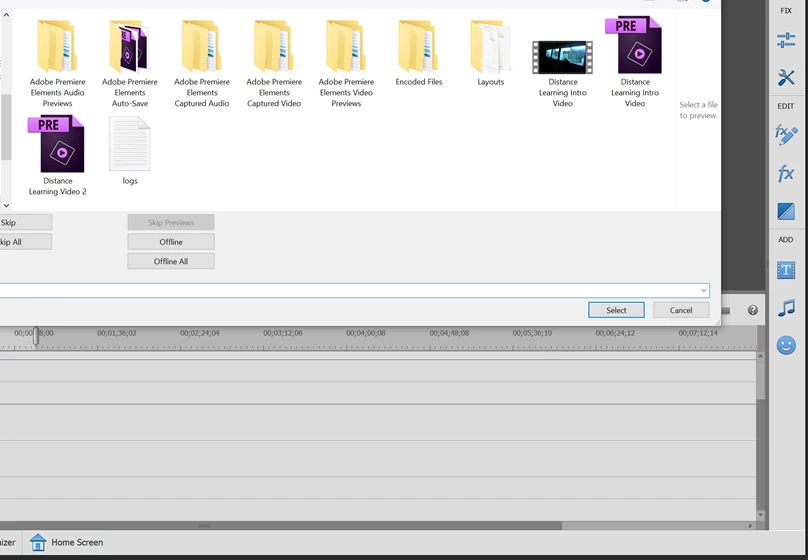
If I click a file this box comes up:
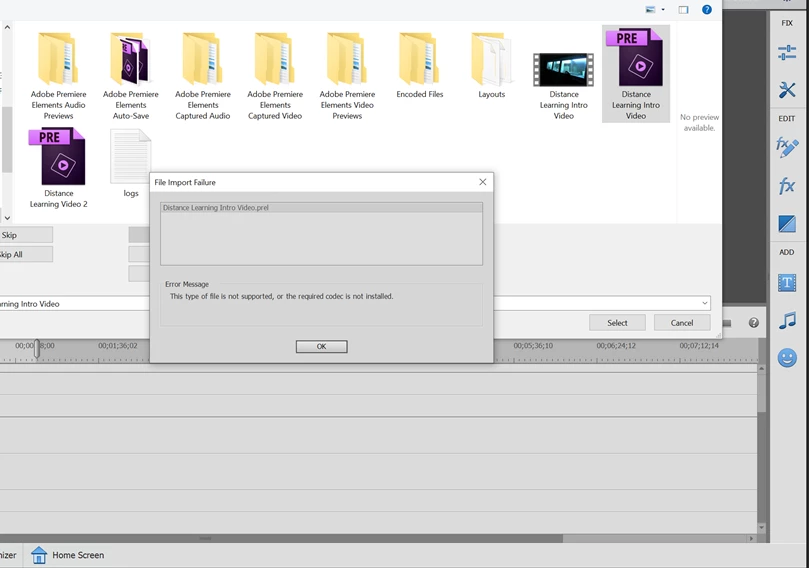
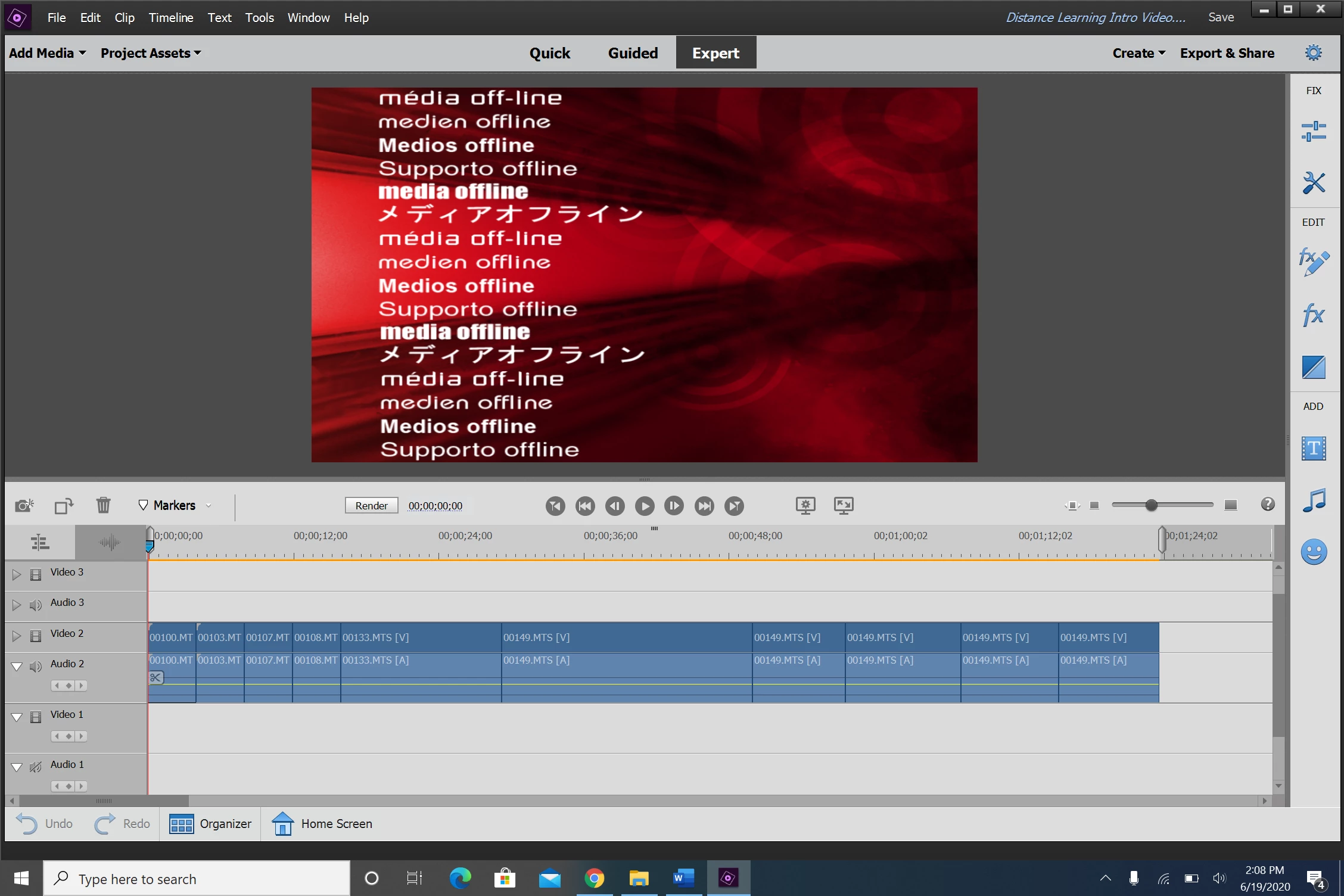
If I just hit cancel, the file loads with this message and is unplayable:
Does this happen because I deleted all of my raw video footage from this computer? It still doesn't work even if the raw footage is on the same computer. Does the raw footage have to be in a special folder? Is this happening because of a version update? Will I ever get this .prel to open again.


Thank you.

This topic has been closed for replies.

1 reply

Legend
June 19, 2020

From the error code on the second illustration it appears you may have tried to open the .prel by clicking on Add Media rather than File/Open.


From the illustration in the third illustration, yes, it looks like you deleted all the media you used in the project.


Finally, are you saying that you began this project in a different version of the program than you're now using? That can also cause problems.


So if you can give us details -- like how you tried to open the file and if the .prel was created in an earlier version of the program -- we can help you figure out what's up.

Task1Author
Participating Frequently
June 19, 2020

Hello,


   I used File/Open Project.


   I made this project a few weeks ago, so the version of Premeire should be the same. 


   So can I never delete the raw footage files for a Premeire project? What if I want to move the project from computer to computer? Does the raw footage have to travel with the .prel file?


Thank you. 

Legend
June 19, 2020

The source footage will move with your project file if you use the Project Archiver, under the File menu.