

Participant
September 20, 2017
Question

Premier 15 backing up to one drive

  • September 20, 2017
  • 1 reply
  • 173 views

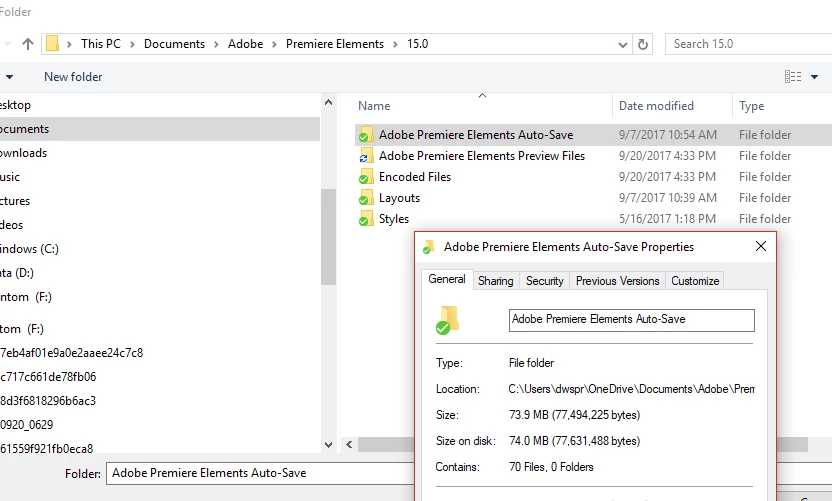
It looks like I'm backing up to my one drive account and my c drive.  How do I change it so it only backs up to the c drive?
    This topic has been closed for replies.

    1 reply

    Community Expert
    September 20, 2017

    I don't see where it is backing up to your one drive account. 

    And, it is not backing up in the normal sense.  Instead, at your choice, Premiere Elements will make automatic copies of your work as you are working.  It is more of an "auto save".  The frequency is set in the Preferences tab.  I have mine set at 10 minutes so if a project crashes I only lose ten minutes of work. 

    Further, the auto saved files are put in a sub folder of where your project is.  That is determined when you start the project.  It appears you are letting Premiere Elements use the default.  I prefer a new folder for every new project.

    Actual "backups" have to be made differently.  One good way is to use the "Project Archive" choice on the Edit menu. 

    Hope this helps!

    Bill
