


dougp69629523
Participant
April 30, 2018
Answered

Premier Elements 12 - grid

  • April 30, 2018
  • 3 replies
  • 550 views

I have been using PE12 [in Expert View] to successfully edit video for several years.

Now I want to add a grid to help align a cropped image on the upper video track with the lower video track in the image below:
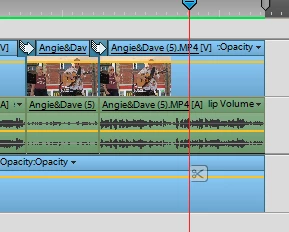
Web searches usually suggest Edit / Preferences / Grid etc but this option is not available. Can anyone help,

Doug

    This topic has been closed for replies.
    Correct answer Peru Bob

    Create a grid with transparency in Photoshop Elements and put it on the topmost track in Premiere Elements.

    3 replies

    dougp69629523
    Participant
    May 1, 2018

    Peru Bob,

    Thanks for the suggestion.

    Working on how to produce transparency images in P/S Elements but I am sure I will get there.

    Doug

    Peru Bob
    Community Expert
    Community Expert
    May 1, 2018

    PSD, TIF and PNG files support transparency.

    I prefer PSD files.

    Peru Bob
    Community Expert
    Peru BobCommunity ExpertCorrect answer
    Community Expert
    April 30, 2018

    Create a grid with transparency in Photoshop Elements and put it on the topmost track in Premiere Elements.

    Peru Bob
    Community Expert
    Community Expert
    April 30, 2018

    Moved to the Premiere Elements forum.