Known Participant
June 14, 2021
Answered

Premiere 2018 time lapse difficulties

  • June 14, 2021
  • 1 reply
  • 533 views

Hi: I

've used Premiere 2018 to make several videos. And I've made several time lapse videos of clouds from hundreds of still photos using the old Windows Movie Maker. Try as I might, I am unable to get Premiere 2018 to make the still shots progress at several per second for a fluid TL video. I have followed the Premiere manual on page 217 and nothing helps. When I change the duration to between 00;00;00;05 and 00;00;00;06 as noted, nothing happens and each frame still plays back at a few seconds. 

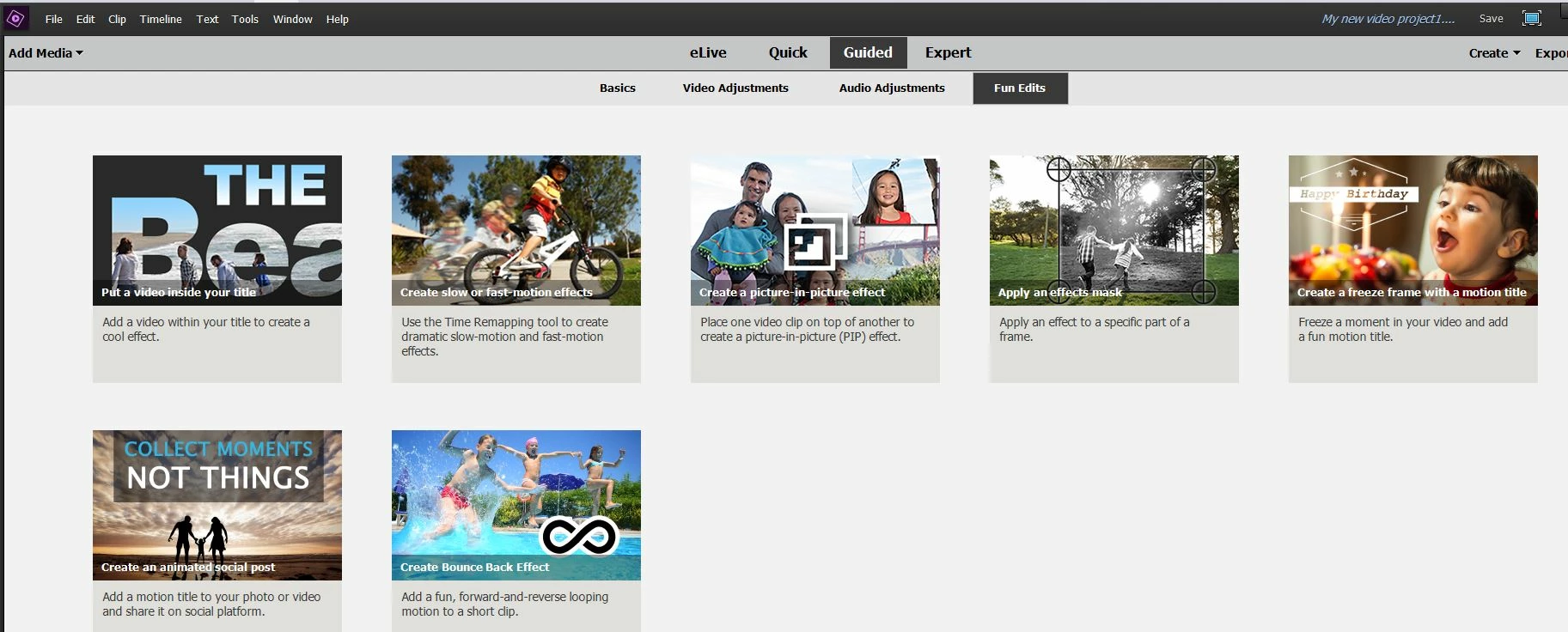
The older versions had a specific link for time lapse. It seems to be buried in the upper, second left icon, but again nothing helps following the instructions. 

Thanks for any help you can offer. 

Clive



This topic has been closed for replies.
Correct answer Ann Bens

I should have prefaced that first photo with "Create Time-lapse video is not available in Premiere 2018."  


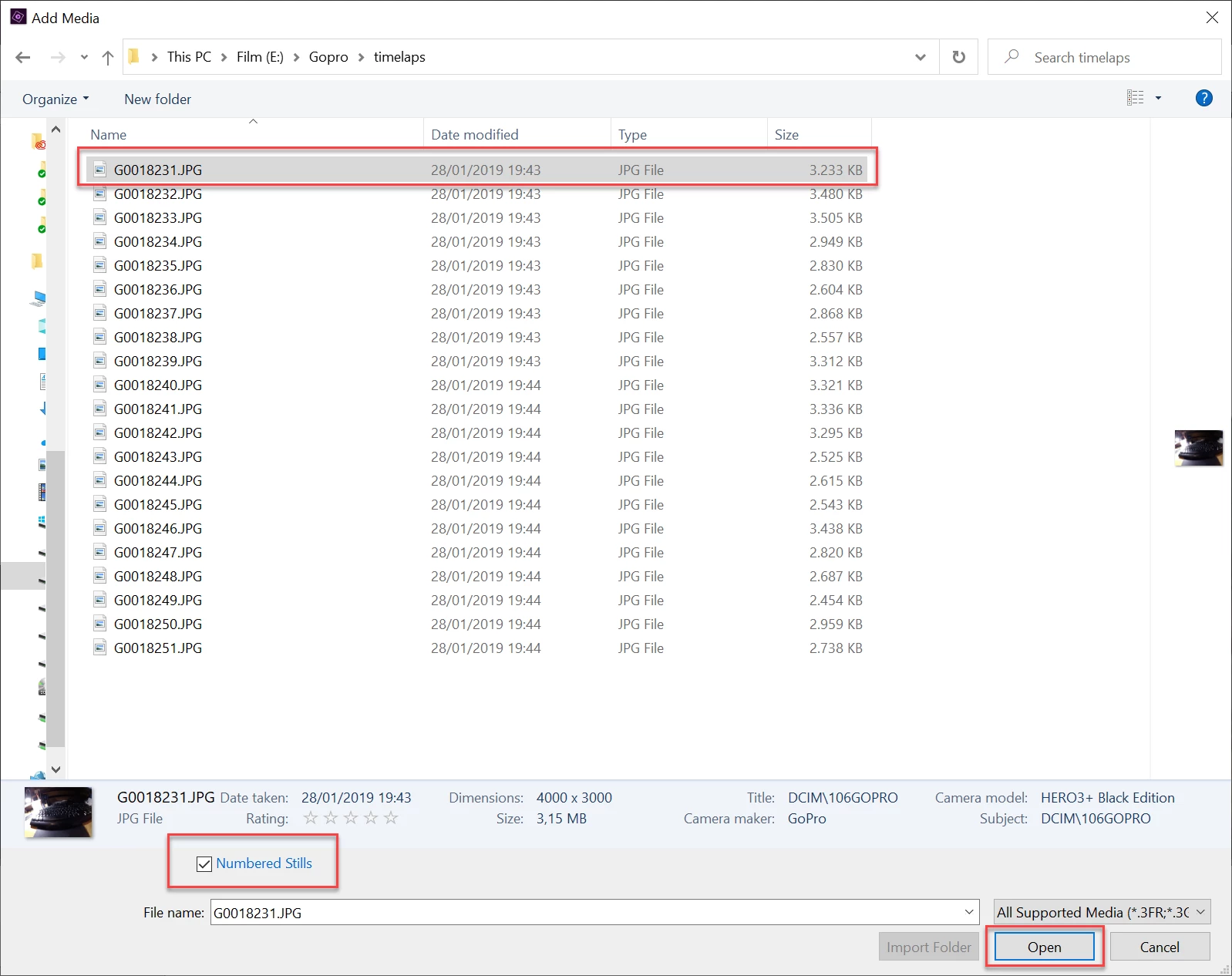
If you want to make a proper timelaps use the 'Image Sequence' feature.


Make sure all your stills have a simple name such as 0001.jpg and are all sequential.

Go got Project Assets, double click and navigate to your stills.

Select the first one, check the Numbered Stills box at the bottom, the hit OK

Now you have a clip made out of all your stills.

1 reply

John T Smith
Community Expert
Community Expert
June 14, 2021

I've never done that, but this video may help https://www.youtube.com/watch?v=PHh2D_CDmeI time lapse guided edit

Known Participant
June 14, 2021

Thank you John. I saw that video and it does not apply to 2018. 

This is the closest....

Not sure of this is germane..it says "video clip" which I do not have. 


I've tried guided and expert and, as noted, was able to apply the time settings as per the manual, and yet each photo still lingers for too long. I am looking for several frames a second for the stills.   

I'll keep playing. This should be easy. 

Clive

Known Participant
June 14, 2021

I should have prefaced that first photo with "Create Time-lapse video is not available in Premiere 2018."