


keithb5893500
Participant
April 17, 2017
Question

Premiere Elements 15 startup error message

  • April 17, 2017
  • 2 replies
  • 438 views

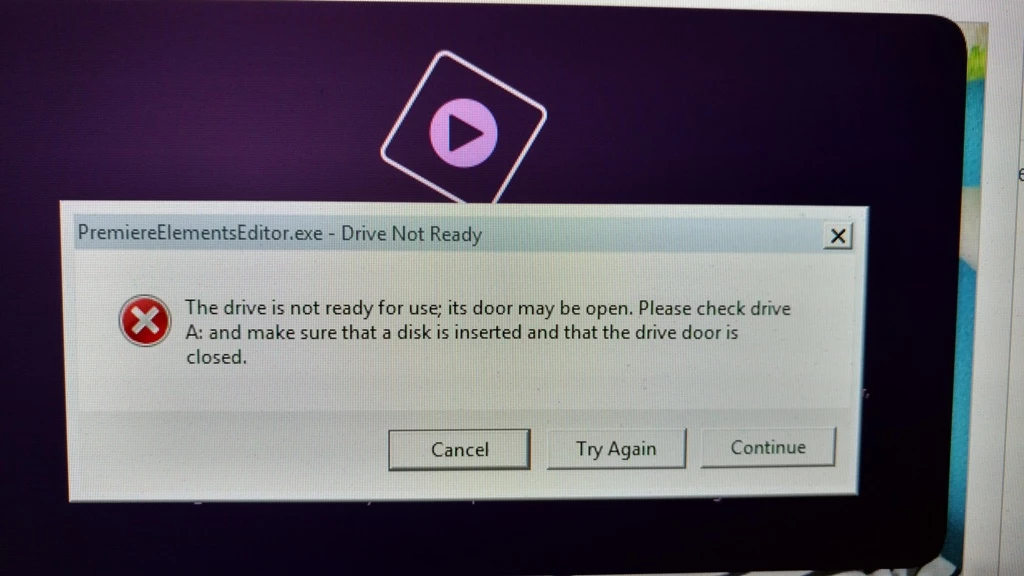
Hi, I recently installed Premiere Elements 15 and Photoshop Elements 15 on my Windows 7 computer. When I start Premiere Elements 15 I get the following error message. PremiereElementsEditor.exe - Drive Not Ready: The drive is not ready for use; its door may be open. Please check drive A: and make sure that a disk is inserted and that the drive door is closed. I get the options Cancel, Try Again, Continue. If I click continue the program loads normally.

I do not have an A: floppy drive and it's also disabled in the bios boot sequence. Any ideas how to fix this?

I have attached a screenshot....thanks!
    This topic has been closed for replies.

    2 replies

    Dhananjay Sati
    Participating Frequently
    April 22, 2017

    Hi keithb,

    Thanks for posting in Adobe forums.

    I can understand you are facing issue with Adobe Premiere Elements 15 & you are getting an error message.

    Can you try the following steps:

    - Run the command   devmgmt.exe

    - In "Floppy Disc Controllers" , click " + "

    - Right click "Floppy Disc Controllers"

    - Click "Disable"

    Thanks

    Regards

    Dhananjay

    keithb5893500
    Participant
    April 22, 2017

    Thank you Dhananjay!

    That seemed to do the trick! Just a note the command is devmgmt.msc and not devmgmt.exe.

    Keith

    keithb5893500
    Participant
    April 19, 2017

    Still looking for an answer!...thanks