


petrusp76041941
Participating Frequently
March 14, 2018
Question

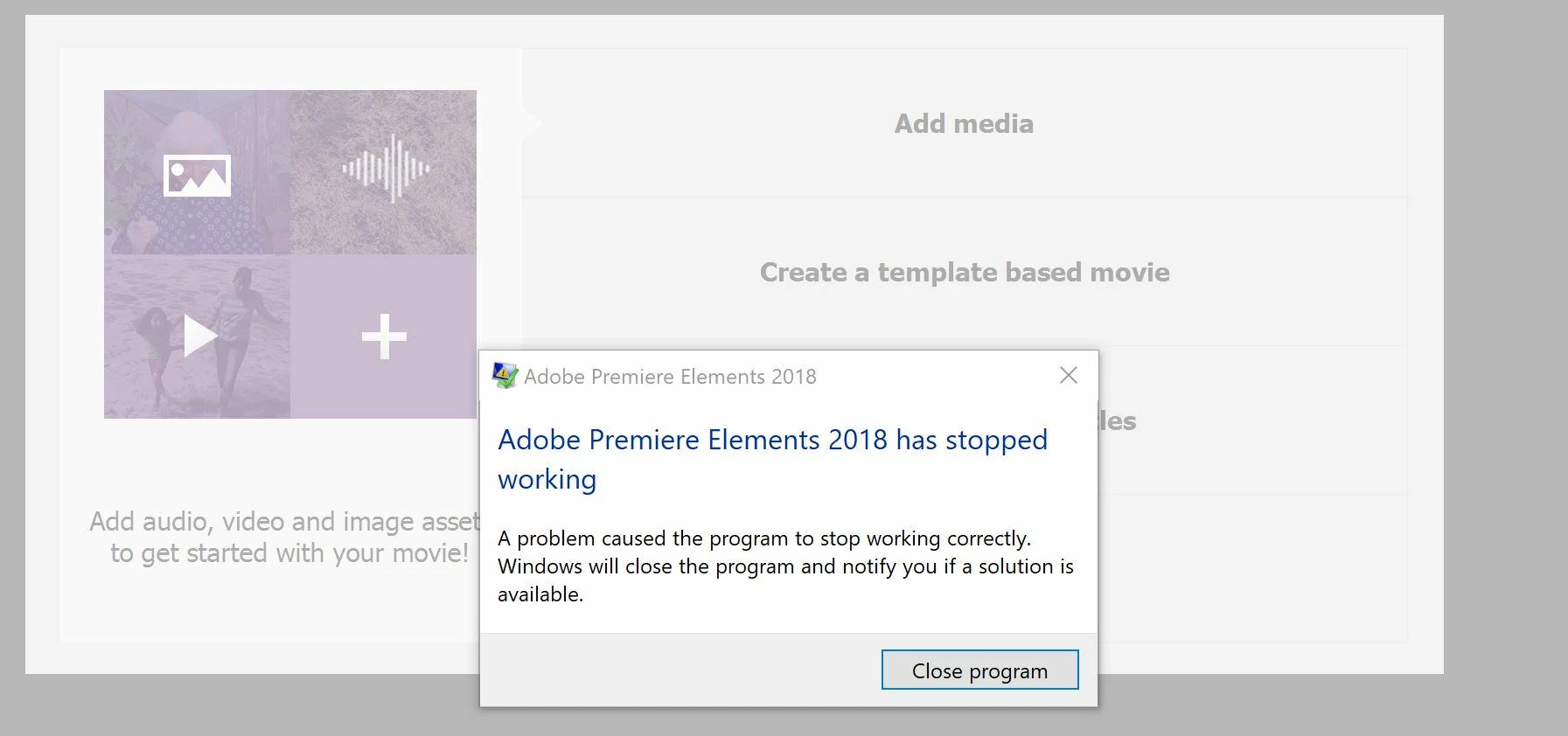
Premiere elements 2018 hangs up in Windows 10

  • March 14, 2018
  • 4 replies
  • 1275 views

I bought Premiere Elements 2018 and it does not work at all, see attachment. I already spent too much time trying to get it working.  Please return my money asap or I will reclaim from credit card company.
    This topic has been closed for replies.

    4 replies

    redhand32
    Participant
    June 23, 2018

    I'm done with Premierre Elements 2018 on my Windows 10 high RAM computer. Numerous reinstalls. Does not always load, and when it does I open project. nothing runs, locks up repeat ad nauseum, no Adobe tel support  for lowly Elements users. Bloatware that doesn't work, new versions with new bells and whistles, doesn't work, sell more stuff, no support. That's it. I'm done with Premiere, using different software.

    Community Expert
    June 24, 2018

    I'm disappointed that you can't get it to run.  It is a mass marketed product with with (I don't know how many) thousands of users.  Most, including me, have good results.   Although Adobe does not do telephone support, they do have an online chat system where they can run your computer remotely to solve installation problems. 

    VipinGupta
    Adobe Employee
    Adobe Employee
    March 27, 2018

    Could you please share the configuration details of the system on which you are facing this issue?

    petrusp76041941
    Participating Frequently
    March 29, 2018

    Yes I have updated all drivers from the manufacturer site.

    This is Dell XPS 13 9350 with 16G ram

    Processor Intel(R) Core(TM) i7-6500U CPU @ 2.50GHz, 2592 Mhz, 2 Core(s), 4 Logical Processor(s)

    Windows 10 Pro Version 10.0.16299 Build 16299

    Peru Bob
    Community Expert
    Community Expert
    March 26, 2018

    Have you tried try updating  your graphics driver directly from the video card manufacturer’s site?

    Community Expert
    March 14, 2018

    This is a user-to-user forum.  Nobody can help with refunds. 

    Consider starting an online chat with Contact Customer Care   I've never done it myself, but read it works well. 

    Good luck and sorry Premiere Elements isn't working for you.

    Bill

    petrusp76041941
    Participating Frequently
    March 26, 2018

    Well I wouldn't mind to get it working either! But what can I do. I already tried to reinstall - I think debugging such basic bugs is Adobe's job, not mine.

    Legend
    March 26, 2018

    This is why Bill recommends contacting Customer Care.

    Your problem is unique to your computer and is not common to Windows 10 systems. They will be able to help you work through it.