Participant
January 28, 2019
Question

Premiere Elements 2019 and Microsoft Surface Dial

  • January 28, 2019
  • 1 reply
  • 1121 views

Hello all

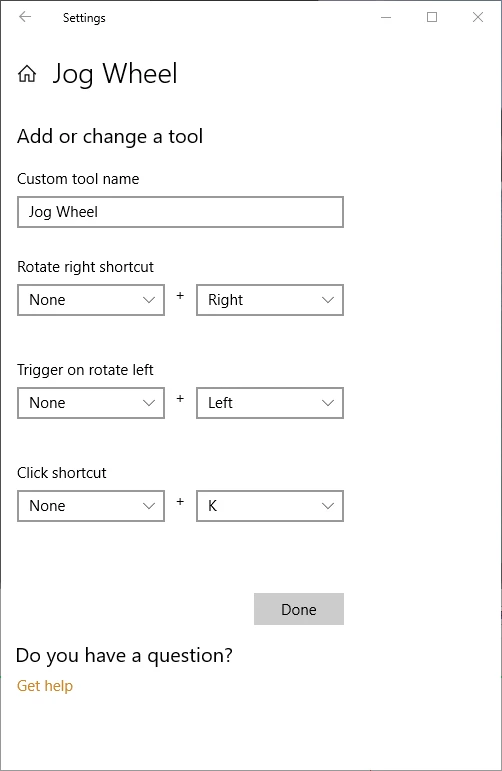
Has anyone had any success setting up the Microsoft's Surface Dial in Premiere Elements 2019?  I believe I have configured correctly to step forward, back and snip as per below images.
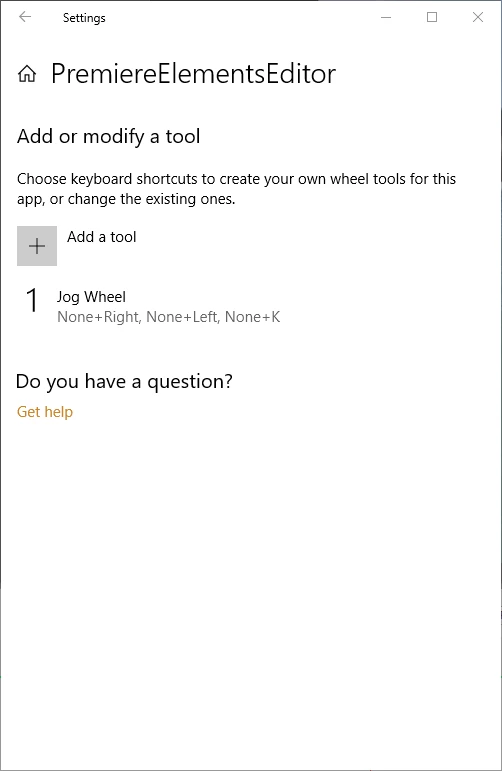
I have configured other keyboard shortcuts in other applications work that work fine.

Any help much appreciated.

This topic has been closed for replies.

1 reply

loganf43677327
Participant
February 21, 2019

This is what I did on Premiere Elements 2018.

First I changed my keyboard shortcut for "Step Back" and "Step Forward" to 1 and 2 on the keyboard by go to the "Keyboard Customization..." under the Edit menu.

Then I changed the Dial settings

I hope this works for you.

Community Expert
February 21, 2019

Which Surface and how do you like it for editing with Premiere Elements?

Participant
April 17, 2019

Surface Book 2 but I am also using the dial on my non Surface Desktop PC.