


Premiere Elements 2019 memory leak
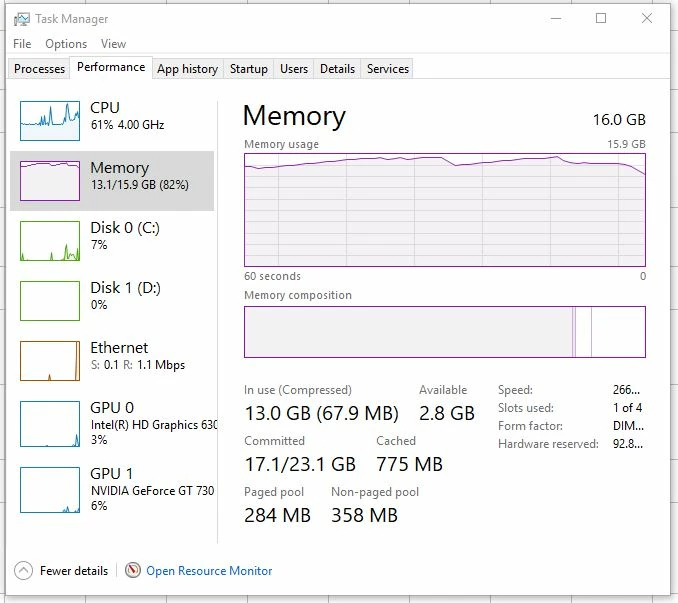
Owned Premiere Elements 12 for minor projects with success and no problems. Purchased Premiere Elements 2019 from Adobe for a bigger project but nothing major. I started the project on Premiere Elements 12 and moved it to 2019 after the first six minutes. After 22 minutes of video clips, freeze frames, stills and titles, memory (16GB) on my Lenovo M710 (Intel Core i7-7700 CPU 3.60GHz) started building and finally maxed, freezing Premiere 2019 (“the app”). Today I opened my project for just some review and I noticed the leak building to just under the max and then freezing the app. The snip shows the memory use. I closed the app with File>Exit where the app closed but Task Manager listed it as still open and still bouncing off my 16GB ceiling. And then, my 512SS C drive maxed out doing what, I do not know. I ended the app process in Task Manger and all settled down to normal.
I have used other intensive CPU and memory applications and experienced memory leaks in the past on other capable workstations with other applications, years ago and before Windows 10, but the speed with which this leak takes over is astounding. My M710 in loaded with many heavy duty applications and I have not experienced memory leaks of any kind since new (two years).
My project is due tomorrow. I have no idea how to fix this. Please help.
 AdChoices