anthonym62624359
Participant
March 2, 2020
Answered

Premiere Elements 2020 Installer fails on MacOS Catalina

  • March 2, 2020
  • 2 replies
  • 451 views

I have just bought Premiere Elements 2020 (DVD) and tried to install on my Mac (Catalina) but get Error Code 1. I looked this up and it said to uninstal previous versions of the installer. However, when I try to run the old uninstaller, I get a message that it needs upgrading and to contact Adobe support. Catch 22!


Help!!!!

This topic has been closed for replies.

2 replies

anthonym62624359
Participant
March 3, 2020

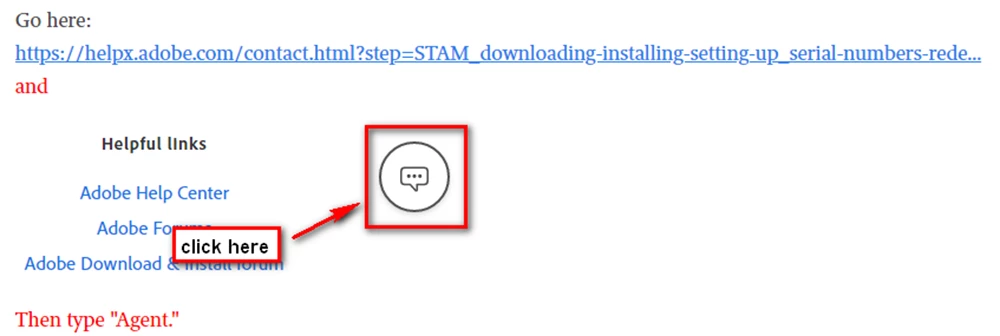
Many thanks to all for responding, and to the person who pointed out where the Chat icon was on the Adobe website which I entirely missed! 

Anyway, my first chat Adobe Support sent me a link to a new downloader which I ran but the installation failed again with the same problem. 

On my 2nd chat the support guy took over control of my iMac and deleted all sorts of stuff and then reran the installer and it worked. 

Just for the record was already on Catalina 10.15.3 

By the way, and perhaps ironically, I also installed the product on my Windows laptop and it went in smooth as silk!

Inspiring
March 2, 2020

I've got a Catalina machine and I had issues installing other software until I installed MacOS patch 10.15.3