
johnmpacnw
Participant
January 25, 2022
Question

Premiere Elements 2021 frozen halfway through project

  • January 25, 2022
  • 2 replies
  • 230 views

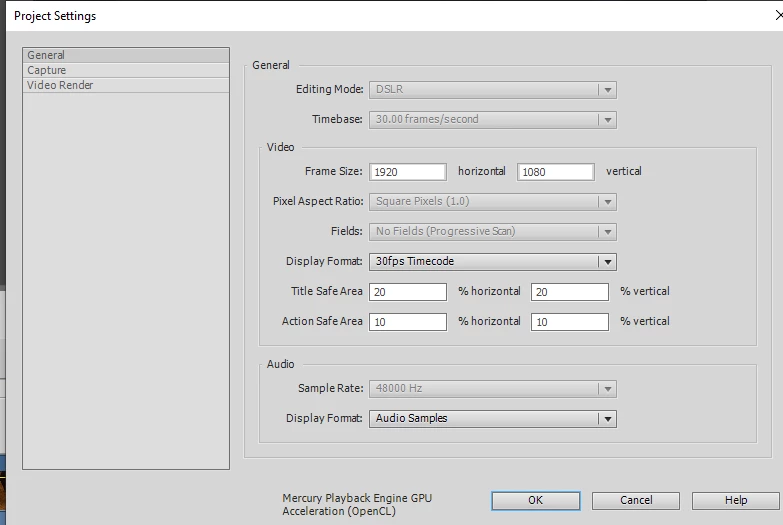
I'm doing my first project using mainly footage shoot from my iphone 11 pro, plus stills and a few HD clips from old family videos mixed in. The project settings were set by the first clip added to the timeline (an iphone clip).


I was going along fairly smoothly with the occasional freeze up, until there was about 8 minutes of media in the timeline.  Up to that point, a message popped up a couple of times indicating that I did not have the proper codecs to support HEVC/HEIC, but after following the instructions, it appeared that the codecs were already installed, so I powered on.


Now, with 8 minutes of footage:

  • only a handful of the dozens of clips in the timeline and asset panel have a visual thumbnail
  • the project won't play, and when I try to scrub, the only clip that plays is the HD clip
  • the project won't close normally, and I have to use the task manager to  close the project


I've also tried:

  • uninstalling and reinstalling the program
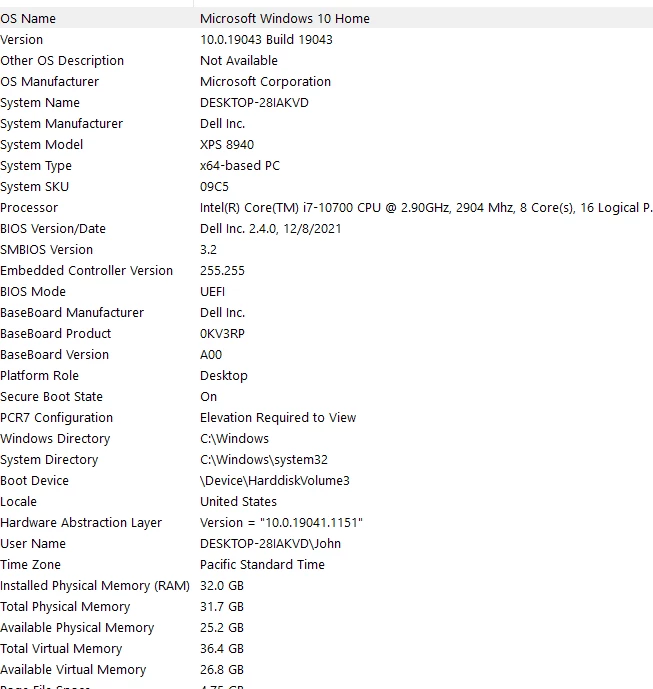
  • increasing my RAM from 16 to 32 GB
  • contacting the Adobe chat (but they don't recognize my product as registered even though it is, so I can't start a session)
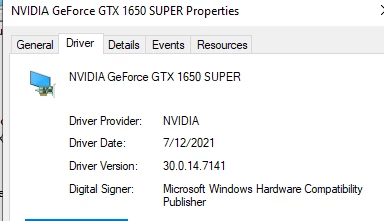
  • updating my drivers from the computer, videocard, etc.


My Adobe program and project files are on my (D:) hard drive, as my SD boot drive only has 17GB of space left.  The cache files end up on my SSD boot drive, and I delete them when prompted.  All of the other scratch files are set to store on the 1 TB hard drive with 700GB still available. 


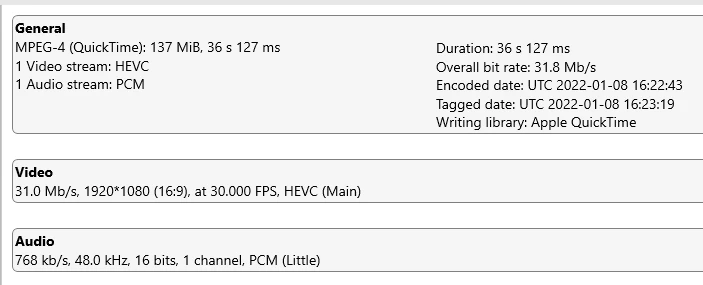
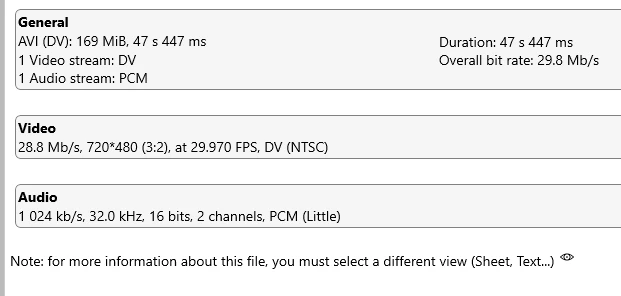
I've included below my system info, video card info and media info for both the iPhone and HD clips, as well as a screen shot of the General project settings.


Is it a codec issue, hardware issue, project management issue (i.e.user error)?


Any help is greatly appreciated.


Video card


 iPhone clip
HD clip
 

General project settings


This topic has been closed for replies.

2 replies

Ann Bens
Community Expert
Community Expert
January 25, 2022

Iphone 11 pro, plus stills and a few HD clips from old family videos mixed in.

The old family video are not HD but SD (Standard Definition) Very low quality compared to the Iphone,

johnmpacnw
Participant
January 25, 2022

Thanks for pointing that out, Ann.  My bad for mis-identfying the nature of the older clips.  Ironically, I don't think that clip caused the issue I'm having.  I was receiving the HEVC/HEIF error message before adding the SD clip at minute 3, and was able to limp along to minute 8 with adding no additional SD clips until the project crashed, and even after the project crashed, the sole SD clip was the only clip that I could still run my playhead over and scrub properly.


Update: after leaving the project open for the last four hours, the thumbnails populated on the time line and in the project assets folder.

Peru Bob
Community Expert
Community Expert
January 25, 2022
quote
  •  


my SD boot drive only has 17GB of space left.


By @johnmpacnw


That is likely causing at least some of your issues.  That really isn't enough room for system and temp files.

johnmpacnw
Participant
January 25, 2022

Thanks for your note.  It could be.The only Adobe files on the C: drive are the cache files.  The program, scratch disks, project files and project assets are saved on the ample D drive. 


Having said that, I was ready to take my computer to my local computer shop and upgrade the boot drive to a higher capacity SSD in order to accommodate the program, AND add a third drive, an SSD SATA dedicated to house the project files/assets...then I thought I'd try the APE community to see if there were some other potential no-cost solutions.  I may still keep that appointment.