


DCalamus
Participant
January 28, 2021
Question

Premiere Elements 2021 graphical errors in playback / rendering

  • January 28, 2021
  • 1 reply
  • 296 views

Hello,


I've got a Problem with Premiere Elements 2021:

I render a sequence of clips and randomly some of the clips are shown like this below.

I am rendering on a Ryzen 5 3600 / RTX2070S combo without HW support.

Codec input is HVEC4:2:0
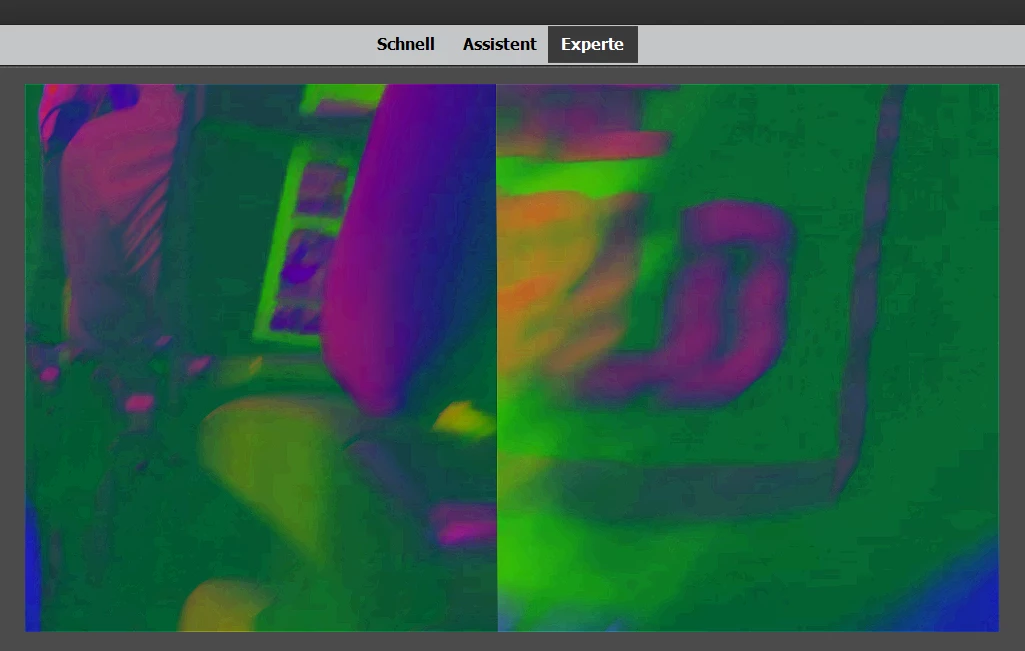


Any Ideas?


When playing back the clips in e.g. VLC or Windows Movies, there are no issues.

This topic has been closed for replies.

1 reply

DCalamus
DCalamusAuthor
Participant
January 28, 2021

Hi,


Update - after reviewing my settings I installed the HEVC codec from microsoft store. Now those files are no longer played back at all in the project.


Thanks for any support.

Legend
January 28, 2021

Assuming you have Windows 10, you need to update your drivers from the AMD or nVidia site.

DCalamus
DCalamusAuthor
Participant
January 28, 2021

Hi,


all drivers are up to date.

Now after cleaning up everything (only one version of codec present, drivers up to date, cache cleared),

Premiere does not even open up the files anymore: