



azadrumana
Inspiring
October 28, 2020
Question

Premiere Elements 2021 is Seriously Slow

  • October 28, 2020
  • 5 replies
  • 3901 views

I have a very good machine IMO

i9-9900K
32GB DDR4
Intel UHD 630 &
Nvidia Quadro P4000 with 8GB RAM


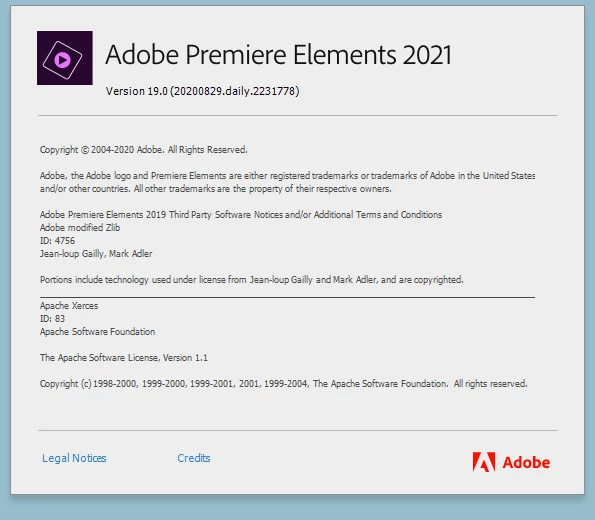
But as soon as I have upgraded to Premiere Elements 2021, I cannot believe how bad the performacne is.


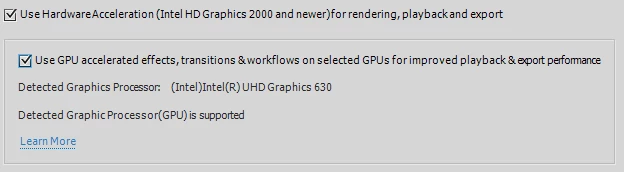
First of all it do not support Nvidia Quadro P4000 for GPU accelerated tasks. So it is depended on Intel UHD 630. Premiere 2020 performed better without any acceleration.

I tried both enabling/disabling these options but no luck -
It also seems like the video rendering time has increased a lot. Timeline playback has huge lag. I have added Premiere Elements exe to use Nvidia 3D but no luck.


I have another laptop, i7 with 16GB RAM and only Intel Graphics. That machine is really struggling to run Premiere Elements 2021.


This is really bad news. When rival applications like Filmora, Power Director are improving performance, this one is stepping backword I assume.


Is there any suggestion I can improve this or should I go back to 2020?


I am willing to beta test my card with this application, so I welcome any hack suggestion to test this for performance improvement.

This topic has been closed for replies.

5 replies

asodobe
Known Participant
December 2, 2020

I would have to agree with azadrumana. 2021 just feels more jittery than my old (2018) version. I have a similar machine (Win10-9900KF-64Gb-1660Ti-EVO970).


Playback quality set to High or Auto rarely gets me a smooth timeline. Playback quality set to Medium is frequently smooth but quality is much worse compared to the Automatic setting in 2018.


All in all very disapponted with the performance, especially when comparing to the 3 year older version of 2018.


Community Manager
December 2, 2020

Can you please tell us the below information:

1. Are you facing this issue even after rendering the timeline.

2. Is this with any specific effect or transition?

3. Are you facing this issue with every clip or with some specific clip?


Thanks, Gaurav
asodobe
Known Participant
December 2, 2020

1. No, after render it's smooth. However, change one tiny setting in adjustment layer and need to rerender.

2. No, although of course some effects are worse then others this is general behavior.

3. Basically any clip I edit (all at least 4k60fps).


Note: My point being that using the exact same clips and effects in PRE2018 gives better performance.

Participant
November 30, 2020

I have exactly the same problem. I just bought the new Premiere Elements 2021 and the timeline rendering is atleast 3 times slower than in the 2020 version! Exactly the same video, that took 30 minutes to render in 2020 takes now over 1,5 hours. This is really bad and huge downgrade from previous version.

Community Manager
November 30, 2020

@Teijo5EB2 

Can you please share below details with us:

1. What all GPU does your machine has?

2. Is your PRE is activated?

3. On which OS you are working?

4. What is the RAM on the machine?

Thanks, Gaurav
Participant
December 2, 2020

Hey,


1. MSI Geforce RTX 3080 Gaming X Trio

2. Yes, it's activated.

3. Windows 10 Home Edition

4. Kingston HyperX Fury 32GB DDR4 @ 2933mhz

Community Expert
November 25, 2020

Phil3d,

I'm not having a lagging or stuttering problem, even in a 4K project.  I suspect some settings or preferences are not right in your set up.   


Bill

Participant
November 25, 2020

I have the same video card and Premiere Pro 2021 has the same issues. It even forced me to update my video drivers. Playback is choppy and stutters constantly. 

Participant
November 26, 2020

I just come to test PE 2021 and found it very resource hog. It is slow, jittery and sometimes out of sync. It cannot even play cross fade transections without draft rendering. I do not have any supported card, but even with my setup 2020 performed lot better.


This is a bad release like Windows Vista.

Community Expert
October 28, 2020

I'm not having your issues and I have an unsupported Nvidia GPU.  Operational speed is the same for me in the two versions.  My typical projects are with 4K source footage. 


You want to work through some of the settings?  Start with Audio Hardware and Timeline Render Quality and Timeline render quality.   What are those settings?

azadrumana
Inspiring
October 28, 2020

This is my footage:

This is my Audio Hardware

This is my render quality:

Performance is really really bad.

Have you ever tried applications like Filmora or Power Director? You will be super surprised with the performance. Sorry to say that.