
Participant
September 4, 2022
Question

Premiere Elements 2021 plays the video instead of rendering

  • September 4, 2022
  • 1 reply
  • 381 views

I've found multiple threads about a very similar or even same problem and they weren't resolved, so here I'll go and try it again:
My Elements program doesn't recognize newly added footage as un-rendered (colored in yellow/orange) anymore and when I press render, it just plays the video from the beginning instead of rendering anything.

I am 100% sure that the footage has yet to be rendered, because it's still choppy and blurred in the final exported video, as that is where rendering should come in.

I've tried a lot of things from unchecking settings for media to adding more footage or adjustment layers that should add a new piece of unrendered footage or even reinstalling or updating the software, but nothing worked so far.


Is there anyone experiencing a similar problem or knows how to fix this? It's only been happening ever since a recent update and all of the old footage in my project is still rendered ("green").
This topic has been closed for replies.

1 reply

Legend
September 5, 2022

It looks like what you are trying to render is outside the Work Area Bar, the light gray area with end points along the top of the timeline. The program will only render what is under the Work Area Bar. Since by default the program plays the timeline after it renders, in your case it is simply playing the timeline since it didn't see anything to render.


My tutorial will show you the Work Area Bar and what it' usually used for.

FishyMAuthor
Participant
September 5, 2022

Sadly I already checked that case as well. The work area was the entire video, and changing it to only the specific parts didn't change it either. It just played the video as well (in that case, from the manual starting point of the work area)
I also tried rendering manually through the tab Timeline/Render Work Area, but it did the same as clicking the button.

Legend
September 6, 2022

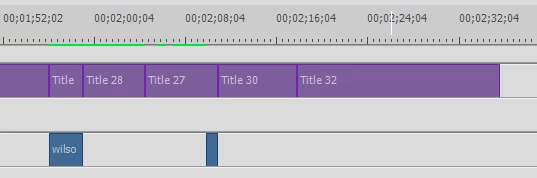
Please post a screen shot of your entire timeline.