


Participant
December 8, 2021
Question

Premiere Elements 2022 freezes when editing and playback and won't even close down

  • December 8, 2021
  • 4 replies
  • 2327 views

All I am trying to do is clip a few GoPro videos together along with a few pictures, then narrate my story.  Should be easy, right?


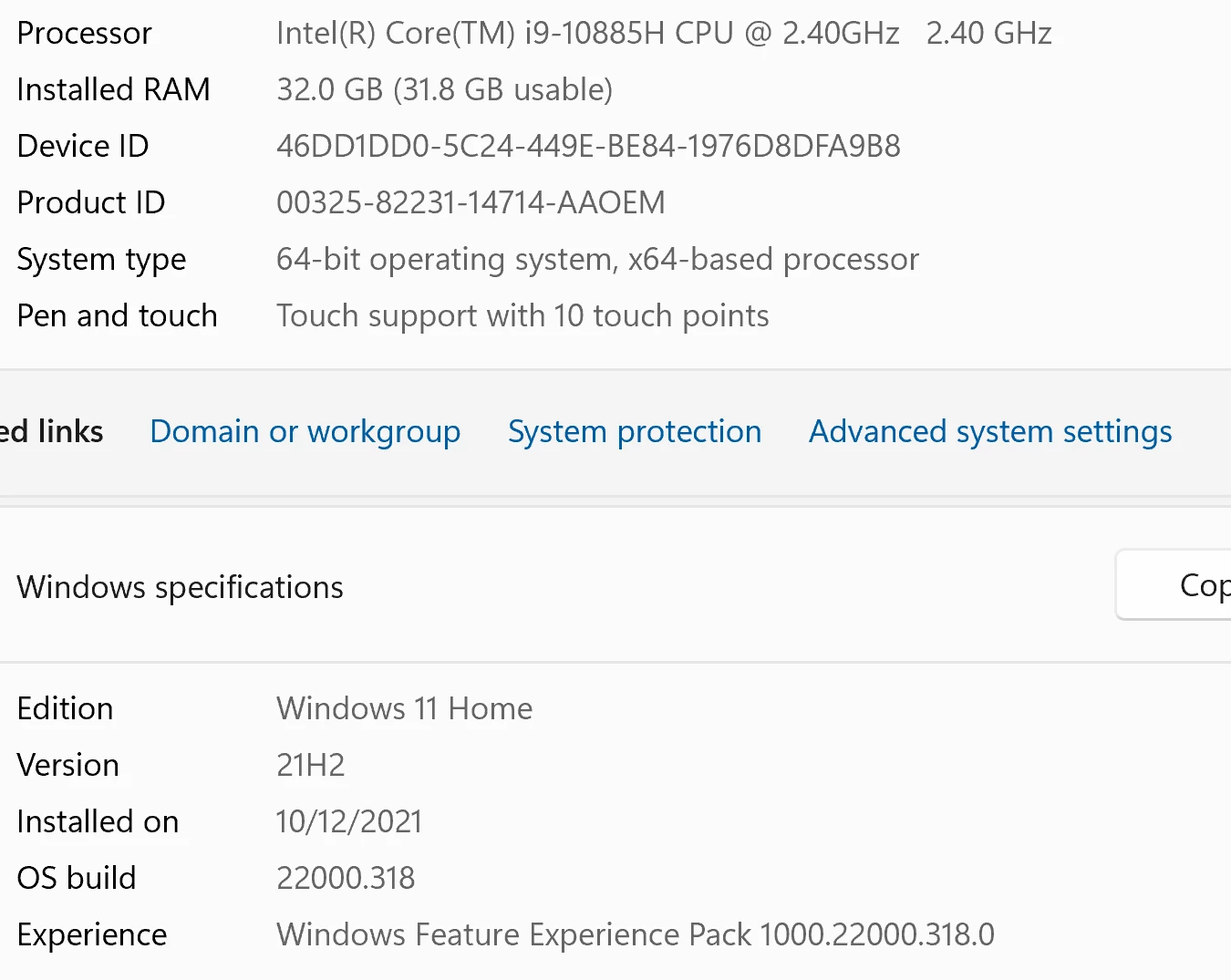
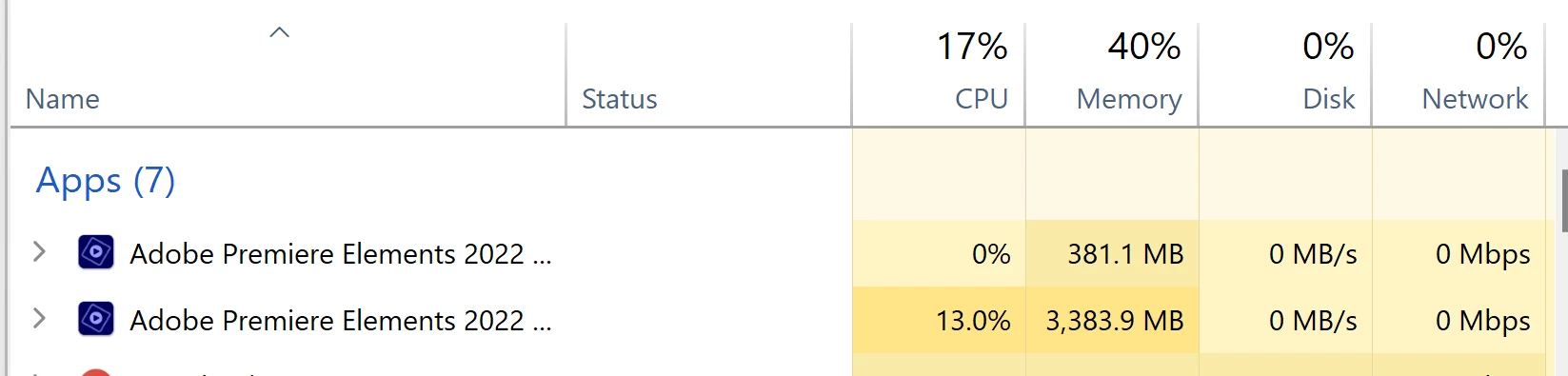
Well, with a more than capable laptop (see below specs) and after a few minutes of adding a clip or trying to, you know, edit and build a project it simply freezes.  It doesn't appear to be stressing the laptop (see below screen shot from the task manager) and it won't even close down unless I use the task manager.  It simply gives the hour glass.  


I've cleared the cache, etc.  Any help?  Or is the new update that bad as I've read on here?


Lapto
CPU Usage:
 

I am beyond frustrated as it seems this is literally useless.  


Again, any help would be appreciated.

This topic has been closed for replies.

4 replies

Participant
September 25, 2024

Youre not alone. Premiere Elements does the same. Even just importing 4K video to the organiser causes it to slow to a crawl then crash. Cant even get the task manager to run. Have to power off. Its never worked. The ksptop is a Dell Alienware with i7 2.9Ghz, 8 GB RAM.


Other video editing apps run ok it's just this Adobe that crashes. It also does it on my desktop which has a faster processor and 32GB Ram. Given up on it.


Known Participant
September 12, 2024

Is this Fixed ? Its 2024 and if i try to edit an OBS HEVC video premiere elements 2021 and trial 2024 hang both. RTX 4070ti gpu

Participant
January 25, 2022

I am actually having the same issue as well. After editing for about 5 minutes the preview window freezes. Everything else works that I know of, but both preview windows freeze also in the Source Monitor. Also, when I shut down Adobe Premiere everything freezes. It always says (Not Responding), and I have to force close the program and restart. 


I'm not sure if it's the sony footage that's causing this problem, but it doesn't happen when I have Panasonic GH5 Footage.

Community Expert
December 8, 2021

I'm sorry you are frustrated.  I don't know where you see that "the new update that bad as I've read".  It runs well on my laptop.  I think that the vast majority of users never show up here because it runs well on their computers too.  


Usually, when there is trouble, a setting or some other adjustment needs to be changed.  


Send me one of your GoPro clips so I can see if it works on my computer.


Since it is a current version, you can get help from Adobe techs here:  https://helpx.adobe.com/contact.html?rghtup=autoOpen

lisah2586Author
Participant
December 8, 2021

Thank you for the reply, Bill.  And apologies if I am grumpy.  It seems I don't have permission to add a video, so here is a link that you should be able to use.  It is a random sample.  


Below is a .png file I want to clip and then narrate.  I can get about two or three things started before it freezes.  Take narration - I may get one piece done and either want to add it in or delete & redo.  Once I do that, it simply stops.  


Hope this can help.


Again, apologies as before the 2022 update things worked fine.  


Community Expert
December 8, 2021

I wish I understood what you are trying to do.  I'm not sure I can help.  I don't know what you mean by "clip" a .png file.