
Lukasz1982
Participant
March 3, 2022
Question

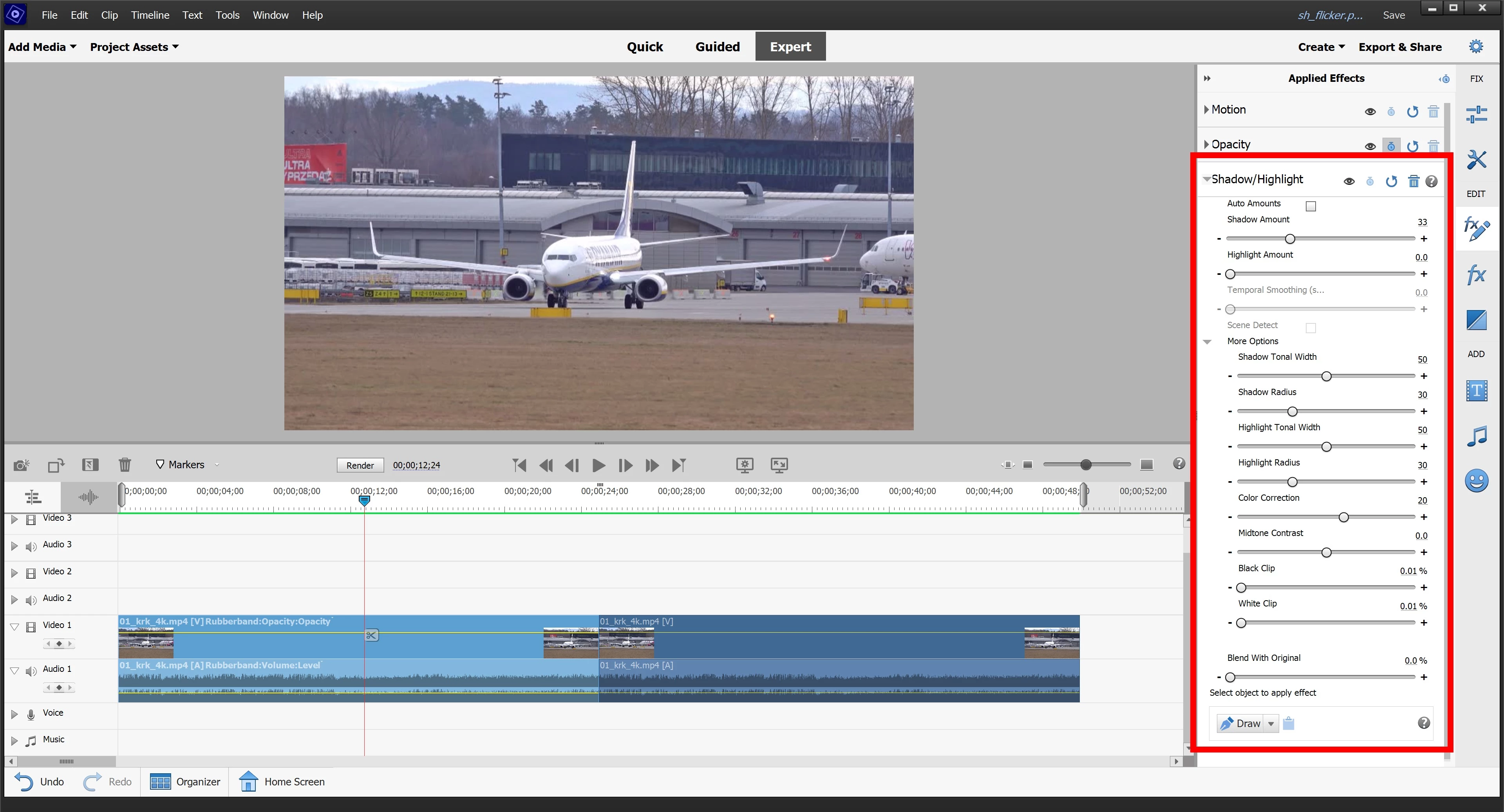
Premiere Elements 2022 Shadow/Highlight causes flicker

  • March 3, 2022
  • 3 replies
  • 263 views

Can anyone help me undersdand why Shadow/Hightlight effect causes light flicker?

See video example I've created here below (25 secs of clip with S/H and then 25 secs of original clip)


First I thought it's to do with Auto Amount settings but it behaves the same way when constant amount of shadow 33/hightlight 0 is used.

I've tried playing with tonal width and radius but there's no effect.


I was thinking of getting Pro version but if it's the same there then I'm highly sceptical...

Thanks for any help.
 

This topic has been closed for replies.

3 replies

Ann Bens
Community Expert
Community Expert
March 3, 2022

In Premiere Pro Shadow/highlight is an obsolete effect.

Which means it will be dropped from the program in future releases.

There are far better tools for color correction in Pro then in Elements.

Elements is very much limited in color correction tools.


The effect is clipping the highlights.

Might want to leave it on auto and increase temporal smoothing.

John T Smith
Community Expert
Community Expert
March 3, 2022

You need to provide details for anyone to help
Mac or Windows and exact version of the operating system
Exact Premiere Elements version (any updates applied?)
CPU brand and model and clock speed
Amount of computer memory (RAM)
Video adapter brand and model and driver version and amount of video ram
Number and size and type of hard drives
What kind of video are you editing?
-hint 4k video on an underpowered computer will not play well


IF WINDOWS

Do not count on Windows to be fully up to date when it comes to device drivers
Go to the vendor site to be sure you have an updated driver for your graphic adapter
nVidia Driver Downloads https://www.nvidia.com/Download/index.aspx?lang=en-us
-for Premiere Pro (and MAYBE Premiere Elements) use the STUDIO driver, not the GAMING driver
If you have a laptop you MAY also need to check for a laptop specific nVidia driver
AMD/ATI Driver https://www.amd.com/en/support
Intel https://downloadcenter.intel.com/product/211969/Intel-HD-Graphics-Family
There are also intermittent reports that the newest driver is not always the best driver due to driver bugs or compatibility issues, so you MAY need to try an earlier driver version

Community Expert
March 3, 2022

What you see during editing is a "real time" generated preview.  It can be very hardware dependent and demanding.  Does the flicker still exist in the the final output?  There are also a couple settings in General preferences that effect the preview quality.  Can you try changing them.  

Premiere Pro and Premiere Elements are very different.  As an example, compare just the interface.  You can take advantage of the Premiere Pro free trial and see what it does on your equipment.

Lukasz1982
Participant
March 3, 2022

Video posted to youtube is final output, it's not preview. Clip with S/H effect has light flicker