


Participant
November 5, 2018
Question

premiere elements low-level exception in: Import JPEG

  • November 5, 2018
  • 1 reply
  • 380 views

I am running Adobe Premiere Elements 15 on Windows 64bit machine.

I am unable to import any media into a new project.

I am getting the following error:
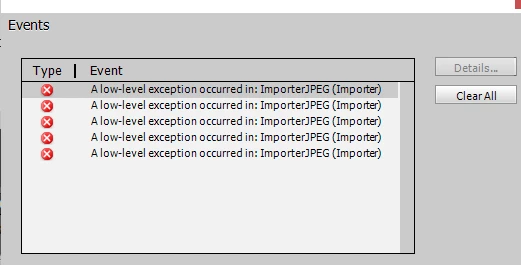
I tried dragging and dropping and also accessing through the folder and same issue. I edited all photos in Photoshop CC 2017. They are all RGB and 8 bits.

Any help would be much appreciated!

thanks very much.

Alison

    This topic has been closed for replies.

    1 reply

    Community Expert
    November 6, 2018

    I don't know what to say.  I've not seen this one.  I might try something besides RGB.  Could you share one of your image files on DropBox or similar?  Maybe I can figure something out.

    Bill 

    Participant
    November 6, 2018

    Thanks Bill. I actually just changed them to .png and they have imported perfectly so I'll not worry too much about it now. Bit odd though.

    Kind regards

    Alison

    Community Expert
    November 6, 2018

    Alison,

    I agree that it is a bit odd.  I had version 15 on my machine for a couple years and never had trouble with any photo files, including full sized RAWs. 

    Bill