


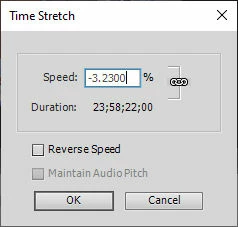
Premiere Elements Timestretch wants to use -3.23% if I type in the percent field
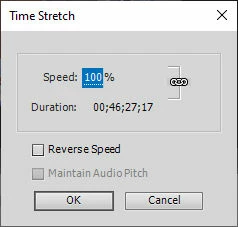
I captured 11 hours of video from one of my security cameras with playback set to 16x realtime. I used the XBOX screen capture app. The resulting video was 45 minutes. I wanted to compress it to about 2 minutes so I tried using Clip > Timestretch and was going to type 2000 percent. But as soon as I type the 2, the Speed field changes from 100% to -3.23%. It shows two more zeros because I then types two zeros after the 2, hoping that would overwite the -3.23 but it did not. Please see screenshots below. The capture I did is .mp4 format. I have used time stretch before in Premiere Elements 2021 to speed up video I shot with my drone and that is also .mp4 format so I don't know what is going on. The only difference is that I used the CROP effect to crop the video frame first.
Thanks,
Don
 AdChoices