

Question
Premiere Elements (Windows) 2022 or 20221 Do Not Remember Scratch Disk Location
Hi,
I found this scratch disk location bug with Premiere Elements 2021, but the same problem exists in 2022. I open a project and change locaion -
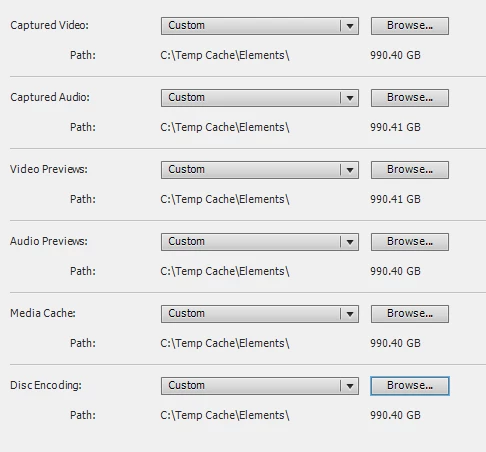
Now I make changes to my project, save it and open the project again. I find the scratch disks location have been changed to original -
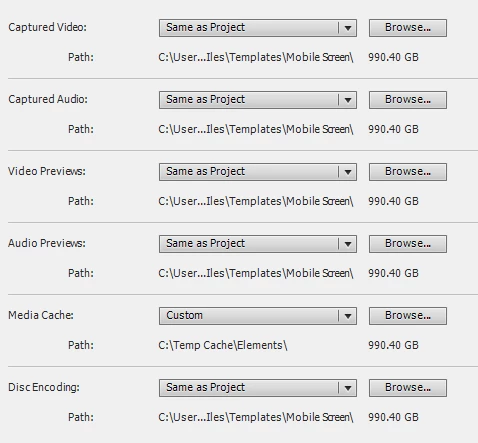
Now I open the file with Premiere Elements 2018, do the same and now eveything is fine.
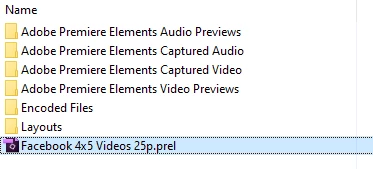
The reason I want to keep the scratch disks location separte is to keep the project folder clean. But now I cannot. It looks like garbage -
With 2/3 updated after the release of Premiere Elements 2022 for Windows, I believe Adobe team took this application seriously.
My request is to look into this issue and fix it before the next release.


 AdChoices