
Participating Frequently
December 4, 2021
Question

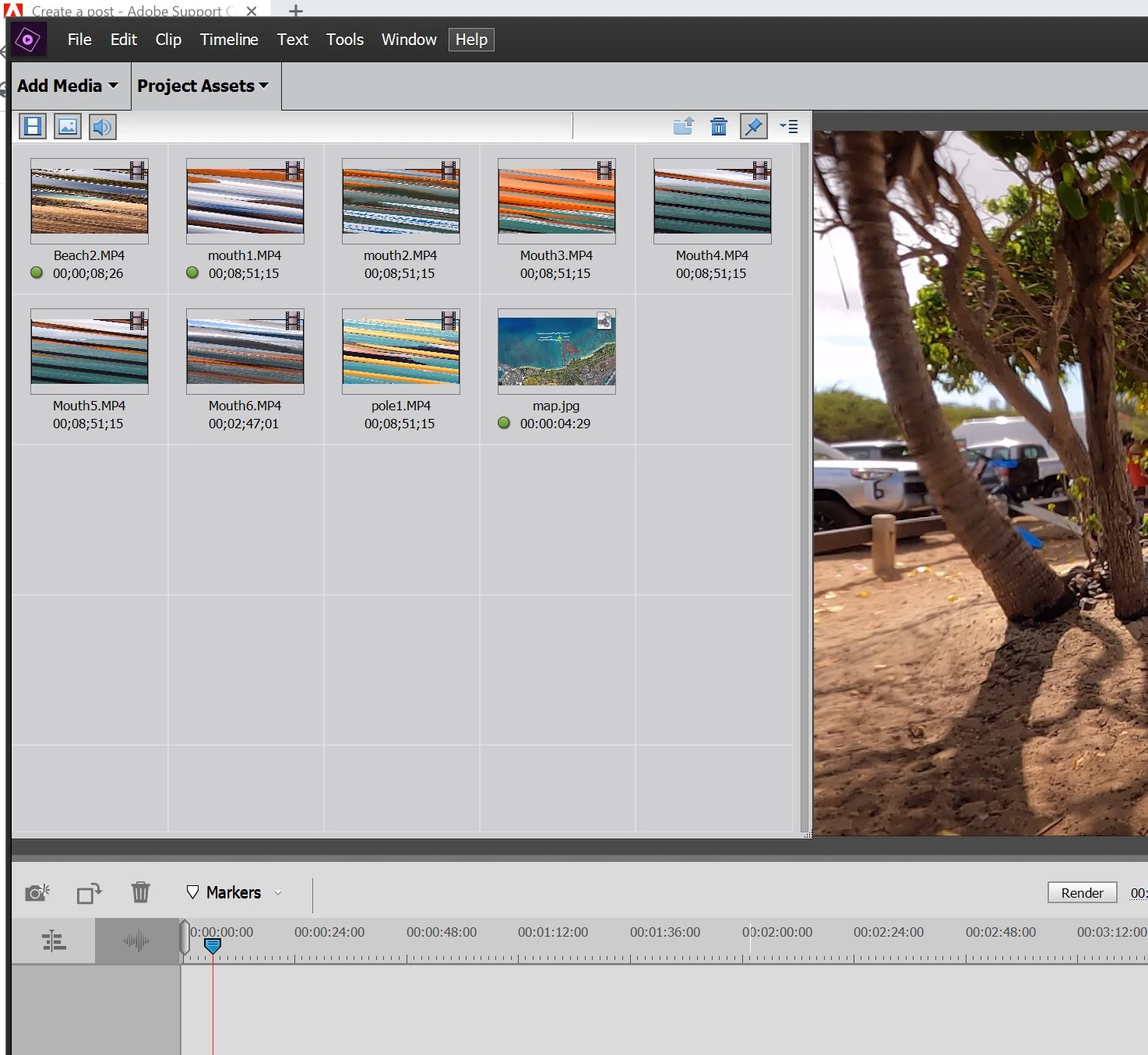
Preview Icons are distorted

  • December 4, 2021
  • 1 reply
  • 1282 views

The Preivew icons are distorted.  They are also distorted when I drop them onto the Video timeline.  This started happening suddnly after already completeing a few movies.   It looks like the computer is having difficulty loading the content completely.  It's doing this with new and older projects.  Did I accidentally enable something?  The PC is a few month old and was overspected to run video editing software.  See attached screen capture
 

This topic has been closed for replies.

1 reply

Participating Frequently
December 4, 2021

More info on my PC:  
Processor 11th Gen Intel(R) Core(TM) i7-11700F @ 2.50GHz 2.50 GHz
Installed RAM 32.0 GB (31.7 GB usable)
System type 64-bit operating system, x64-based processor

Edition Windows 10 Home
Version 21H1
OS build 19043.1348

John T Smith
Community Expert
Community Expert
December 4, 2021

Do not count on Windows to be fully up to date when it comes to device drivers
Go to the vendor site to be sure you have an updated driver for your graphic adapter
nVidia Driver Downloads http://www.nvidia.com/Download/index.aspx?lang=en-us
-for Premiere Pro (and MAYBE Premiere Elements) use the STUDIO driver, not the GAMING driver
-such as (this MAY not be the latest) https://www.nvidia.in/Download/driverResults.aspx/177929/en-in
If you have a laptop you MAY also need to check for a laptop specific nVidia driver
ATI Driver https://www.amd.com/en/support
Intel https://downloadcenter.intel.com/product/211969/Intel-HD-Graphics-Family
There are also intermittent reports that the newest driver is not always the best driver due to driver bugs or compatibility issues, so you MAY need to try an earlier driver version

Participating Frequently
December 4, 2021

This problem started suddenly three days ago with Premiere Element.  It was working fine for 3 months up until now.  Nothing new added to my desktop PC.  Everything else on the PC is working.   The PC and Premier Elements were purchased together in September 2021.  I don't do any gaming or anthing else requiring high performance other than Premiere Elements.   FYI...My PC has ALIENWARE AURORA R12.  


I went ahead and downloaded the two drivers you suggested.   How can I know if the correct driver is running?  My Device Manager- Display Adapter- NVIDIA GeForce RTX 3060Ti


see screen capture below