


rgcwyo61
Participant
October 25, 2019
Question

Priemer Elements 12 4 second sound clitch

  • October 25, 2019
  • 2 replies
  • 379 views

I am using a Dell laptop i7 processer Windows 10 and have made a few working videos with the new laptop. I just stack trail camera video clips together for myself and a few friends. Nothing special, no transistions just menu markers.  


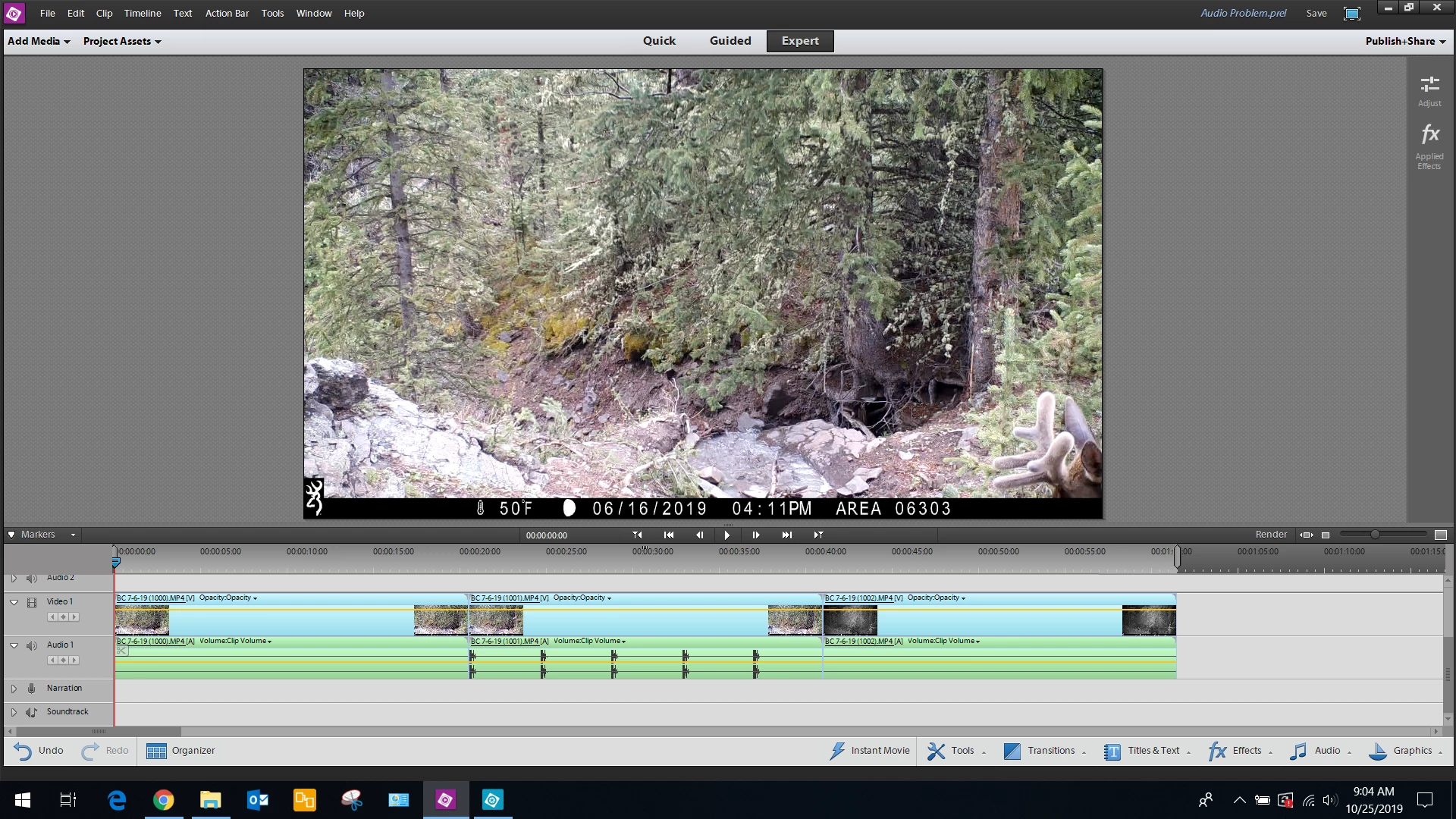
Last week when I loaded several video clips the audio portions had no sound except every 4 seconds a blip of the sound track can be heard. 


The clips play fine with sound when double clicking them as just video files (not in Elements) but only have the problem when loading them into Elements 12. I have reinstalled Elements 12  3 times now and can't see any problems.


Any ideas out there?  Elements worked fine for a couple 1 hours videos and now is have an audio problem.


    This topic has been closed for replies.

    2 replies

    Community Expert
    October 27, 2019

    Based on what you've provided, I'm only at guesses.  It does not make sense.  


    Two things might lead to some help.  First, the screen shot of the procject shows three clips and only one has the audio blips.    Second, playing of clips and editing of clips are two different things.  Playing a clip is not a test of its ability to be edited by editing software.   Putting those two things together my current guess is that camera settings have changed.  

    rgcwyo61
    rgcwyo61Author
    Participant
    November 3, 2019


    here are 4 file formates take from the video clip propertes in Windows   They mach the files uploaded into the Elements 12.  As you can see the last one on the left is a mono file with a different KBPS.  Is that a problem?  It seems like the files i upload with a Mono audeo formate are the ones giving me a problem.  What is your suggestion to fix it?  (no harm in begging)

    Community Expert
    October 25, 2019

    I'm guessing that the camera is newer than the software.  So the recording codecs may be a mismatch.  


    To sort this out, details about the project settings, computer and source files will be needed. 

    If you are going to do a lot of this, it may be easier to do a free trial of a newer version.   

    rgcwyo61
    rgcwyo61Author
    Participant
    October 26, 2019

    I agree the software is old and upgrading is an option in the future but honestly i use vary few fetures that Elements 12 offer,  Mostly the ability to burn AVCHD and Bru-Ray discs.  LOL i don't even used the transistions.


    I have made dozzens of DVD using Elements 12 and the Canon G30 so the codecs is not mismatched.


    The problem just popped up last week.  Granted the laptop i am using now is running windows 10 but 3 weeks ago i made 2 different projects, both over an hour long using the same trail camera file formats that i am now having problems loading.


    How do go about getting the project settings? I will compare them to the older projects and see if there is a mismatch some place. 

    How do i find the computer specs in windows 10?   I used to know how in windows 7 but Windows 10 has got me stumped.  ( i will google that, sorry)


    Thanks for you help.